Revise Blog - Building a post-AI word processor
Spell-checking with LLMs
 Artur Sapek, Founder of Revise5 min read
It's 2026 and word processors are still not using LLMs to power their spelling and grammar checkers. I'm really not sure why.
In building Revise, I approached the problem this way and it feels like such a natural fit for a large language model. The system is extremely simple, fast enough, and most importantly it catches many mistakes that others don't.
Consider this sentence:
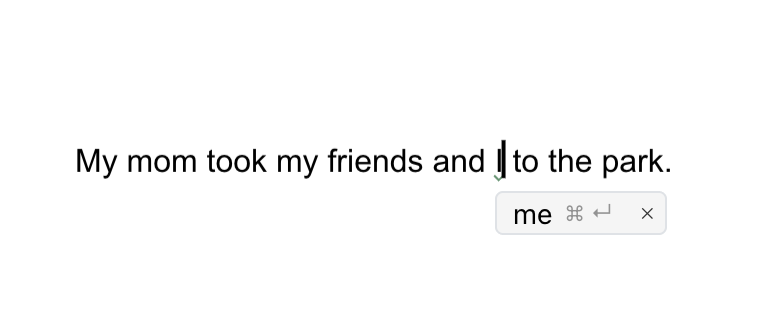
My mom took my friends and I to the park.
This is a common mistake in English. Everyone has been taught to always say "and I" to the point where they will say it when it's wrong. You wouldn't say "My mom took I to the park". The correct version is:
My mom took my friends and me to the park.
Google Docs and Word both fail to point this out:
 Google Docs |  Word 365 |
If you type the same sentence in a Revise document, it will correctly suggest you change "I" to "me":
Revise.io
Let's look at another example: commonly misheard phrases.
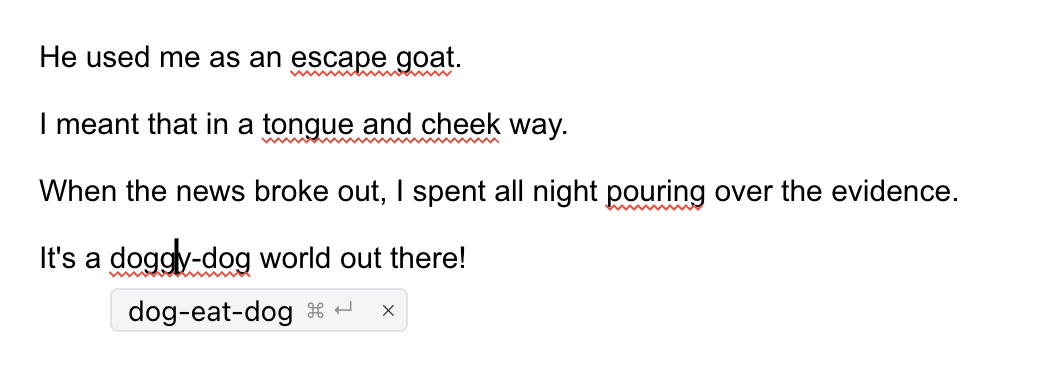
He used me as an escape goat.
I meant that in a tongue and cheek way.
When the news broke out, I spent all night pouring over the evidence.
It’s a doggy-dog world out there!
Again, traditional systems catch none of these. The grammar is valid, and the words are real words. If you rely on a dictionary and grammar engine, you can't identify that these are wrong.
 Google Docs |  Word 365 |
Meanwhile Revise catches every one:
Revise.io
All of these are somewhat common but embarrassing mistakes to make. Many people screw these up, yet neither of the two big word processors catch them.
My favorite part is just the higher level of obscurity that this system can handle. It will catch mistakes that require lots of world knowledge to understand correctly.
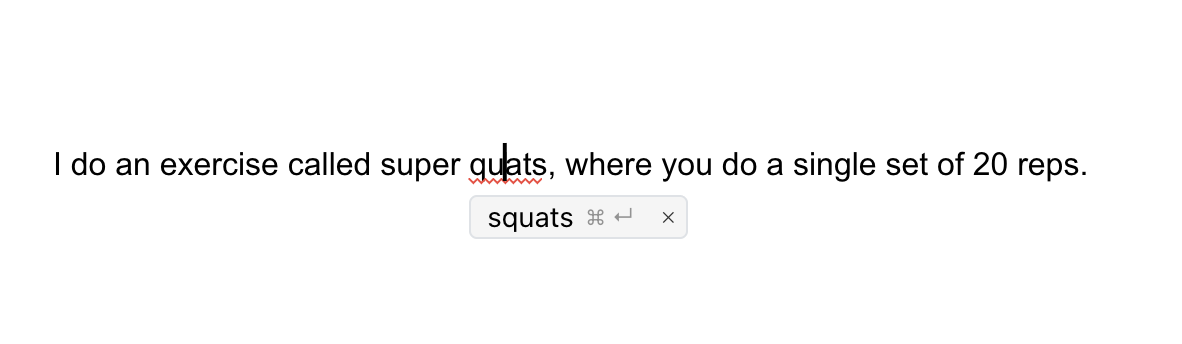
I do an exercise called super quats, where you do a single set of 20 reps.
Oops, I missed an "s". I will let you Google "quat" yourself, but it is a word. It makes no sense in context, though, and the rest of the sentence clarifies what I really meant. LLMs are excellent at picking up on things like this.
Revise.io
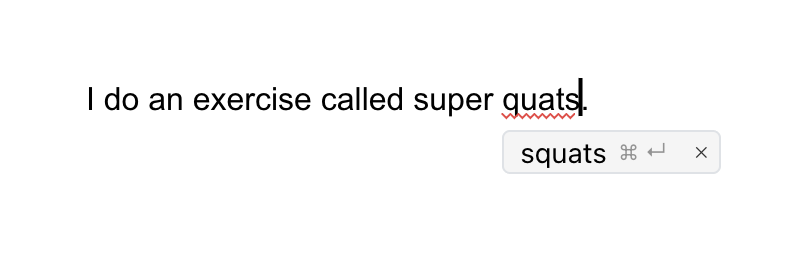
It will even catch the mistake if you leave out the sets & reps, which are the defining characteristics of the Super Squat program:
Revise.io
It shouldn't come as a surprise now that neither Google nor Microsoft catch this mistake:
 Google Docs |  Word 365 |
This type of example requires a breadth of knowledge to notice and correctly fix; even most regular gym-goers have probably not heard of Super Squats. This is where LLMs really shine.
How does it work?
The implementation is so simple it's barely worth writing about. The CRDT backend that powers Revise documents runs a Y.js extension that waits for deltas on paragraph and list nodes, and compares their before and after plain text representations.
If a text change is detected, it sends a request to a small LLM (we are currently testing GPT-5.4-Mini and Grok 4.1 Fast).
The model is asked to stream corrections in JSONL (newline-delimited JSON). Here is the meat of the system prompt:
Then, we give input like this:
And get streaming output like this:
The extension takes each output, and if it can resolve it to a text anchor in the Y.js node, it attaches the suggested change as either spelling (red) or grammar (green).
If a paragraph already has suggested changes in it, we include those as XML tags:
If a sentence is manually fixed by the user in a different way, the model can remove outdated suggestions.
My dog like to eat steak.
This is ambiguous. The model might correct it to likes only for the user to pluralize dog to dogs. The model can then remove the suggestion:
That's it! It's pretty fast and token-efficient.
Drawbacks
Two arguments against this might be that it's expensive and non-deterministic. I can't really argue with the non-determinism, but in my experience it's consistent enough to rely on.
Regarding cost, Revise is still relatively new and small so I'm not sure how broadly useful these numbers are. In terms of the overall LLM bill, this system is currently about 8%. In absolute numbers, it costs $30 per 1,000 monthly active writers.
I have no idea what the per-user costs are at larger companies, but I'm sure the systems are more complex. They might very well be cheaper even when considering staff costs required to maintain them, but even if so they are demonstrably inferior proofreaders.
LLMs are more comprehensive, context-aware, and multilingual out of the box!
And it costs you nothing - it's a free feature of Revise. You can try it yourself without even creating an account!