Revise Blog - Building a post-AI word processor
AI Document Review Tools Compared - 2026
Seven popular AI tools compared for where they can help improve your documents
 Artur Sapek, Founder of Revise20 min read
The screenshots and timings below describe the earlier runs shown here. Current integrations can offer different editing workflows. In particular, OpenAI introduced ChatGPT for Word on September 17, 2026; I have not retested this comparison with that add-in.
You have a document, and you want to find and fix all the problems with it before sending it over to your boss, your colleagues, your professor, or your client. What's the right tool to use? It really depends on what you're doing, and what result you want. There are countless AI products out there each with different strengths.
I compared seven popular ones with a real document review task, taking notes on how they performed across the full review workflow: how easily you can bring in a real document, what the AI can find, whether it can propose useful fixes, how you review those fixes, what happens to the original formatting, and how easy it was to use.
Seven AI document review tools at a glance
These tools are built around different review workflows, but I've broken them down by what each one does best. My overall verdict is below, followed by a summary of my test for each tool.
- Revise: fast and useful review yielding comments and tracked changes; intuitive to talk to in comment threads; citations not linked
- Microsoft Word + Copilot: also a good review without much of a wait, though without using comments or tracked changes; easy to use
- Google Docs + Gemini: took more nudging but successfully placed comments and made suggested changes; chat UI a bit hard to read
- ChatGPT: gave great feedback with good citations, but struggled with document editing in the uploaded-file workflow tested here; the newer ChatGPT for Word add-in was not tested
- Claude: asked great questions before starting review, the best tool at context gathering; struggled with DOCX file format in the uploaded-file workflow tested here
- Grammarly Docs: in this test, mostly focused on grammar and sentence polish, missing the bigger picture; comments disappeared after a page refresh; Pro upgrade gated
- Spellbook: legal contract review against standards and playbooks
To run the same kind of review on your own file, paste it or import it below and ask the agent to review it. It opens in Revise in your browser, and your first AI request needs no account.
What is AI document review?
A summary is not a review, nor is a simple rewrite. A useful document-review tool should take you through the entire workflow:
- Find: identify errors, inconsistencies, weak reasoning, missing information, risky clauses, or style problems.
- Explain: make the case for why an issue matters and point to the relevant passage or source.
- Suggest: propose edits to content and formatting via comments and tracked changes.
- Apply: let you selectively apply suggested fixes, accepting ones that make sense and rejecting ones that don't. Keeping you in control is important because the AI tool may not have all the context it needs.
Chatbots are often strong at finding and explaining, but they can't collaborate with you in a real document editor. AI writing assistants are fast at finding and fixing sentence-level problems, but many are limited to basic formatting and can't handle Word files properly.
An AI document editor is the best suited for agentic document review, and it has the hardest job: it must complete the loop while preserving a usable document.
How I compared the tools
I evaluated each product against eight practical questions:
- Document context: Can the AI reason about the whole document rather than one pasted paragraph?
- Review depth: Does it catch only grammar, or can it assess structure, consistency, reasoning, and intent?
- Actionable output: Does it return observations, comments, rewritten text, or edits to the actual document?
- Human control: Can you inspect and accept or reject individual changes?
- File fidelity: What happens to formatting, layout, comments, and revision history?
- Speed: How long did it take to get useful improvements to my document?
- Evidence: Does the AI cite its sources?
- Friction to first useful review: Does the tool have a free tier? How hard is it to try?
I used the same document with each tool: a DOCX file containing a simple legal contract with subtle hidden mistakes and flaws. Here is what I found.
I’m the founder of Revise. This is a hands-on comparison using one contract document, and the timings and screenshots describe the runs shown here. They should not be treated as standardized speed or legal-accuracy benchmarks. A useful follow-up is to try the same document with your own prompts and check both the review findings and the exported file.
AI document review tools compared
Revise: easy to use with great comment threads
Revise is a browser-based AI document editor. Import a DOCX, PDF, Markdown, or text file and the document opens in an actual word processor. The agent can read the full document, identify problems, leave comments, and propose edits directly in the page.
Revise took about 35 seconds to review the test document and left several insightful comments in the margins, pointing out things like contradictions and incorrect dates. Its first pass review was useful and cited local law.
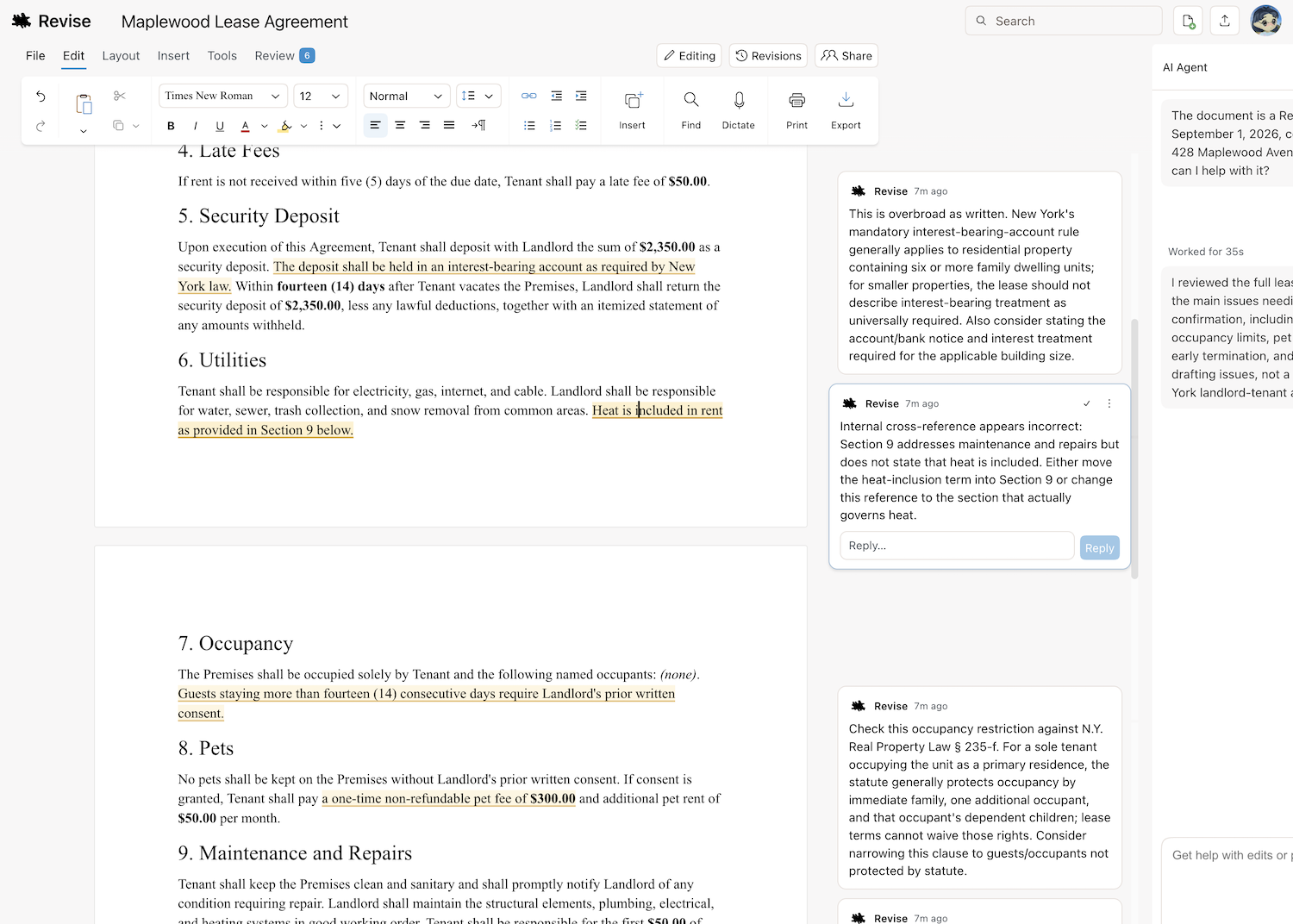
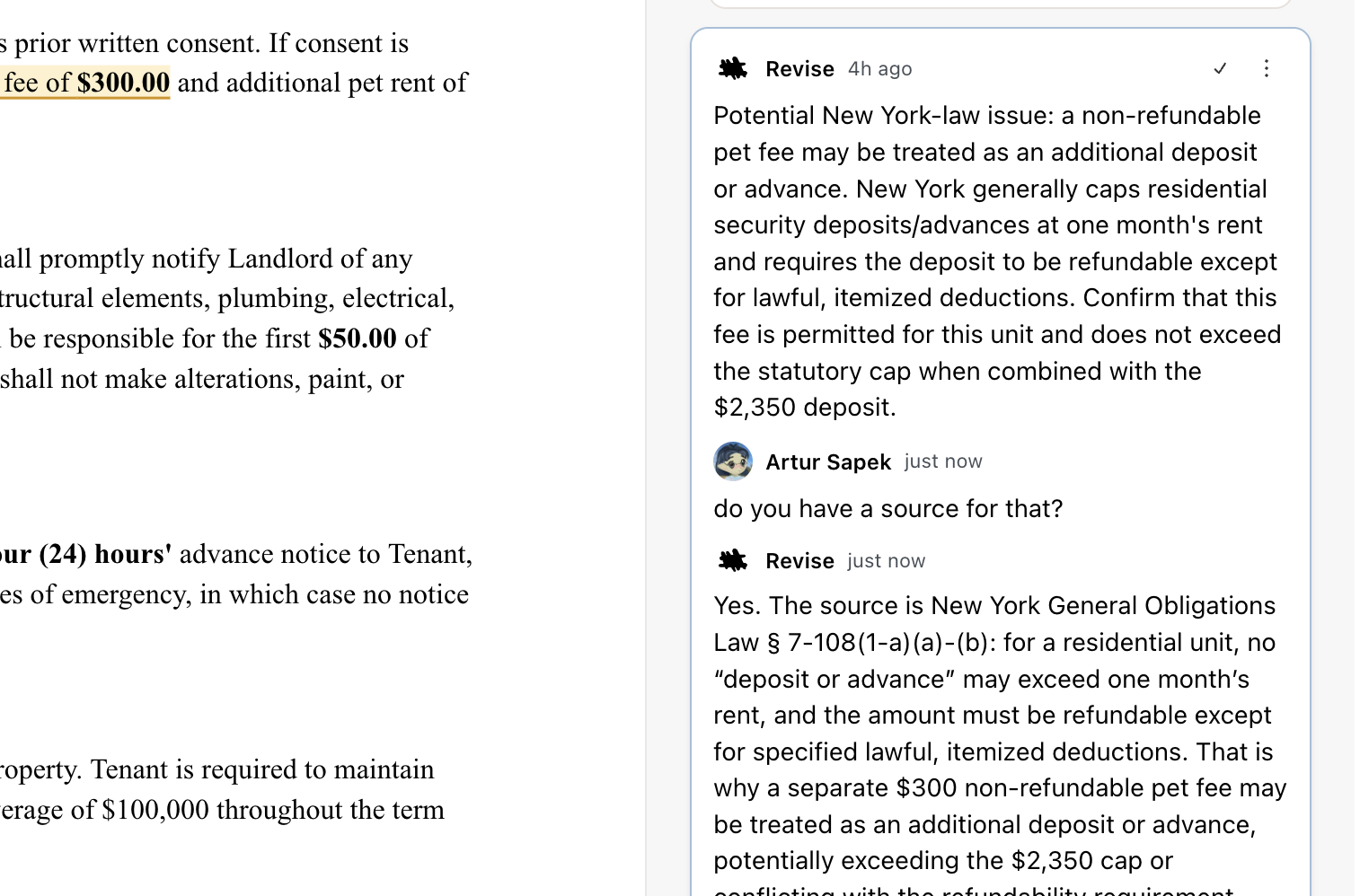
The AI agent in Revise treats comments as a first-class feature - I was able to have conversations with it about specific sections of the document. And when I requested edits in a thread Revise already knew the context based on the comment's position in the document, and made appropriate surgical edits. Each suggestion it made could be accepted or rejected individually.
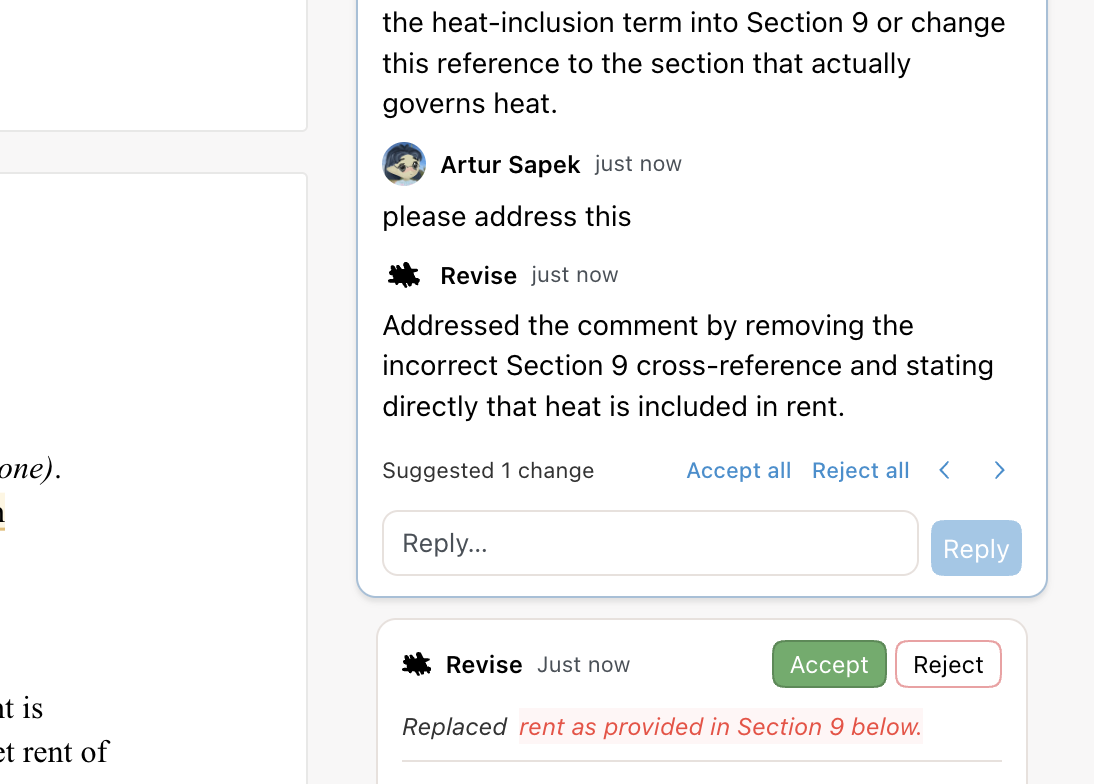
When I exported my document back into .docx format, it retained all of its original formatting and included all of the still-unresolved comments and tracked changes Revise had made.
Overall Revise was a great general-purpose document reviewer, especially for a free tool. You can try Revise without creating an account, and it has a free tier with a daily AI limit, with no credit card required. Revise also offers external AI connections over MCP, subject to the limits described below. Paid plans start at $8 per month or $72 per year.
The Revise connection is available on every Revise plan. Its AI work does not use your Revise AI allowance, but ChatGPT’s own usage limits and Revise’s hourly MCP rate limits still apply. Connecting requires a Revise account. See MCP rate limits.
Microsoft Word with Copilot: reliable, the vanilla choice
Microsoft 365 Copilot is the natural choice when you're already using Word. When I asked Copilot to review the test contract, it found similar issues and discrepancies but the way it presented them was less intuitive. Rather than make inline comments, Copilot presented a stack of cards in its chat UI that I had to step through one at a time.
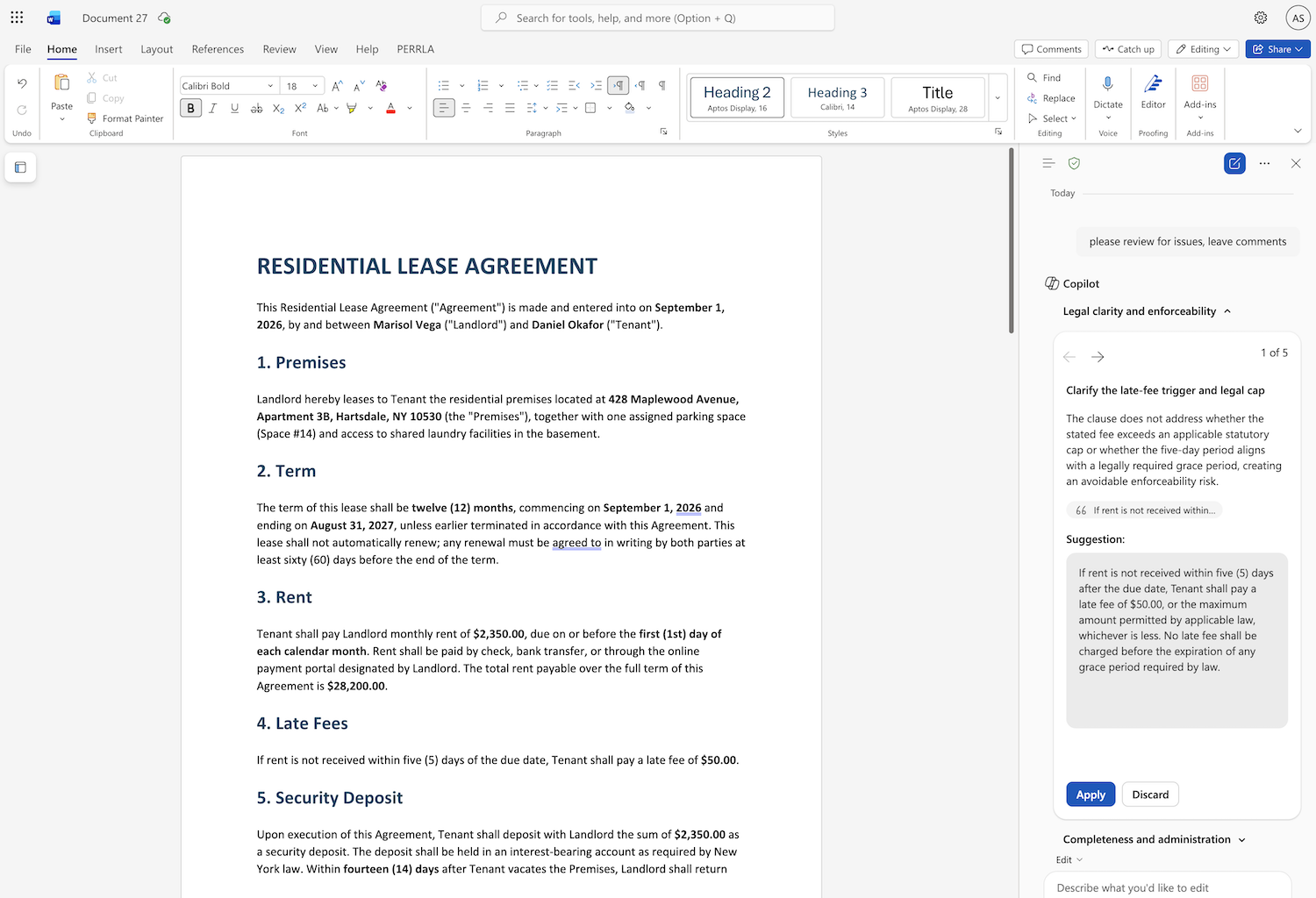
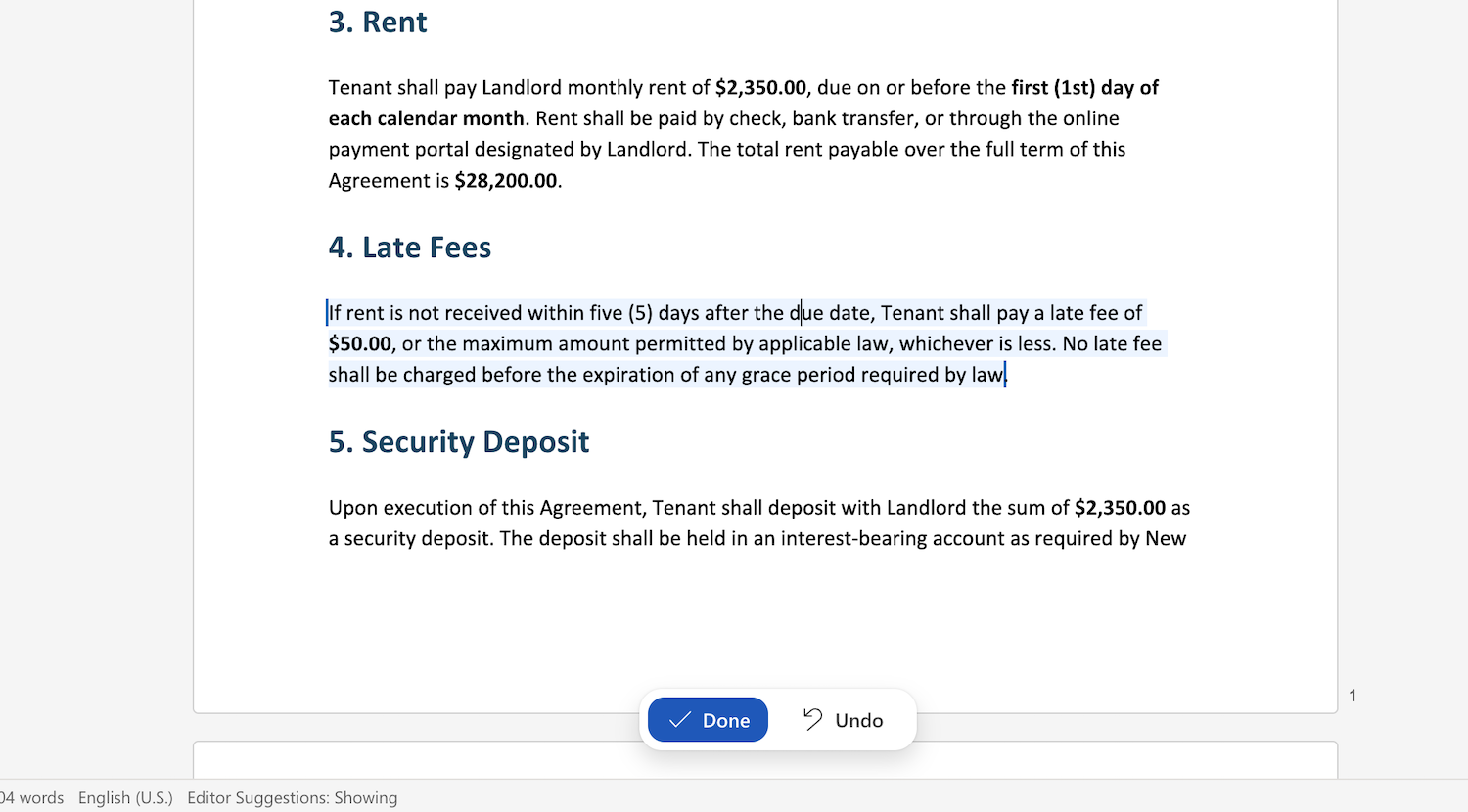
When asked to address an issue, Copilot surprisingly didn't use tracked changes but rather a blue highlight and "undo" button. It wasn't what I expected, but it was still a decent performance.
Obviously, Word had no trouble handling my .docx file and exporting it faithfully, preserving all my formatting. It was very easy to download offline copies or save to 365's cloud storage.
If you're already in Word and have Microsoft 365 and Copilot access, Copilot can do the job and is probably your easiest choice. The desktop Word workflow I tested is included with Microsoft 365 Personal, which offers a one-month trial and then costs $9.99 per month or $99.99 per year. Copilot in Word is not available on any free tier.
Google Docs with Gemini: decent but a bit confusing
Gemini in Google Docs combines AI drafting and rewriting in the most popular collaborative word processor in the world. It's a natural choice for documents already in Drive. So how did it do?
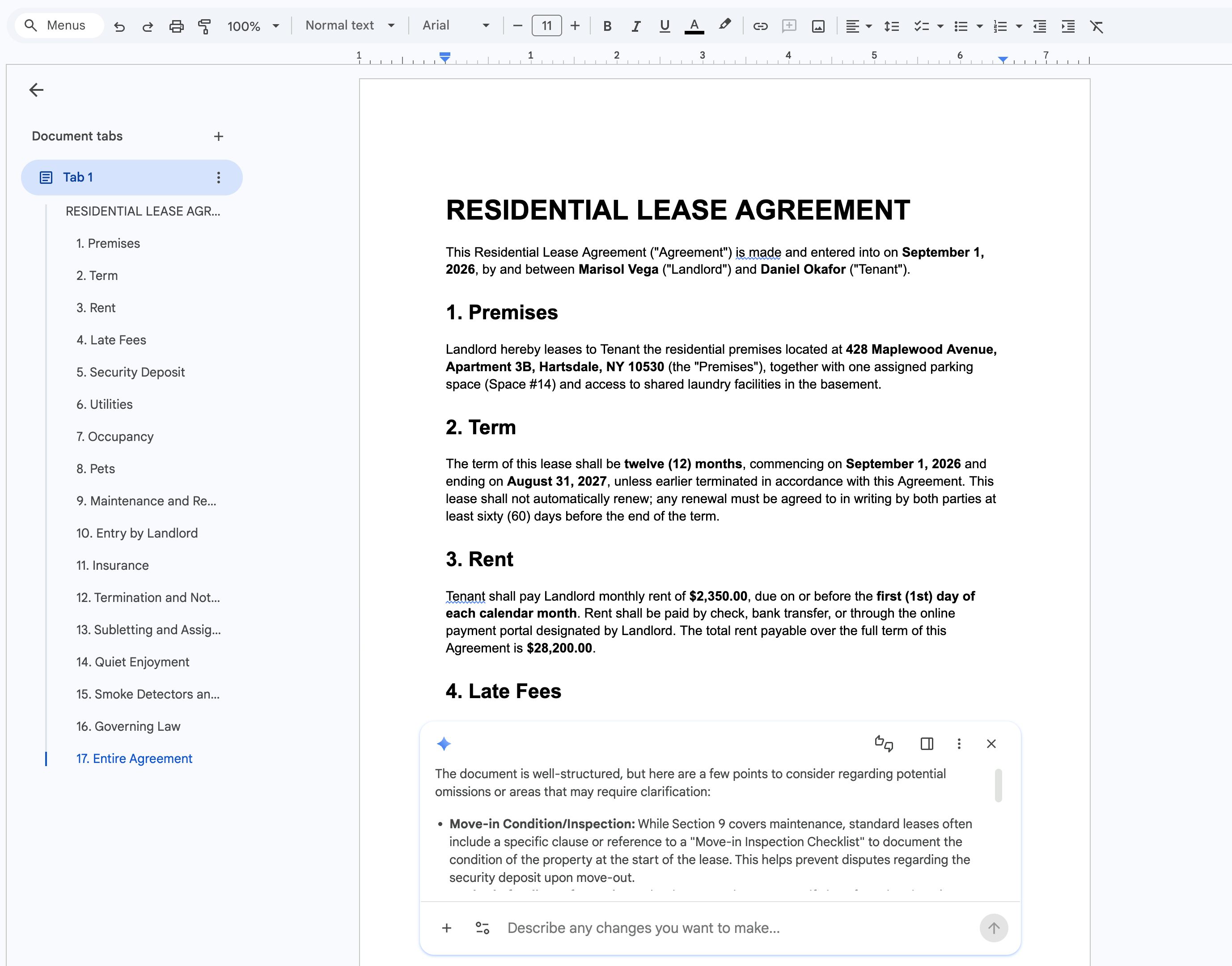
When asked to review the test document, Gemini defaulted to simply offering a long markdown chat reply which was hard to read through even when expanding it into a full sidebar.
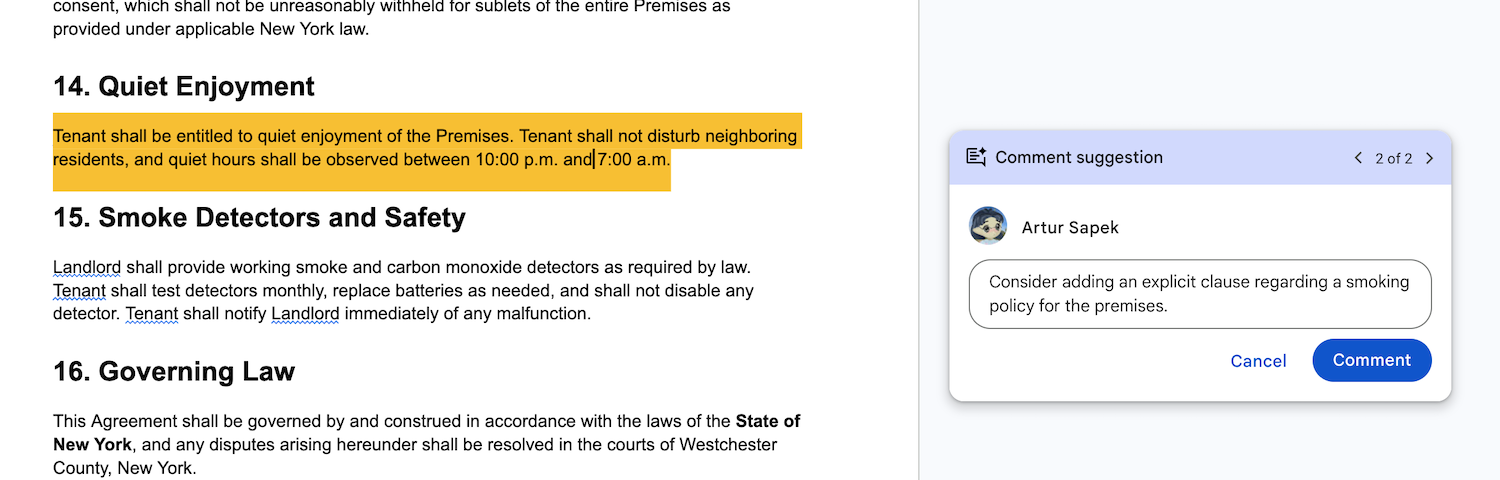
Gemini eventually did leave contextual comments in the document, but not as itself - the comments were authored under my own name. This was confusing - if I'm working together with an AI agent, I want it to be clear what came from the agent versus from me. Even better if the agent and I can go back and forth within a comment thread, like in Revise.
Gemini was also able to apply edits using tracked changes, or as Google Docs calls it, suggestions.
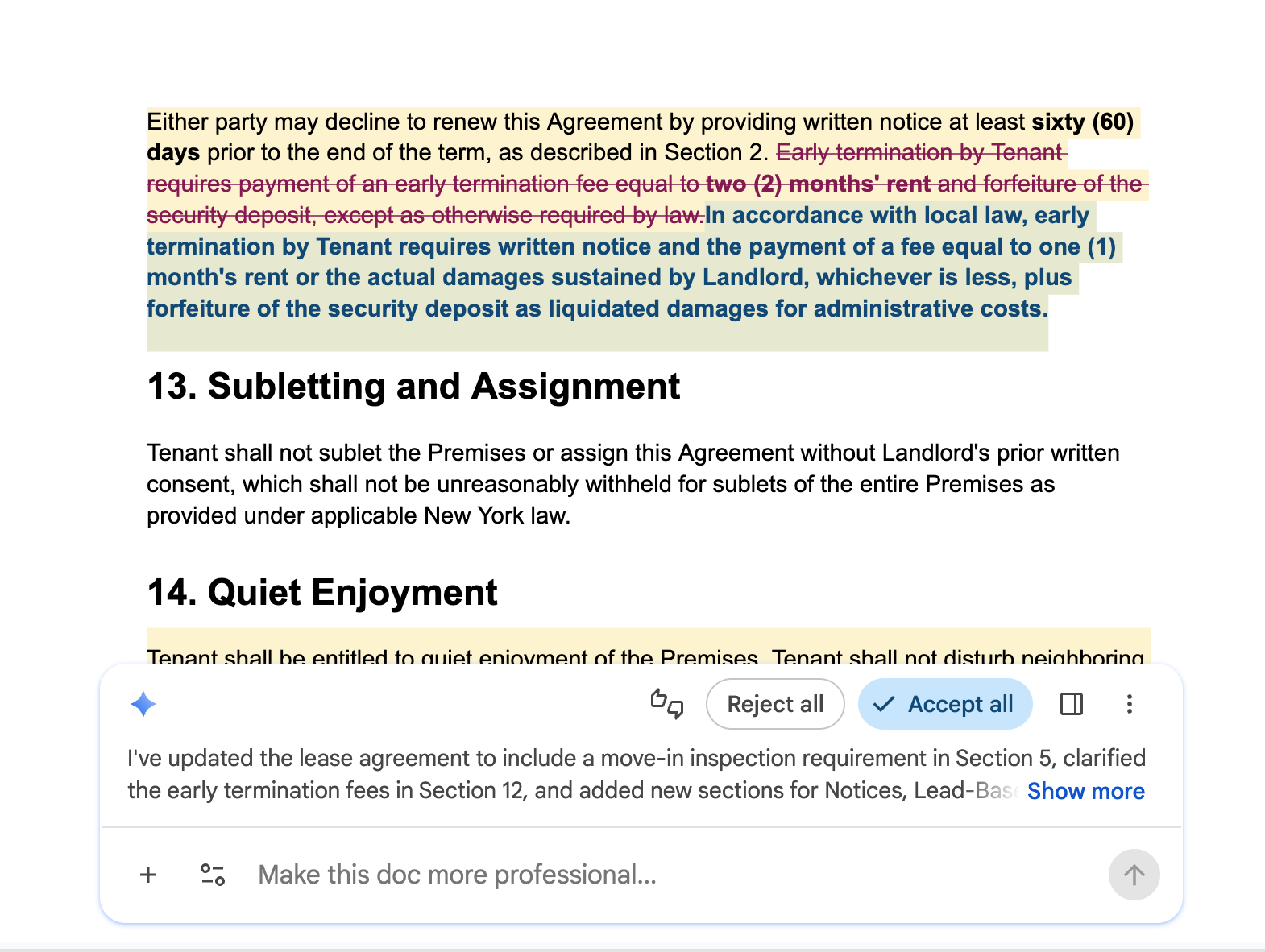
It wasn't the smoothest experience, but Gemini did do the job and left intelligent comments. The biggest drawback was simply model choice - you can only use Gemini in Google Docs. If you like Gemini, and you're already in the Google ecosystem, then it's a fine choice.
For personal accounts, the full Gemini integration in Docs is available in Google AI Pro at $19.99 per month. The free version of Google Docs does not come with the Gemini AI integration, so just like Copilot this is not an option for free users.
ChatGPT: great feedback, but weaker document handling
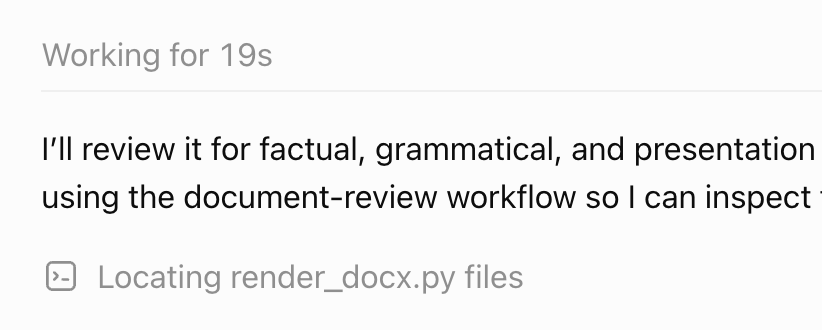
ChatGPT produced one of the most thorough reviews in the test. It took a lot longer than the other platforms I tried, but it left excellent comments. As it was working through my request, I noticed that ChatGPT seems to use Python scripts to work with .docx files in some kind of sandbox.
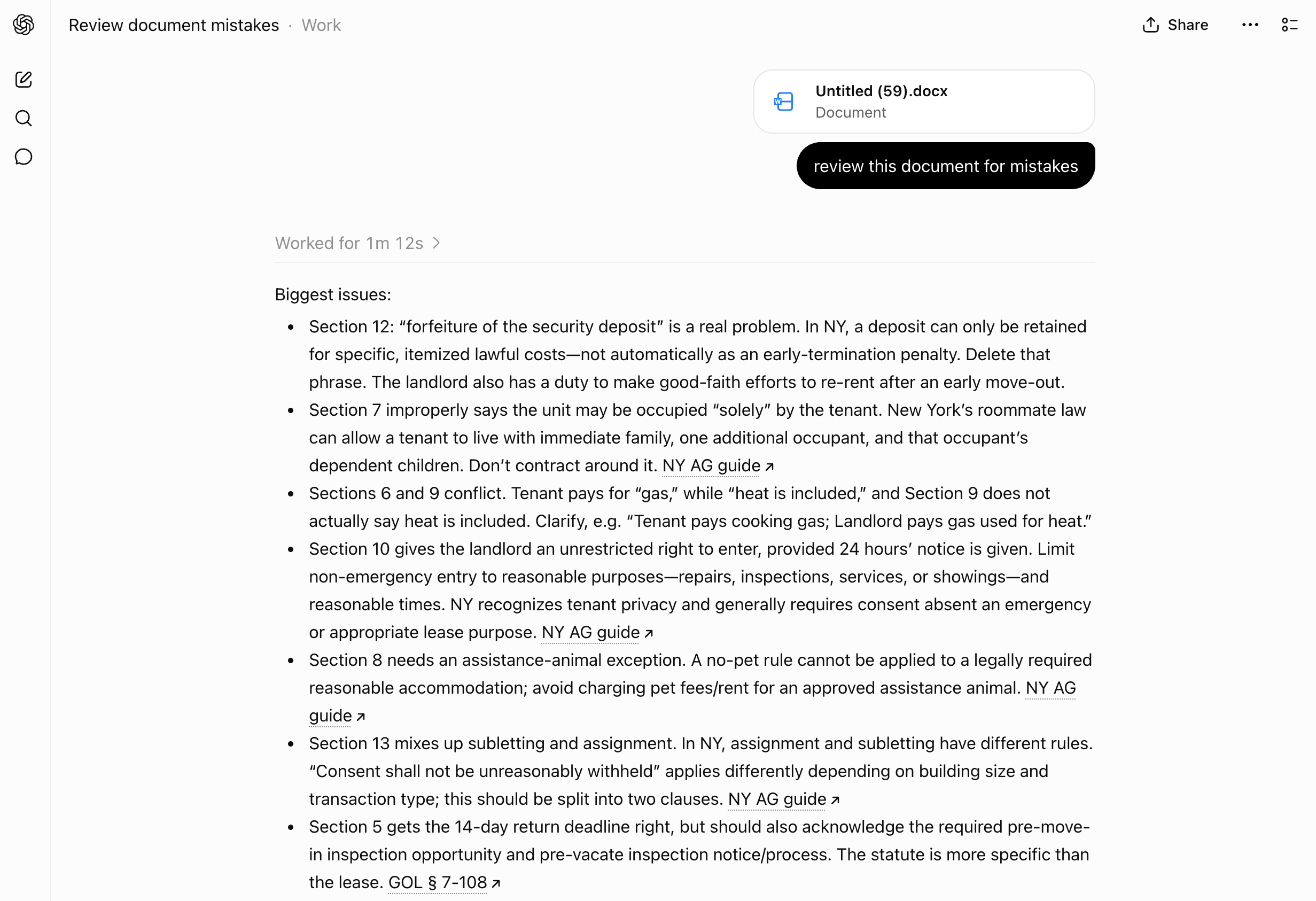
The feedback I got from ChatGPT was solid, and presented as a simple chat response (no surprise). It included excellent citations to local laws, but took a little more cognitive work to correlate each line in the bullet list to what part of the document it referred to. Notably, the section feedback was not in numerical order.
When I asked it to make changes to address its feedback, ChatGPT spent over 2 minutes generating a new .docx file using more scripts. The edits were made, but not with tracked changes so I could not easily see the before and after.
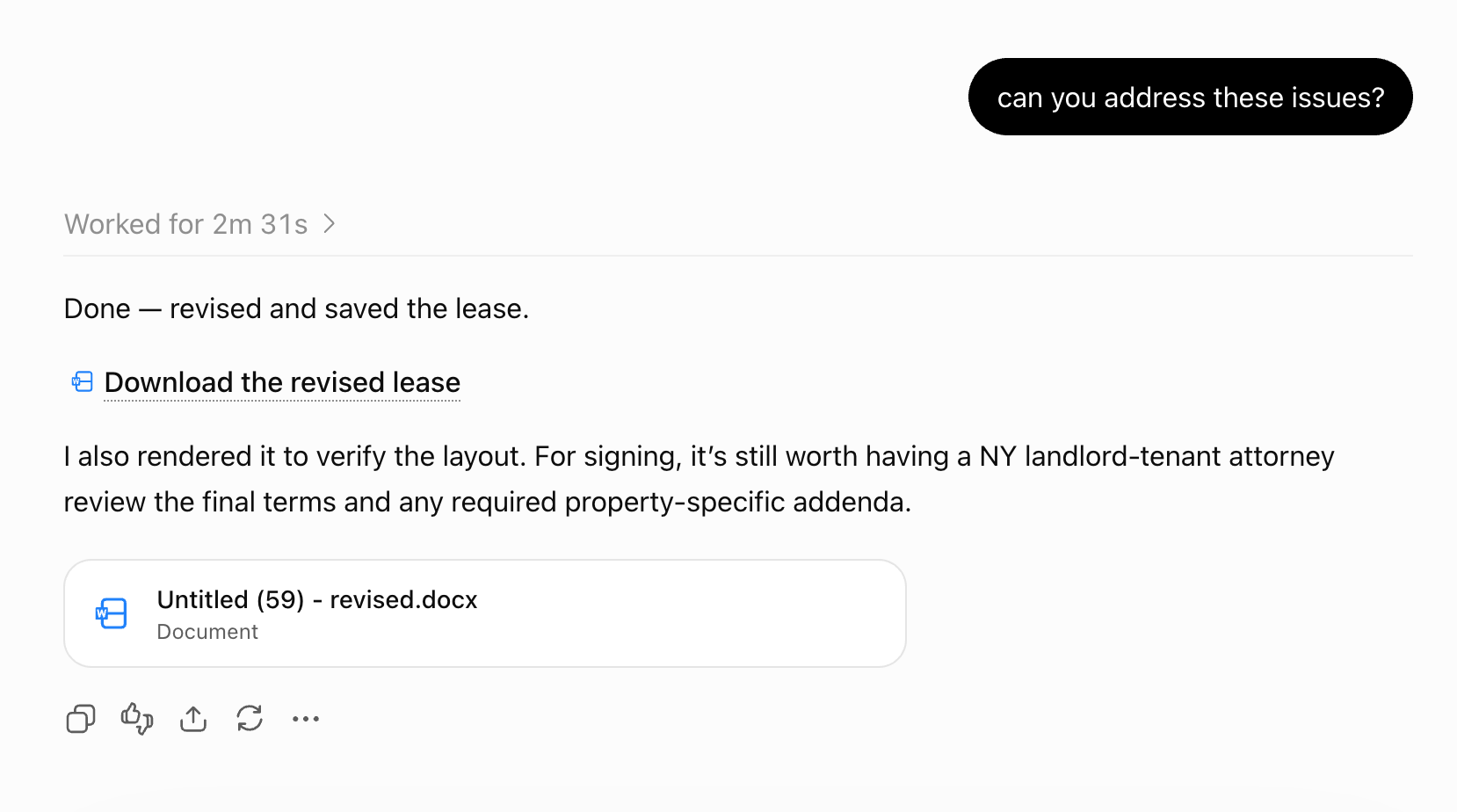
This result describes my uploaded-file test. OpenAI’s September 17 release added a direct Word workflow; a separate test is needed before comparing its review controls or speed. ChatGPT can also connect to Google Docs and Revise.
ChatGPT's free tier includes limited file uploads and analysis; ChatGPT Plus costs $20 per month and raises those usage limits.
Claude: by far the most thoughtful (and slowest)
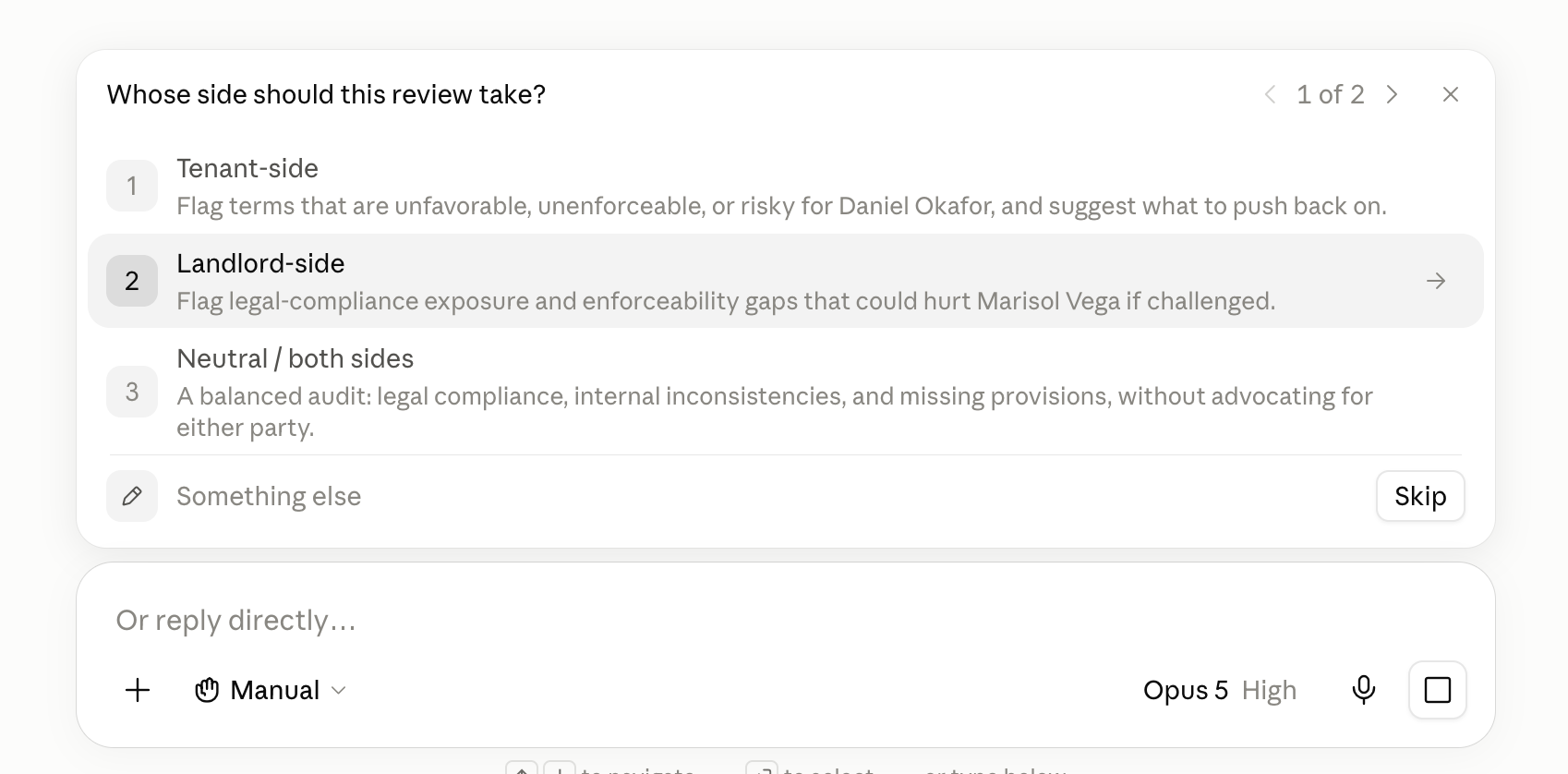
Claude started its review doing something no other tool did: asking questions. Claude asked me two multiple-choice questions specific to my request before doing any work. This was very impressive.
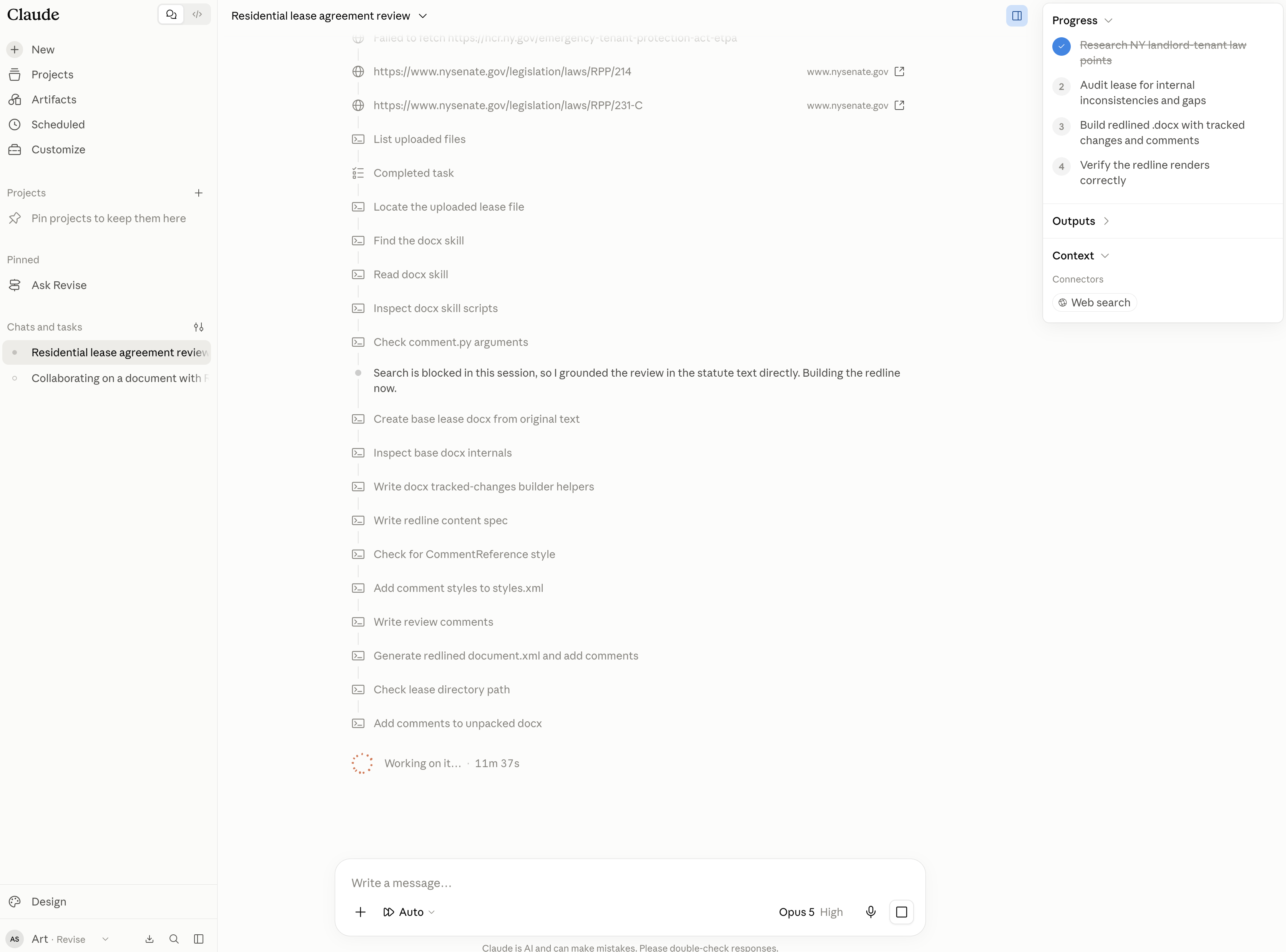
What followed was also the longest I had to wait for results. Claude Opus worked for over 11 minutes doing research and reading how to work with the test DOCX file. Like ChatGPT, Claude also seemed to work with Python to manipulate the document and spent more time on that than ChatGPT did.
At the end of it, Claude produced a valid .docx file with lots of thoughtful comments in it.
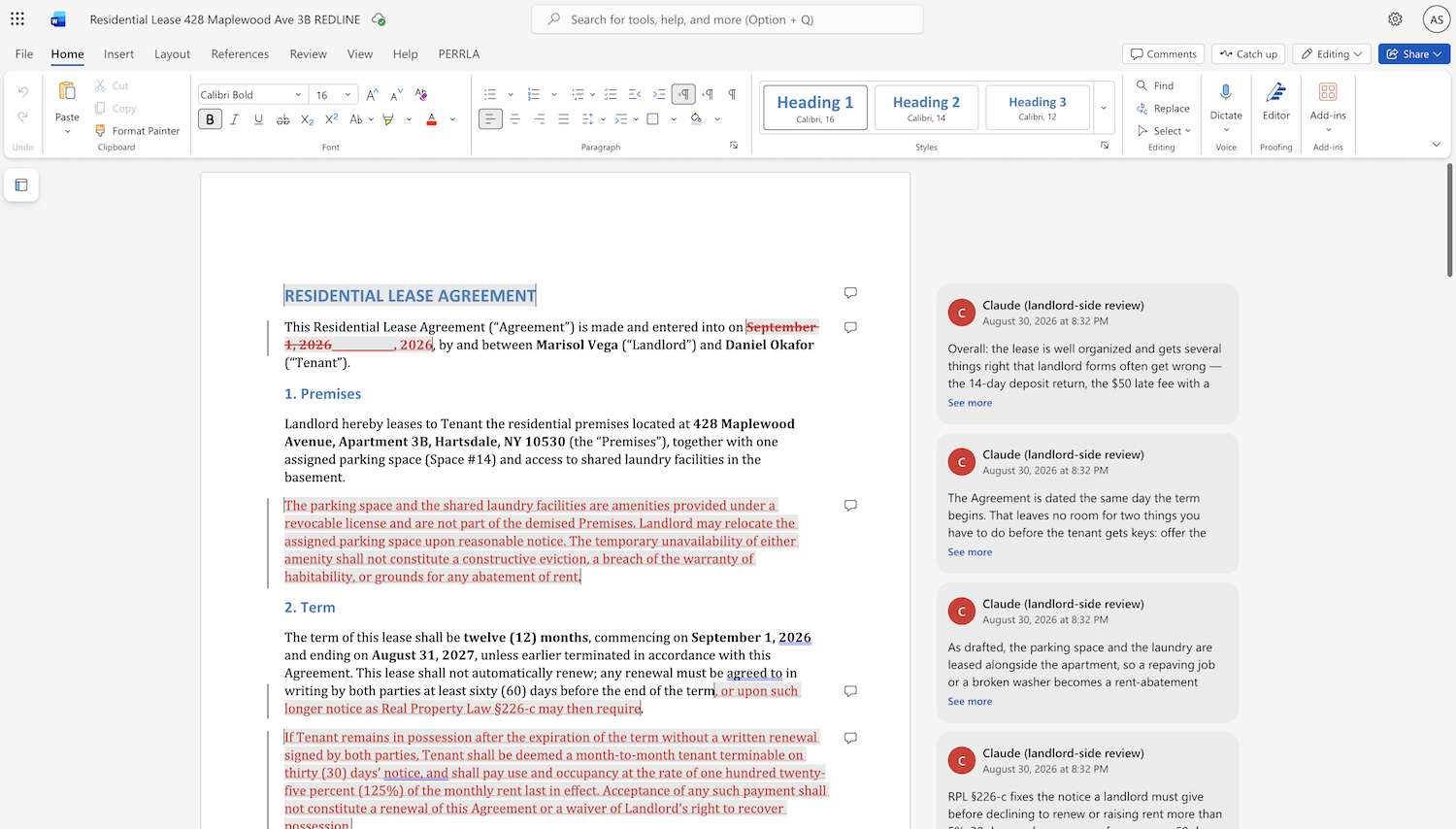
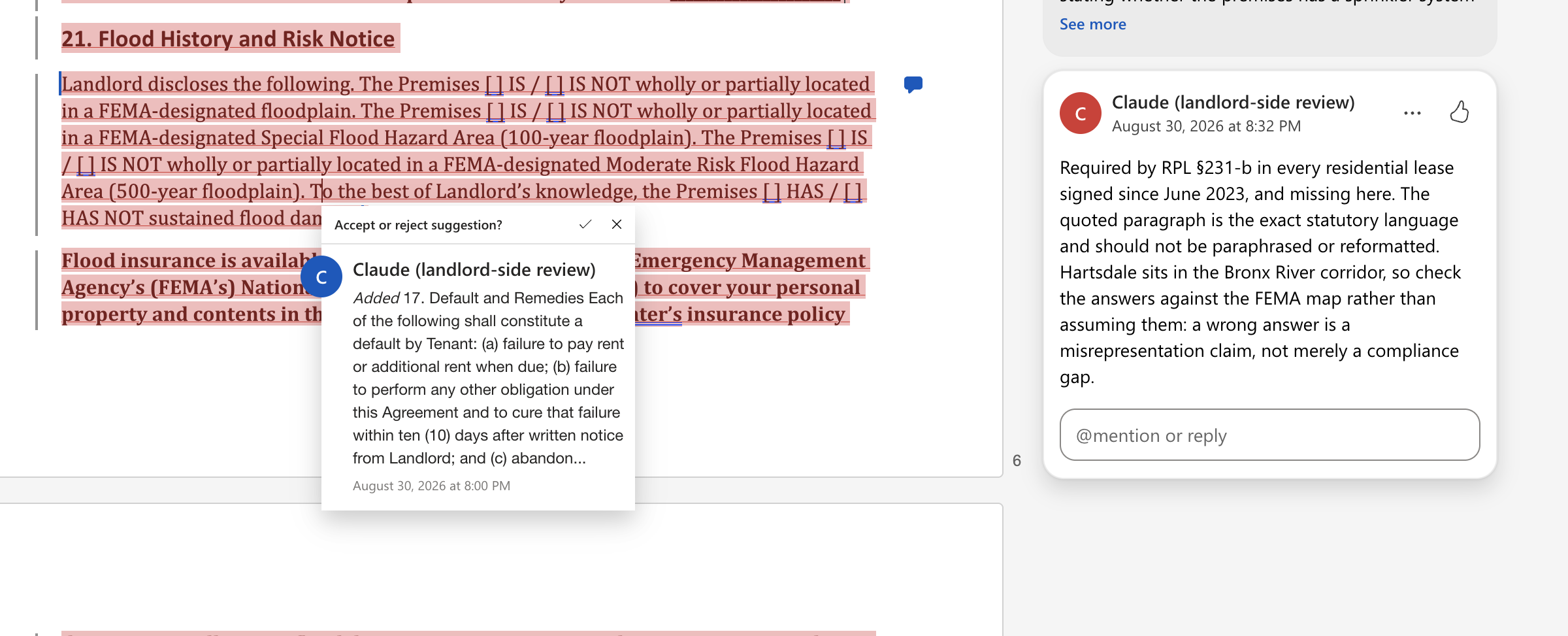
Given how thoughtful Claude was, I found myself thinking, "I wish Claude and I could go back and forth here." I wanted to discuss the comments with Claude, but doing so would require returning to the chat and having it generate another document. Copilot, Gemini, and Revise were the only tools I tested where I could continue the conversation inside the document editor.
It's worth noting that similar to ChatGPT, Claude has several integrations with external word processors: its Google Workspace connector lets Claude read documents in Google Docs; its Microsoft Word plugin puts Claude in a sidebar in Word 365 where it can read and edit; and Claude also has a Revise connector with reading and editing access.
Claude's free plan supports document uploads and file creation, subject to usage limits. Claude Pro costs $20 per month or $200 per year and provides substantially more usage.
Grammarly: not really built for documents
I tested Grammarly’s browser document editor with the same review request. Grammarly’s current support documentation calls this writing surface Docs and describes its AI agents, document uploads, and Word export.
At first Grammarly's AI chat just regurgitated a long chat response, but when asked to leave comments in the document it did do so pretty quickly. The whole review pass took about a minute.
The comments it made were relatively trivial, and it never tried to do any research or cite sources. This feature also seems to be gated on Grammarly's Pro subscription, which Grammarly heavily promoted to me in this "free sample."
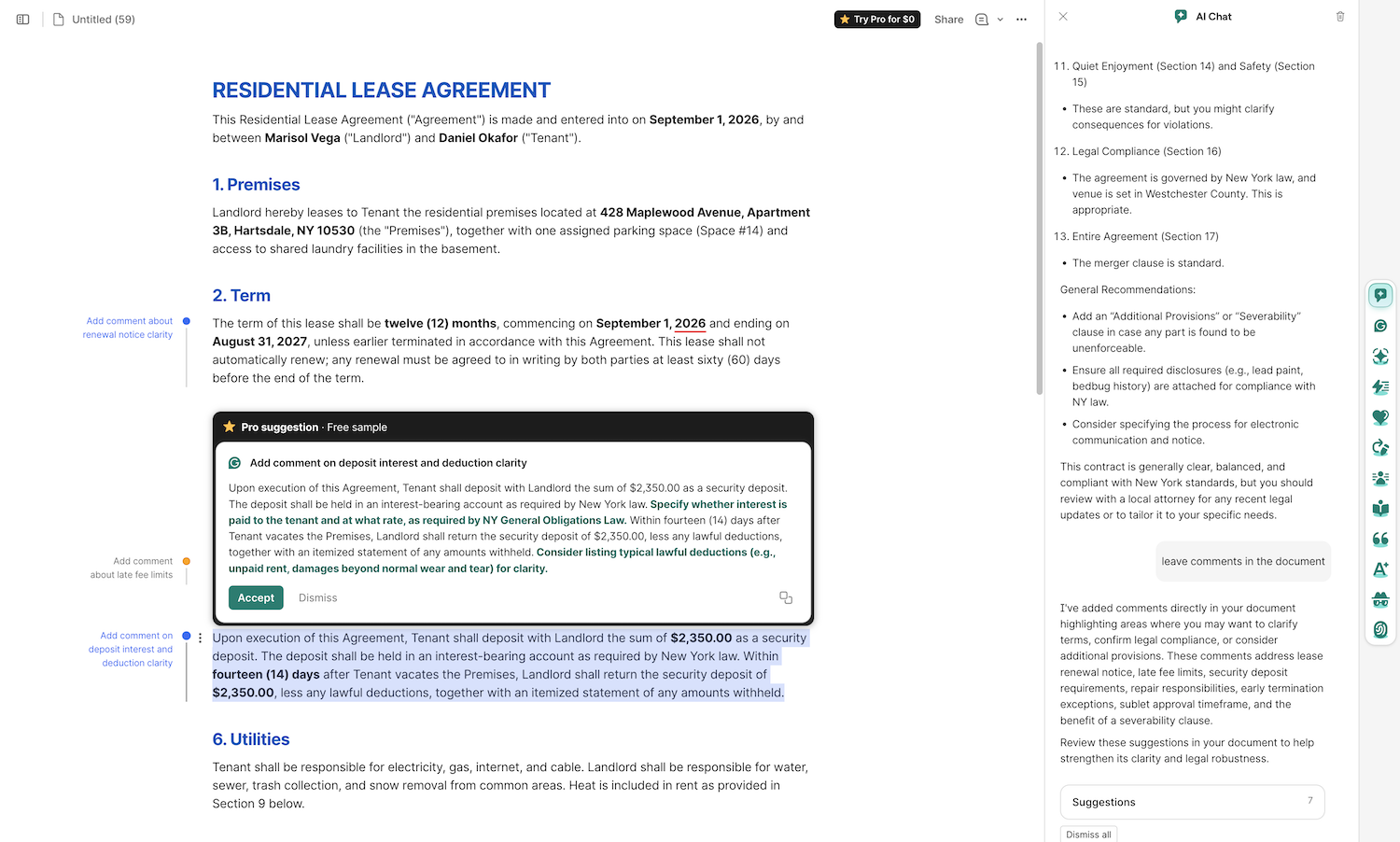
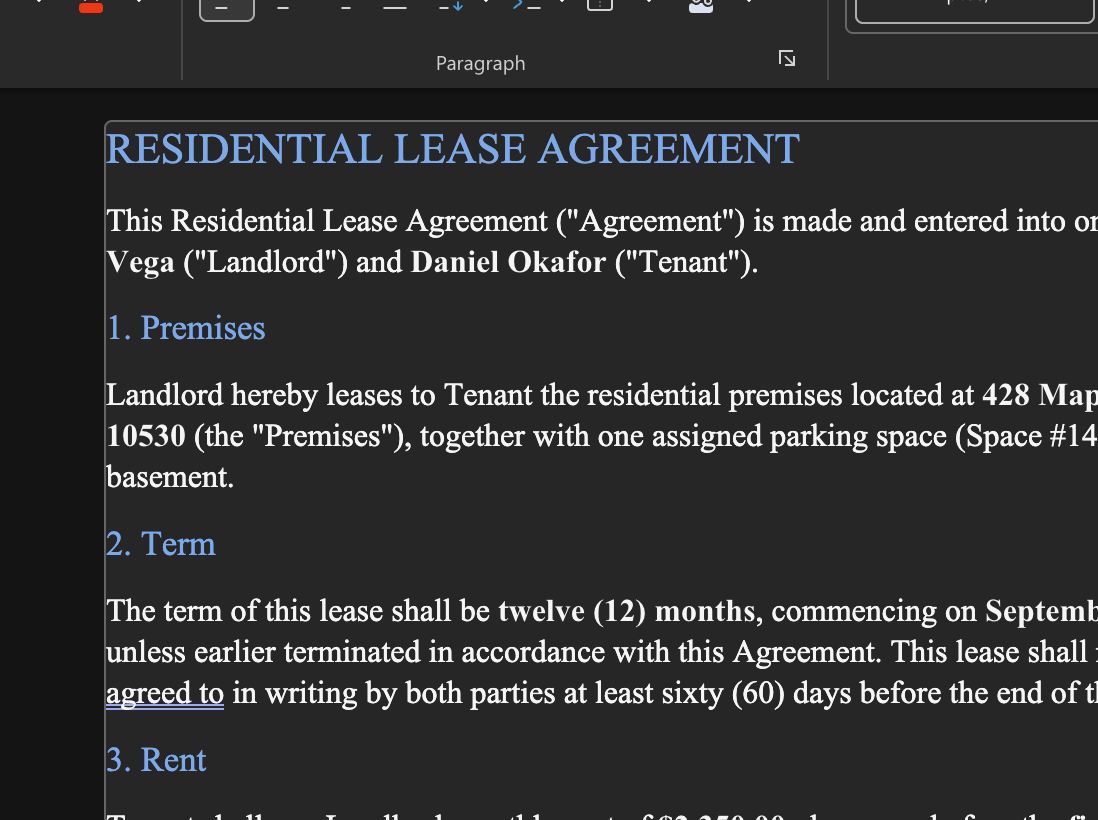
Grammarly's document editor is not really a Word-capable editor. It does import and export .docx, but only preserves basic text and it doesn't render pages like a typical word processor would. It seems to be built more for bloggers, or people writing simpler things like emails.
The .docx it exported at the end had 0 page margins, which lowered my confidence in the tool not accidentally losing other formatting in my documents. I wouldn't try using this tool for any kind of complex reviews involving richly formatted documents.
Another thing that took me by surprise was when I refreshed the page, all the comments Grammarly had made disappeared. This might have been because it was just a free trial, but it made me feel like I had lost my work.
Grammarly has a free plan with 100 AI prompts, but the document agents and comments I tested appeared to require Pro access. Grammarly Pro costs $30 per month, or $12 per month when billed annually.
Spellbook: strongest for AI contract review
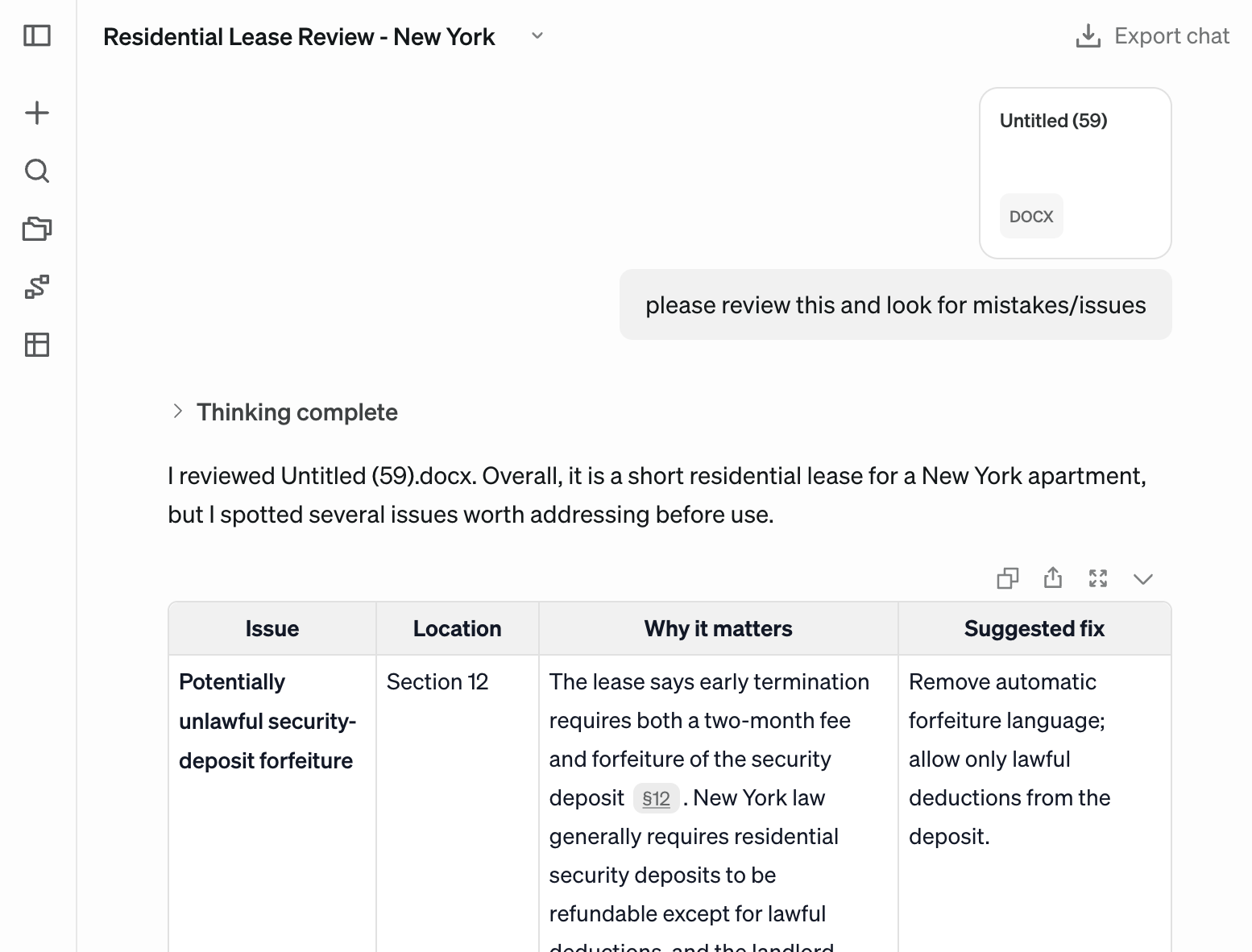
Spellbook is a product built specifically for reviewing contracts against legal standards, so I had high expectations. It did a very good job of reviewing the test document. Its AI agent first offered a simple table of suggested changes.
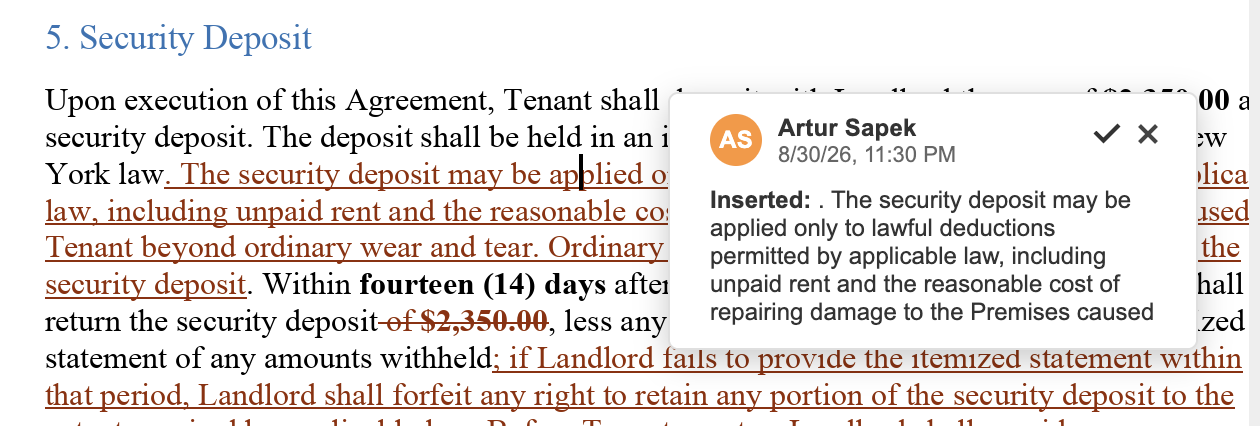
When I asked for edits made to the document, Spellbook automatically opened its in-browser editor which looks a lot like Microsoft Word. It was able to make tracked changes to the document directly.
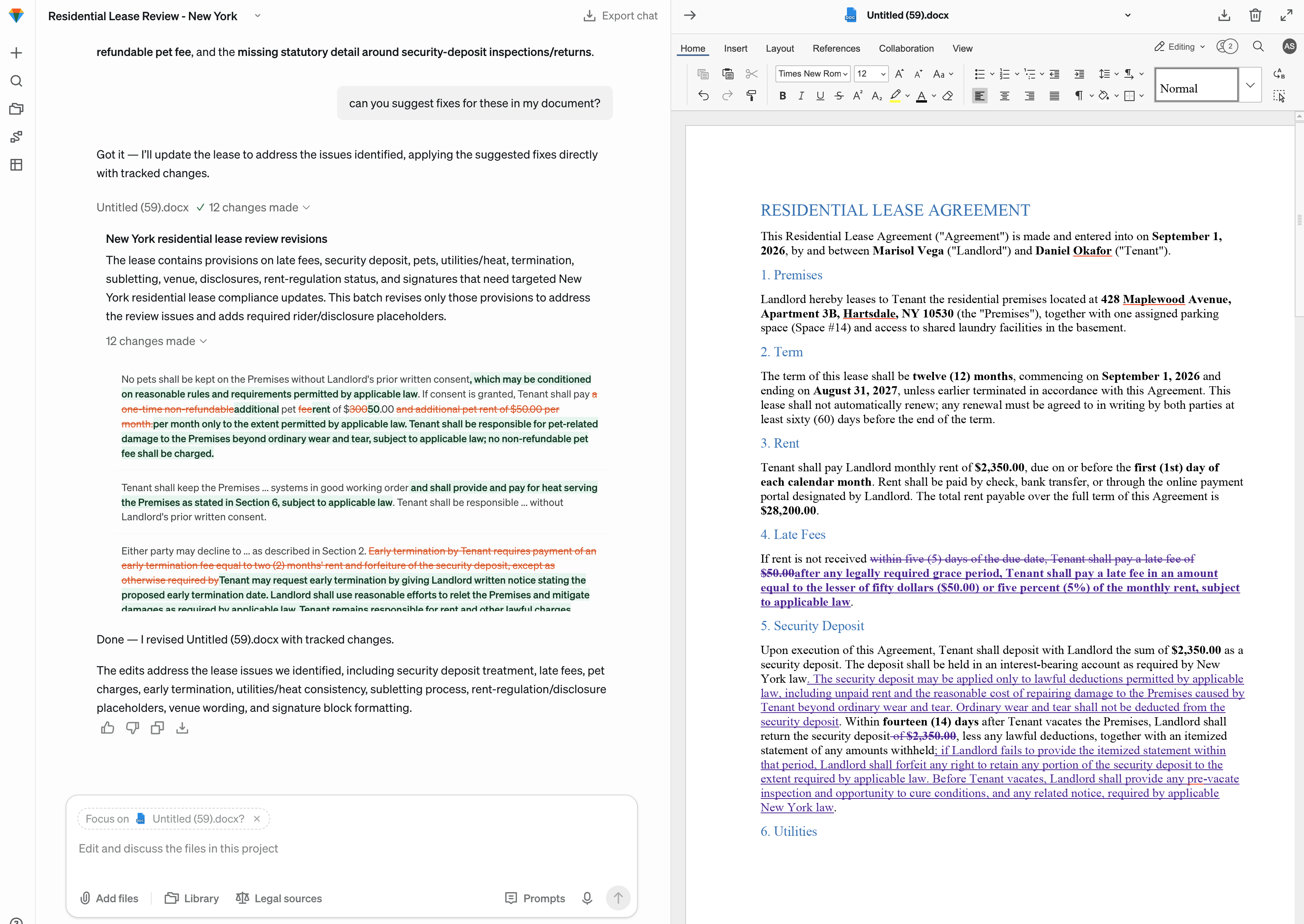
The tracked changes used my own name, and I was not able to have a conversation by replying to them - but it was a very respectable result otherwise.
The plan I saw cost $500 per month, although Spellbook's public pricing is now customized by team size rather than presented as a universal list price. It offers a free seven-day trial, but is clearly targeting attorneys looking for a specialized product.
My conclusions from this review
So, which AI document reviewer should you choose?
I think there is no right answer here, but some tools come out stronger than others. Revise was the fastest and easiest to use of all the tests I did, and it has a real free tier. With that said, it's a newer product and some users might feel more comfortable sticking to older, more proven editors like Word or Google Docs; Copilot and Gemini both did a respectable review pass.
If trying to do this with just an AI chat app like ChatGPT or Claude, I would definitely reach for one of their plugins rather than dealing with the minutes-long process of having them read uploaded documents and generate new copies of them. That workflow just felt slow and error-prone.
I would not recommend Grammarly for this - it's clearly targeted at fast, simple text polishing rather than serious document review.
And of course, if you're a law firm, there are multiple specialized products available to you like Spellbook and GC AI which will each bring with them more legal-oriented AI models and resources (albeit at a high price).