Revise Blog - Building a post-AI word processor
How to edit a Word document without Word
Free ways to open and edit a .docx file in a browser, on a computer, or on a phone, and what to check before you send it back
 Artur Sapek, Founder of Revise8 min read
A .docx file is Word’s format, but you don’t need the Word desktop app or a Microsoft 365 subscription to open or edit one. Several free editors read and write .docx, and they differ in where they run and how much of the original formatting comes through.
I build Revise, a browser word processor that imports and exports .docx, so I spend a lot of time on Word compatibility. The details below come from each vendor’s own pages, checked on October 4, 2026.
Free ways to edit a Word document
| Option | Runs on | File format while editing | What to know |
|---|---|---|---|
| Revise | Browser | .docx, imported and exported | Free plan. Keeps tracked changes, comments, footnotes, and layout |
| Word for the web | Browser | .docx | Free with a Microsoft account. Upload the file to OneDrive first |
| Google Docs | Browser | .docx, or converted to Google Docs | Some Word features can be lost or altered |
| LibreOffice Writer | Windows, macOS, Linux | Saves as .docx with Save As | Free. Word macro support is limited |
| Apple Pages | Mac, iPhone, iPad, iCloud.com | Pages, exports to .docx | Missing fonts and some formatting can look different |
| Word mobile app | iPhone, iPad, Android | .docx | Free core editing on screens 10.1 inches or smaller. Business storage needs a subscription |
| ONLYOFFICE | Browser, desktop, mobile | .docx | Free desktop apps and a free DocSpace plan |
| Zoho Writer | Browser | Writer, exports to .docx | Free edition. Imports .docx up to 50 MB |
To edit a Word document without Word, import the .docx below. It opens in Revise in your browser, and exports back to .docx when you are done. Free AI use has a daily limit, and higher-end models need a paid plan.
Revise
Revise is a browser word processor built for editing Word files. It imports a .docx and preserves the Word features it documents, including tracked changes and comments with their authors and dates, footnotes, headers and footers, section layouts, tables with merged cells, and Word’s legal numbering, which keeps updating as you edit. Pages break where Word breaks them.
- Import the .docx with the box on this page, or with File, Import in Revise.
- Edit it as you would in Word. Track your own changes in Suggesting mode, reply to comments, or ask the AI agent to make edits, which arrive as suggestions you accept or reject.
- Choose Export, Word Document. Revise writes the parts you didn’t change back from the original file, and pending suggestions and comments export as Word tracked changes and comments.
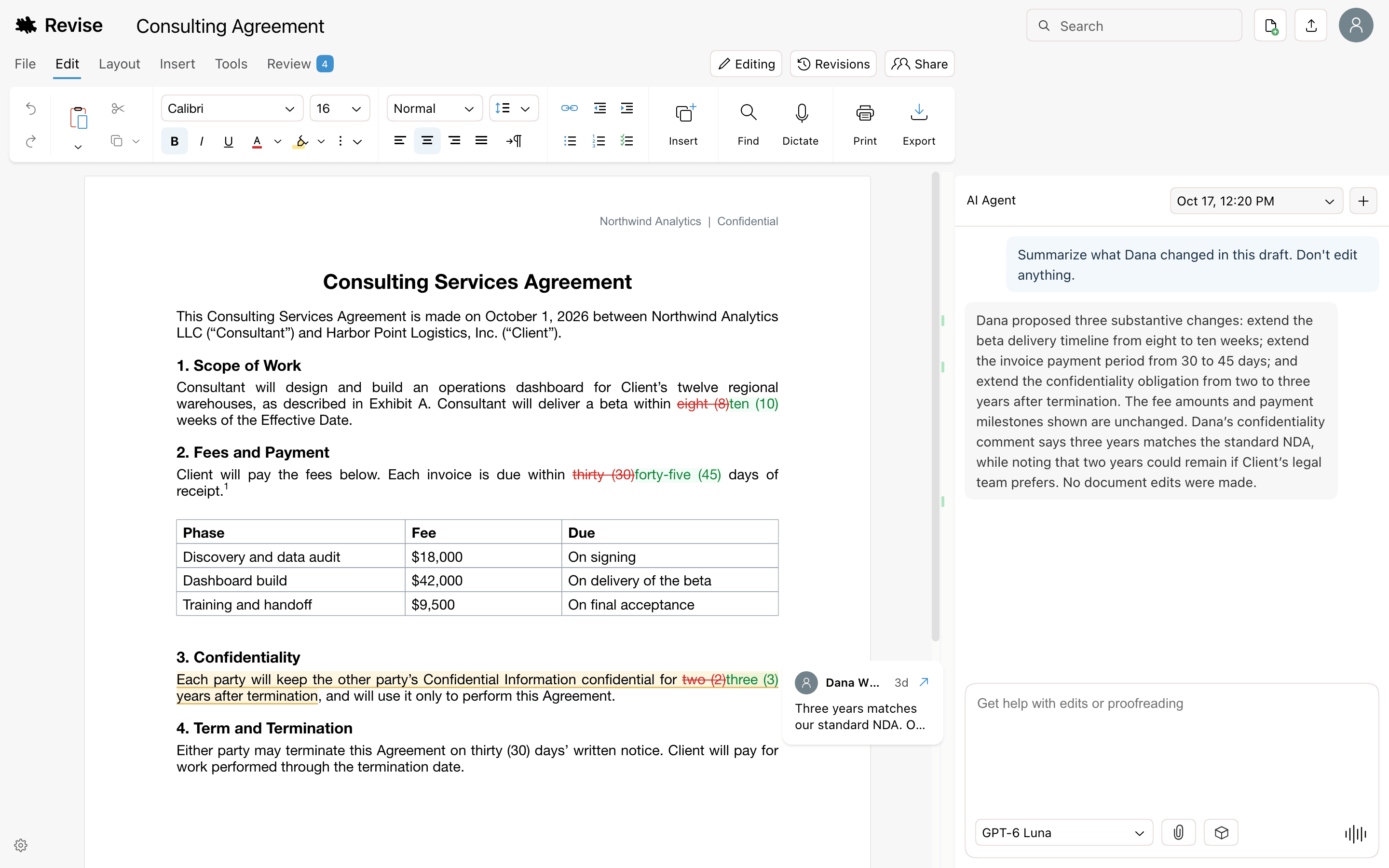
The free plan includes the full editor and an AI agent on GPT-6 Luna and Claude Haiku 5.5 with a daily limit. Revise runs in a browser and keeps working offline there: documents you have opened stay on your computer and sync when you reconnect, though the AI agent needs a connection. A few Word features, such as cross-reference fields, carry through without updating inside Revise.
Word for the web
Microsoft’s browser version of Word is free with a Microsoft account, which includes 5 GB of OneDrive storage, and it keeps the file in Word format.
- Sign in to OneDrive with a Microsoft account.
- Select Add new, then Files upload, and choose your .docx. This puts a copy in OneDrive. The original on your computer doesn’t change.
- Open the uploaded file. It opens in Word for the web, which saves changes as you work.
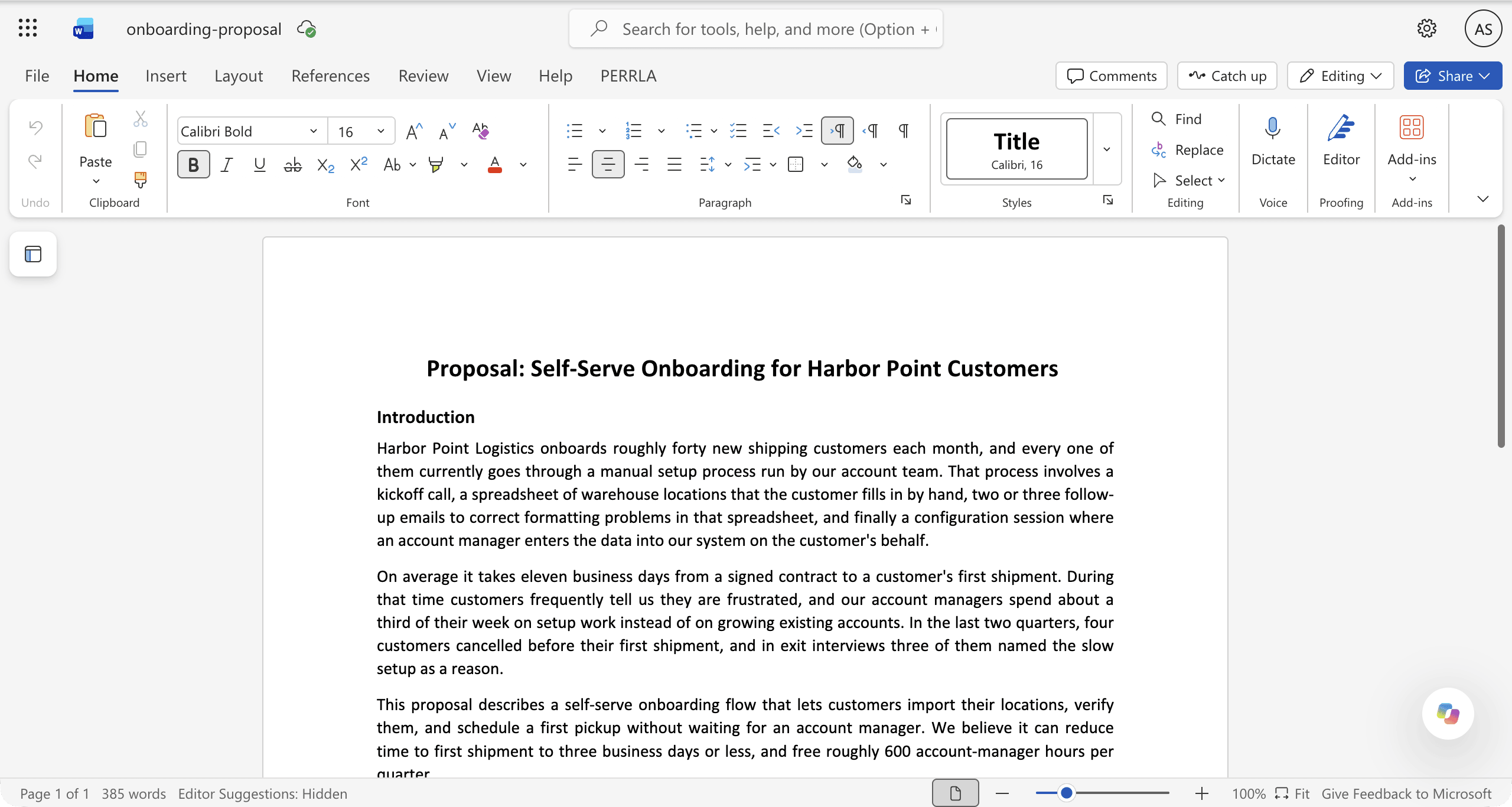
A Word file open in Word for the web - When you are done, download the file from OneDrive to get the edited copy back on your computer.
Word for the web doesn’t have every feature of the desktop app. It doesn’t run macros, and it can’t edit password-protected files.
Google Docs
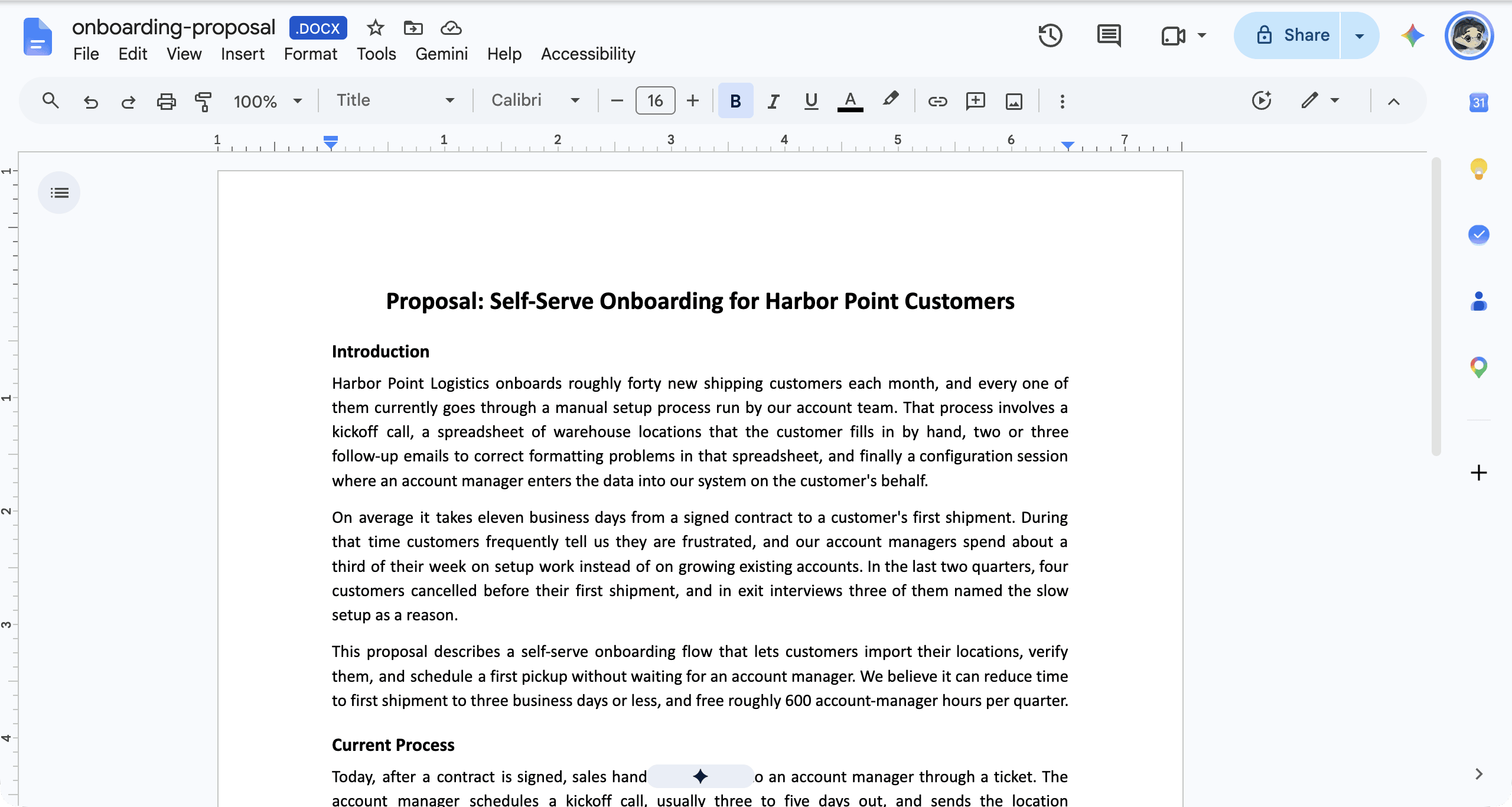
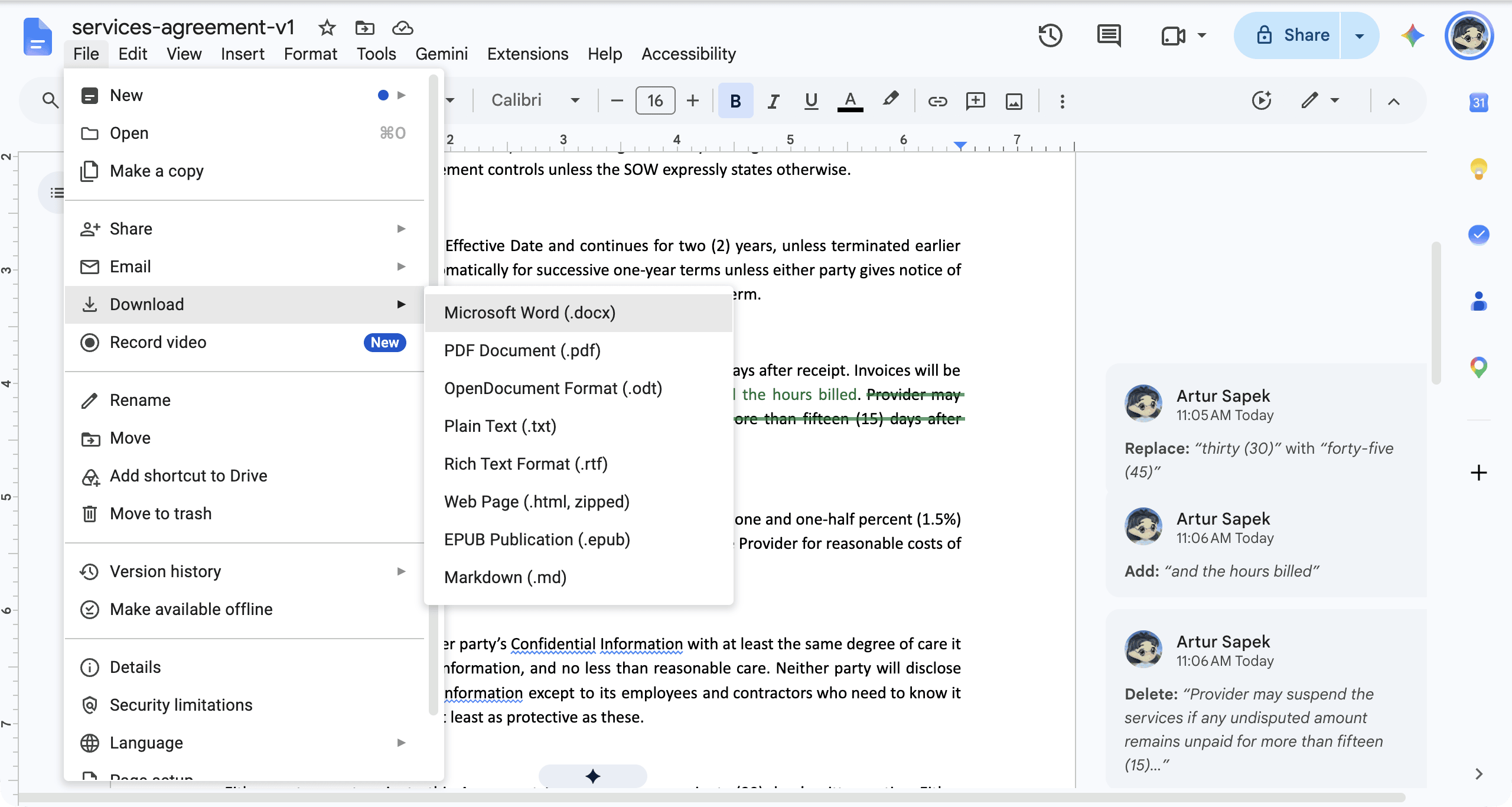
Google Docs can edit Office files directly, including .docx, .doc, and .dot, and saves changes back to the file in Word format. Upload the file to Google Drive, open it with Google Docs, and download it from Drive when you are done. Google notes that some Word features can be lost or altered, and others are kept but can’t be shown or edited. Password-protected files open view-only, and Google suggests converting very large files to Google Docs format, which creates a copy. Word tracked changes become suggestions when a file is converted.
LibreOffice Writer
LibreOffice is a free desktop office suite for Windows, macOS, and Linux. Writer opens Word files with File, Open, and saves them as Word with File, Save As and a Microsoft Word file type. You can make Word its default save format. Support for Word macros is limited.
Apple Pages
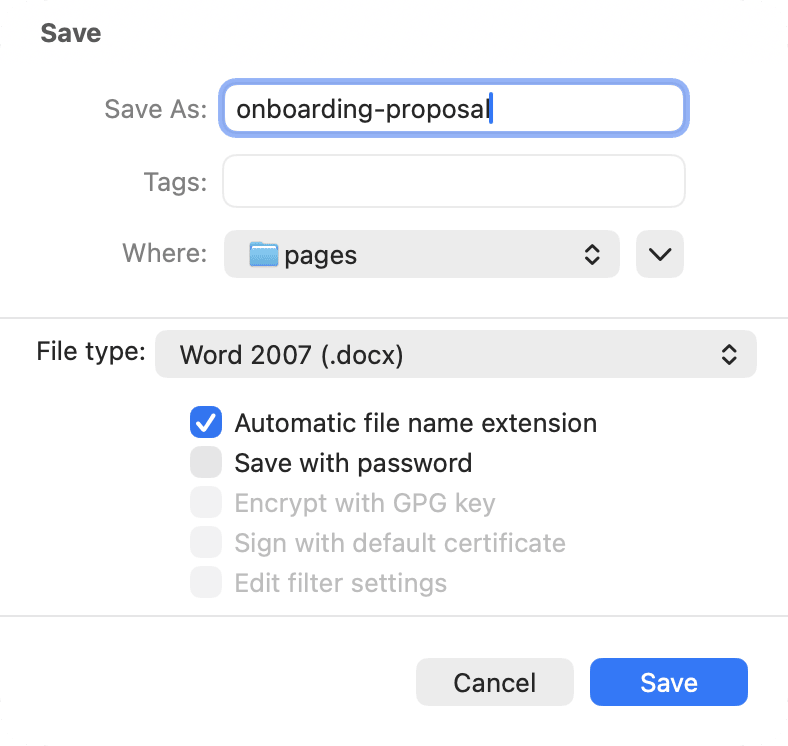
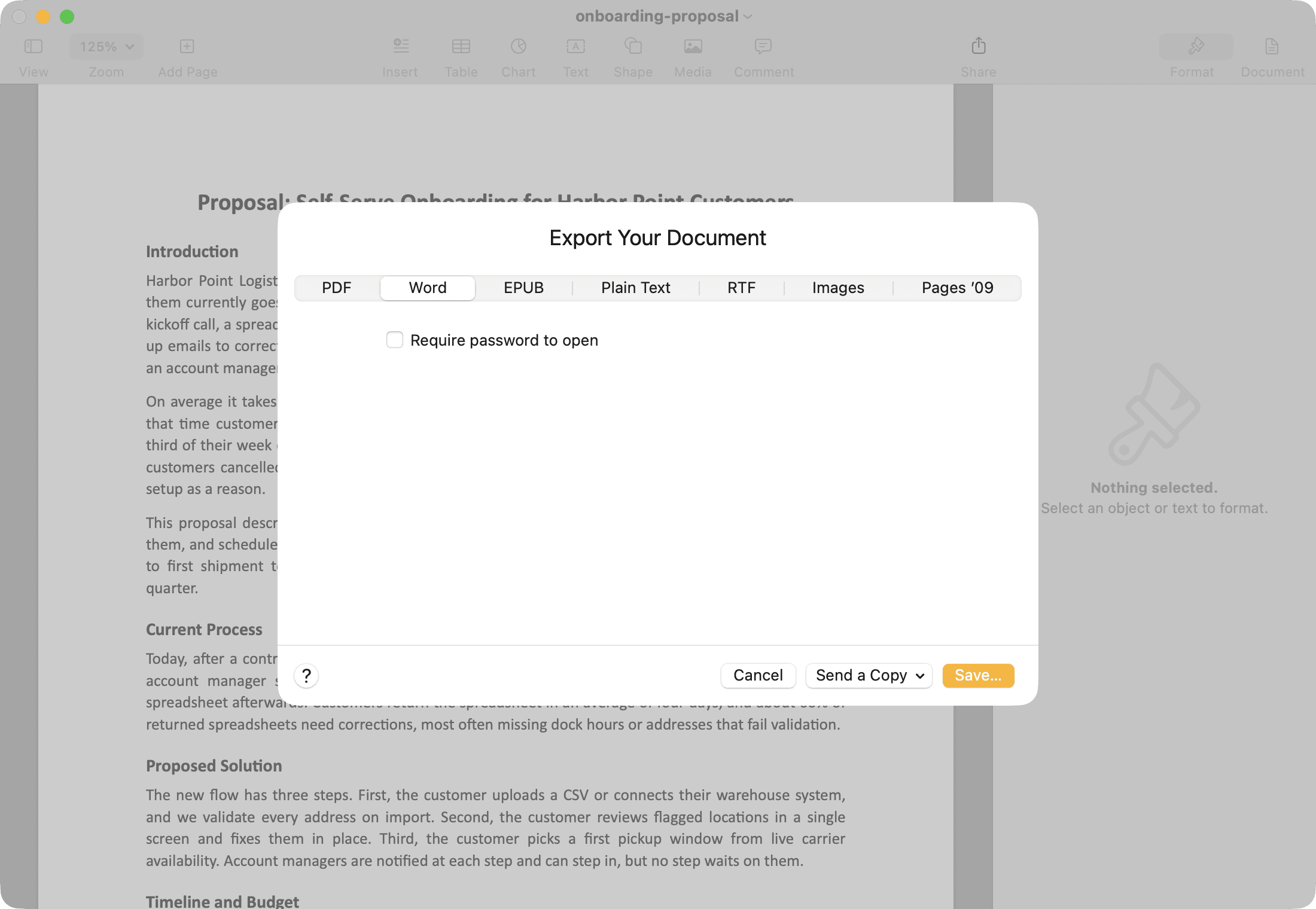
On a Mac, Control-click the Word file and choose Open With, Pages. Pages also opens Word files on iPhone, iPad, and at iCloud.com. It converts the document to its own format while you edit. To send it back, choose File, Export To, Word on a Mac, Share, Export and Send, Word on iPhone or iPad, or More, Download a Copy, Word at iCloud.com. Apple warns that missing fonts and some formatting can look different after import. Creating and editing documents needs no subscription, and Apple Creator Studio is an optional paid add-on.
The Word app on a phone
Microsoft says core editing is free in the Word app on iOS and Android devices with screens 10.1 inches or smaller. Larger tablets need a qualifying Microsoft 365 subscription to edit, and so do premium features such as tracked changes. Editing files in online business storage also requires a qualifying subscription, even on a small device.
ONLYOFFICE and Zoho Writer
ONLYOFFICE edits DOCX, DOC, ODT, and other formats. Its desktop and mobile apps are free, and its DocSpace cloud has a free Startup plan with 2 GB of storage. Zoho Writer has a free edition that imports .docx files up to 50 MB and exports back to Word.
Check the file before you send it
Whichever editor you use, keep the original file, and open the edited .docx before sending it. Check page breaks, tables, headers and footers, comments, and tracked changes, since these are the parts most likely to differ after editing outside Word.
What about WordPad?
WordPad used to open Word files on Windows, but Microsoft removed it starting with Windows 11 version 24H2. Microsoft recommends Word for rich text documents and Notepad for plain text.
The bottom line
To edit a Word file in a browser and keep its tracked changes, comments, footnotes, and page layout, Revise imports the .docx and exports it back to Word, with an AI agent whose edits you review. For a quick edit in Microsoft’s own browser editor, Word for the web is free with a Microsoft account. If you already use Google Drive, Google Docs edits the file in place. For offline editing, LibreOffice Writer is free on Windows, macOS, and Linux, and on a Mac, Pages opens and exports Word files.
Sources
Prices and plan details were checked against each vendor’s own pages on October 16, 2026. Prices are in US dollars as each vendor lists them, and some include local tax. Vendors change plans often, so confirm on the linked page before you buy.
- Revise: Pricing, Supported models, Agent capabilities, Word compatibility, Import and export, MCP server, Suggesting mode, AI usage limits, Sharing and collaboration, Revision history
- Microsoft Word: AI capabilities and access, Previous versions, Track Changes, Navigation pane, Real-time co-authoring, Save as PDF, Compare documents (legal blackline), Microsoft 365 plans, Word for the web, Revise's AI review test, Copilot in Word, Track Changes in Word for the web, Word options: General, Print a document, Office for the web in OneDrive, Microsoft 365 mobile apps, Removed Windows features (WordPad), Word for the web service description, Similarity checking, Editing with Copilot and Track Changes (Microsoft 365 Copilot), Copilot and document length, Copilot in Word: Track Changes preview (Frontier), When you need a Microsoft 365 subscription
- Google Docs: Edit Office files, Version history, Suggest edits, Workspace pricing, Google AI plans, Gemini in Docs, Gemini features by plan, Gemini usage limits in Google apps, Edit Office files in Google Drive
- LibreOffice Writer: Writer guide: advanced text, Writer guide, LibreOffice 26.8 release, Download, Track changes, LibreOffice, System requirements, Using Microsoft Office files
- Apple Pages: App Store listing, Collaborate in Pages, Word files in Pages, Pages, Creator Studio in Pages, Writing Tools, Apple Creator Studio
- OnlyOffice: AI capabilities and access, Compare editions, Document editor, DocSpace pricing, AI assistants, Desktop editors
- Zoho Writer: AI capabilities and access, Edit content with AI prompts, Writer pricing, WorkDrive pricing

