Revise Blog - Building a post-AI word processor
How to use Copilot in Word
Where the button is now, which plans include it, how to use it, and what to check when it is missing
 Artur Sapek, Founder of Revise9 min read
Microsoft changed where Copilot opens in Word during 2026, and access depends on your subscription and account settings, so it is easy to go looking for it and not find it.
I build Revise, a browser word processor with an AI agent, so I follow how Microsoft packages Copilot. The Microsoft details below were checked against Microsoft’s documentation on October 4, 2026.
Which plans include Copilot in Word
| Plan | Price | Copilot in Word |
|---|---|---|
| Word for the web, personal account | $0 | No |
| Microsoft 365 Personal | $9.99/mo or $99.99/yr | Yes, with AI credits and feature limits |
| Microsoft 365 Family | $12.99/mo or $129.99/yr | Yes, for the subscription owner only |
| Microsoft 365 Premium | $19.99/mo or $199.99/yr | Yes, owner only, higher limits |
| Microsoft 365 Pro | $99.99/mo | Yes, owner only, highest limits |
| Business plan, M365 Copilot (Basic) label | Included with the plan | Standard access, depending on your organization |
| Microsoft 365 Copilot Business add-on | $21/user/mo paid yearly, plus a business plan | Yes, up to 300 users |
| Microsoft 365 Copilot add-on | $30/user/mo paid yearly, plus a qualifying plan | Yes |
On Family, Premium, and Pro, Microsoft says the AI features in Word are only for the subscription owner, and family members need their own eligible subscription. At work, Microsoft shows a Copilot label under your name when you sign in to Microsoft 365. M365 Copilot (Basic) gives standard access in Word without the add-on, M365 Copilot (Premium) comes with the add-on, and Copilot Chat (Basic) doesn’t include Copilot in Word. Copilot Business is $18 per user per month, paid yearly, for the first year on eligible purchases through December 31, 2026, or $25.20 on a monthly subscription. The business plan it adds to costs extra.
To use AI on a Word document without a Copilot plan, import it below. It opens as a separate document in Revise. One request with GPT-6 Luna needs no account, and other model families need a paid Revise plan.
Where is Copilot in Word?
Microsoft moved Copilot to a button in the corner of the document, which it calls the Copilot Dynamic Action Button. By default it sits in the lower-right corner, in the same place on Windows, Mac, and the web. Microsoft scheduled the rollout from April to June 2026, with government cloud customers starting in October. Older builds show a Copilot icon on the ribbon.
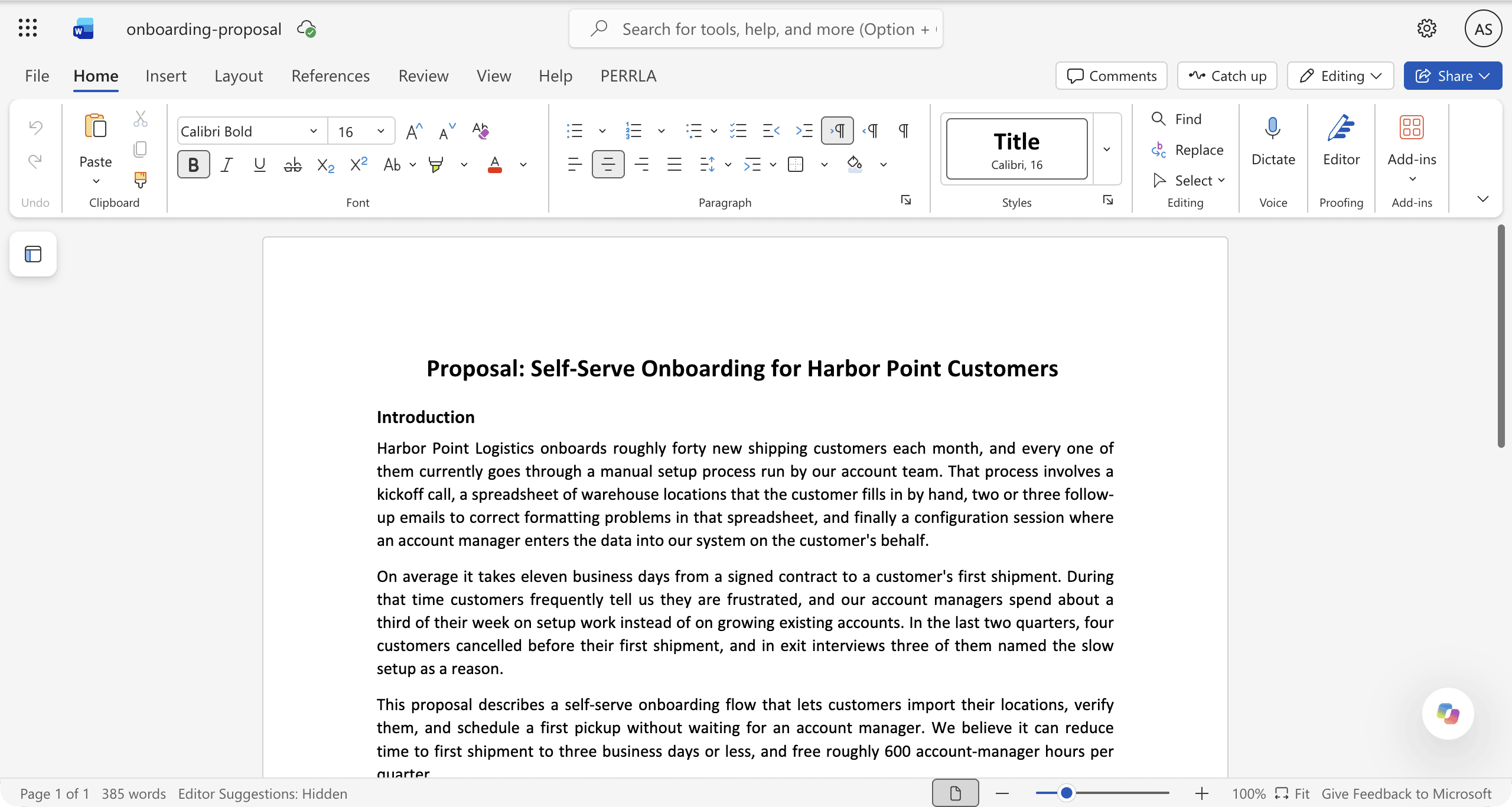
- To put it on the ribbon, right-click the button and choose Move to ribbon. Microsoft lists Windows build 16.0.20129.15140 or later and macOS build 16.109.525.2 or later for this option.
- Keyboard shortcuts move focus to the button: Alt+C on Windows and the web, Cmd+Control+I on a Mac, or F6. Microsoft notes the first two are still rolling out by app and language.
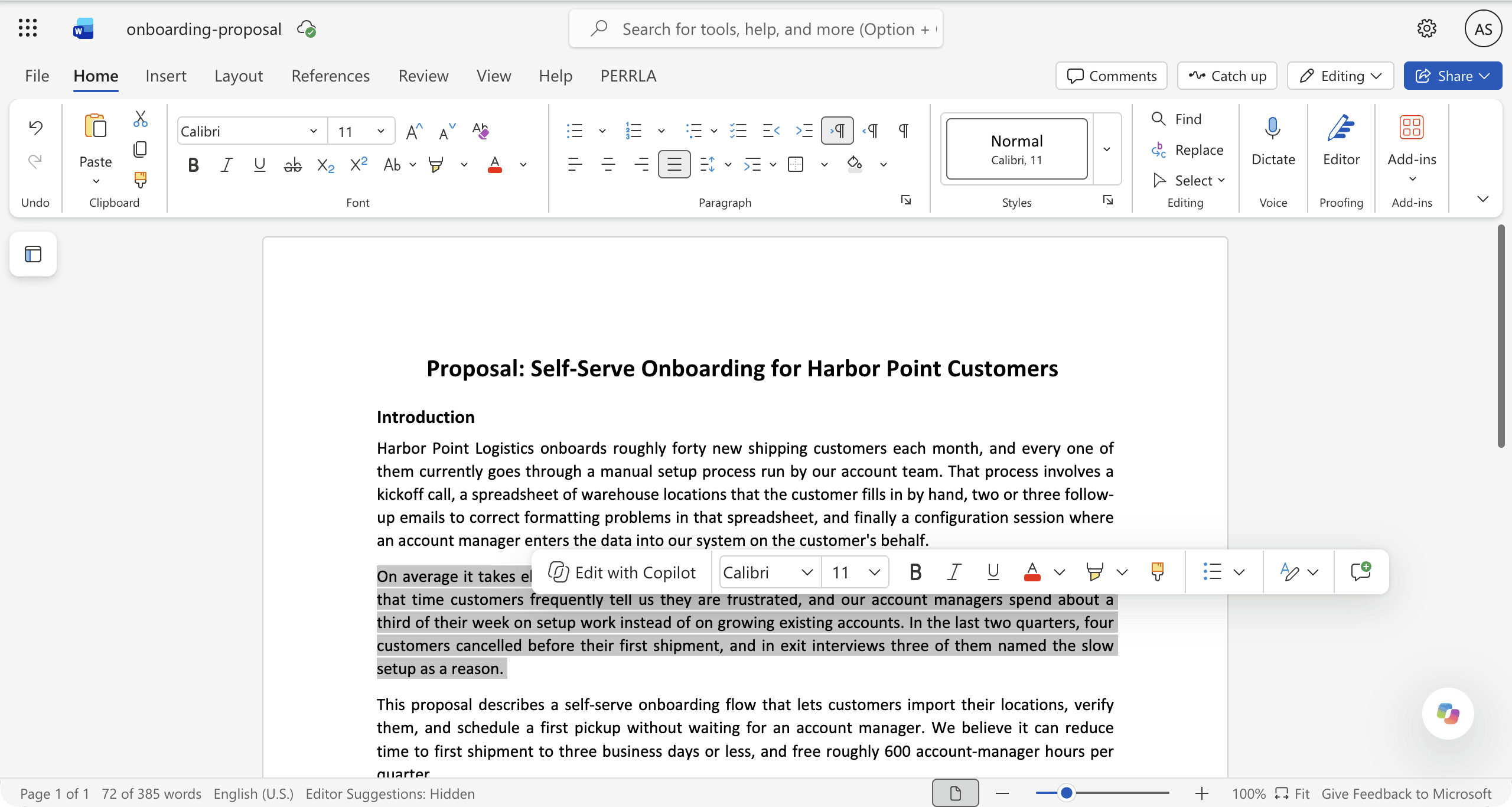
- Selecting text also offers Copilot from the mini toolbar.
- On iPad, Copilot is on the canvas. On Android phones, Microsoft lists it for work licenses only, and not on Android tablets.
Microsoft also says the button appears only if you have Copilot access, so if it isn’t there, check your plan first.
How to use Copilot in Word
Microsoft’s workflow for editing a document with Copilot:
- Open the document in Word and select the Copilot button.
- The chat pane opens on the right with Edit mode on, so requests change the document. Choose Chat only instead if you want answers without changes.
- Type a request, such as “Shorten the introduction to two paragraphs” or “Summarize this document.” Type / to reference another file.
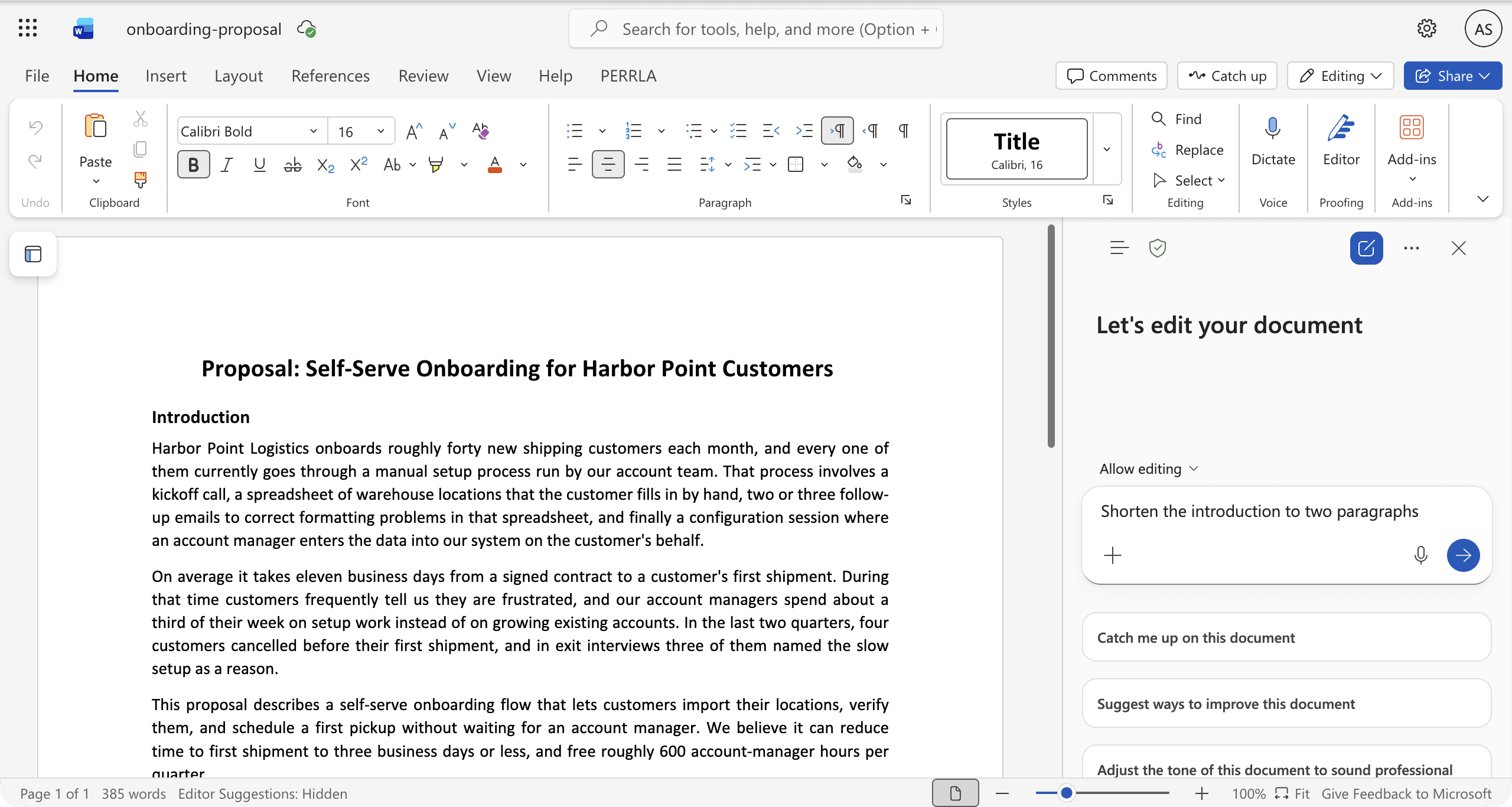
The Copilot pane in Word for the web, with a request typed and Allow editing set - Read the result in the document. In a shared document, Microsoft says Copilot first shows a preview of the suggested changes in chat, and nothing is added until you approve it.
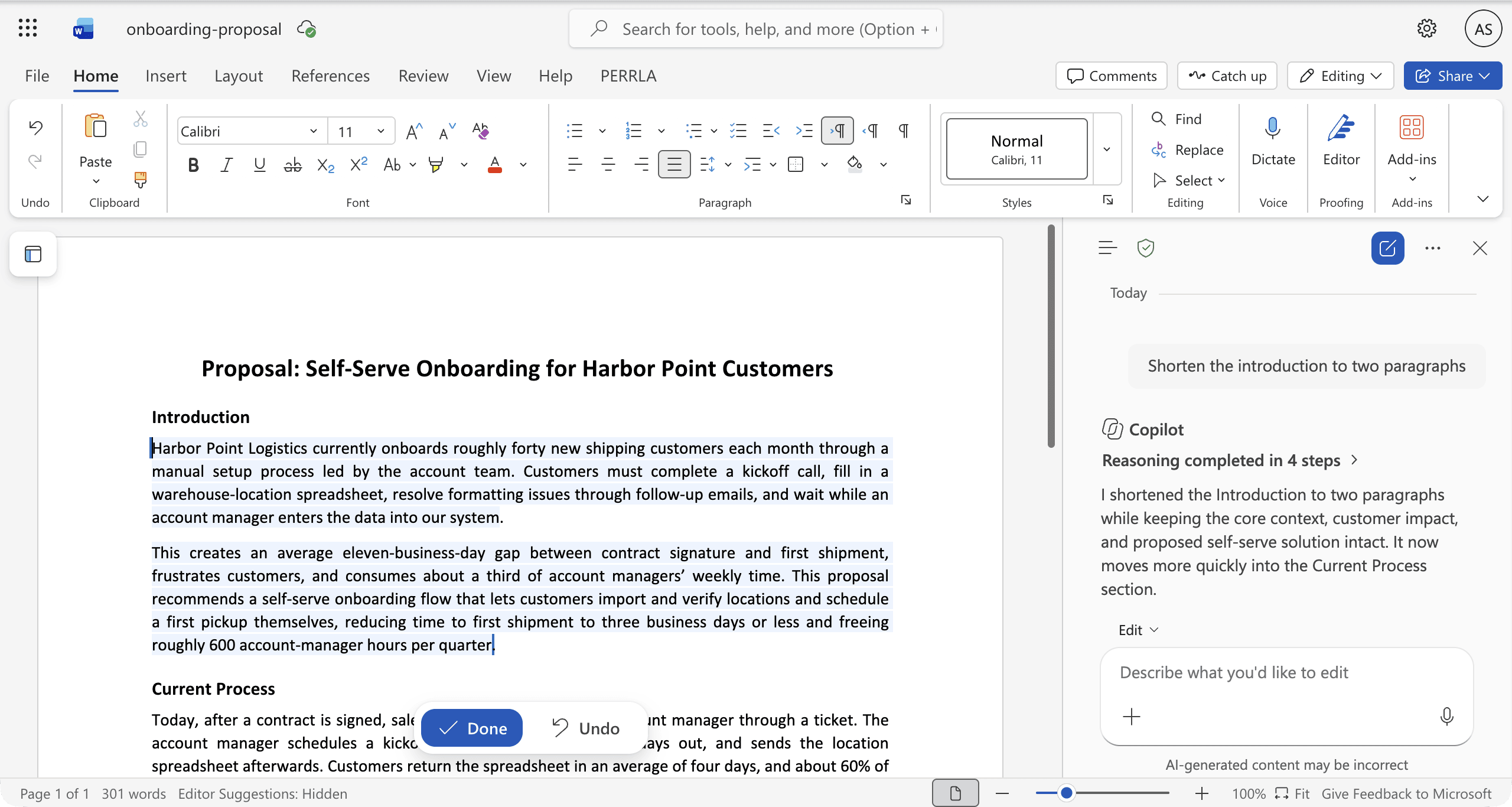
Copilot's rewrite in the document, highlighted, with Done and Undo
To rewrite one passage, select it, choose Copilot from the mini toolbar, and ask for a rewrite. You can replace the original, insert the result below it, or regenerate it. Depending on your subscription, the model selector lets you pick a provider such as OpenAI or Claude.
In Word for the web, the toolbar button reads Edit with Copilot. When we tried it in October 2026, it offered Auto rewrite, Structure and refine, and Make shorter, and applied the rewrite in place with Done and Undo.
Copilot not showing in Word? What to check
Microsoft’s troubleshooting steps cover the most common causes: your license, build, update channel, and privacy settings.
- Look in the lower-right corner of the document. The button moved.
- Install the latest Word update.
- Refresh your license. On Windows, go to File, Account, Update License. On a Mac, open About Word, More Info, Refresh License. Then close and restart the Microsoft 365 apps.
- Check that you are signed in with the account that has Copilot. For work files, sign in with your work or school account.
- Turn on connected experiences. On Windows, go to File, Account, Account Privacy, Manage Settings. On a Mac, go to Word, Preferences, Privacy. Turn on Experiences that analyze your content and All connected experiences. If your organization manages these settings, ask IT.
- With a personal account, check that Enable Copilot hasn’t been turned off (see below).
- At work, check your update channel under File, Account, Product Information. Microsoft says Copilot isn’t available on Semi-Annual Enterprise Channel and suggests Word for the web while IT moves you to Current Channel or Monthly Enterprise Channel.
- In Word for the web, allow third-party cookies and refresh.
- If the file is stored somewhere like Dropbox, move or copy it to OneDrive or SharePoint.
Copilot in Word limits
On consumer plans, Copilot in Word is subject to AI credits and feature limits. Microsoft says Personal and Family include AI credits and feature limits, Premium has higher limits, and Pro the highest, and a feature can stop until the allowance resets. Its current page doesn’t give a monthly credit number. Microsoft also says Copilot can process a limited number of words per prompt, that summaries of long documents may give less attention to the middle, and that it supports fewer languages than Word itself.
How to turn off Copilot in Word
With a personal account on Windows, go to File, Options, Copilot, clear Enable Copilot, select OK, and restart Word. On a Mac, go to Word, Preferences, Authoring and Proofing Tools, Copilot, clear Enable Copilot, and restart Word. Microsoft lists Word version 2412 or later on Windows and 16.93 or later on Mac for this setting, which applies to that app on that device. It isn’t available in Word for the web, iOS, or Android, or with a work or school account, where IT controls it.
Using AI on a Word document without a Copilot plan
- Microsoft Copilot chat. Microsoft documents uploading files, including .docx, to a Copilot conversation and asking questions about them, up to 20 files of 50 MB each. That works on an uploaded copy, outside Word. Microsoft also offers a limited free version of Copilot, but the upload documentation doesn’t say which account tiers include uploads.
- A Microsoft 365 trial. Microsoft offers a one-month trial of Personal, Family, and Premium, depending on your region.
- Other AI add-ins for Word. ChatGPT and Claude both have Word add-ins with their own plans. Our guides cover ChatGPT with Word files and Claude in Word.
- Revise. A browser word processor that imports and exports .docx. Its AI agent proposes text and formatting edits as suggestions you accept or reject, which export to Word as tracked changes. The free plan includes GPT-6 Luna and Claude Haiku 5.5 with a daily AI limit, and other models need a paid plan. It is a separate editor, not part of Word.
For a broader comparison, see alternatives to Copilot in Word.
The bottom line
For personal accounts, Copilot in Word comes with Microsoft 365 Personal and higher plans, for the subscription owner. At work, it depends on your license label and your organization’s settings. Look for it in the lower-right corner of the document, and if it isn’t there, update Word, refresh your license, and check the account you are signed in with.
Sources
Prices and plan details were checked against each vendor’s own pages on October 16, 2026. Prices are in US dollars as each vendor lists them, and some include local tax. Vendors change plans often, so confirm on the linked page before you buy.
- Microsoft Copilot: Pricing for individuals, Revise's AI review test, Edit and rewrite in Word, Copilot Pages, Supported file formats, Choosing a model in Copilot in Word, Copilot licenses, Copilot business pricing, Copilot enterprise pricing, Anthropic models in Copilot (admin controls), Anthropic models in Copilot apps, Copilot button in Word, Missing Copilot button, Turn off Copilot, AI credits, File upload in Copilot, Copilot in Word on mobile, Long documents
- Microsoft Word: AI capabilities and access, Previous versions, Track Changes, Navigation pane, Real-time co-authoring, Save as PDF, Compare documents (legal blackline), Microsoft 365 plans, Word for the web, Revise's AI review test, Copilot in Word, Track Changes in Word for the web, Word options: General, Print a document, Office for the web in OneDrive, Microsoft 365 mobile apps, Removed Windows features (WordPad), Word for the web service description, Similarity checking, Editing with Copilot and Track Changes (Microsoft 365 Copilot), Copilot and document length, Copilot in Word: Track Changes preview (Frontier), When you need a Microsoft 365 subscription
- Revise: Pricing, Supported models, Agent capabilities, Word compatibility, Import and export, MCP server, Suggesting mode, AI usage limits, Sharing and collaboration, Revision history

