Revise Blog - Building a post-AI word processor
The best PDF to Word converters
We ran head-to-head tests of the top online PDF to DOCX converter tools, and compared them on accuracy and cost
 Artur Sapek, Founder of Revise8 min read
Once a document is exported to PDF, it becomes read-only. Typesetting and layout are fixed in place, and making changes or copying content out of it becomes difficult or impossible.
There are several tools online that advertise the ability to reverse this transformation, turning PDFs back into a DOCX file. But this is tricky to reliably do well, and the quality of results depends on the tool you use. Not only that, some of these tools cost money before you can even try their OCR offering, so you won't know what you're getting until you've committed. We have done standard testing against all of them so you don't have to.
Test results at a glance
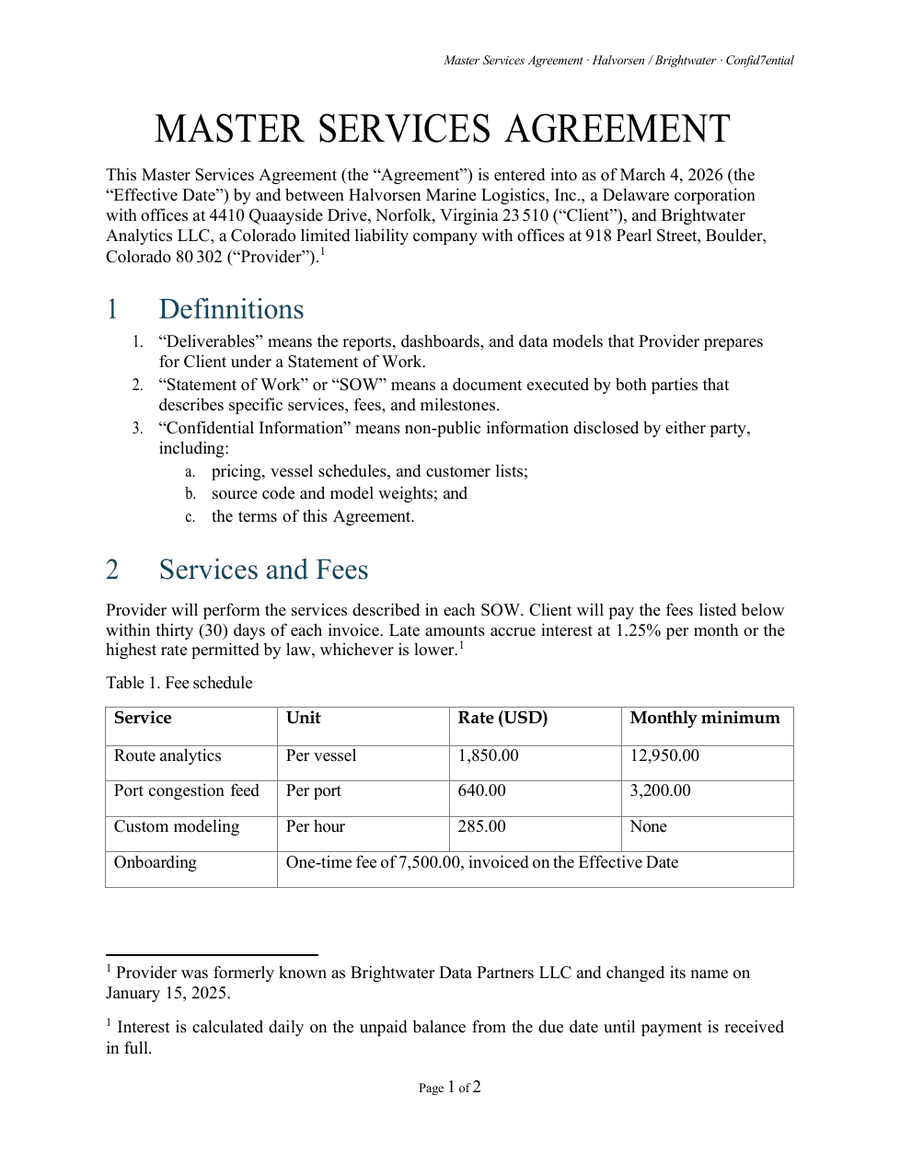
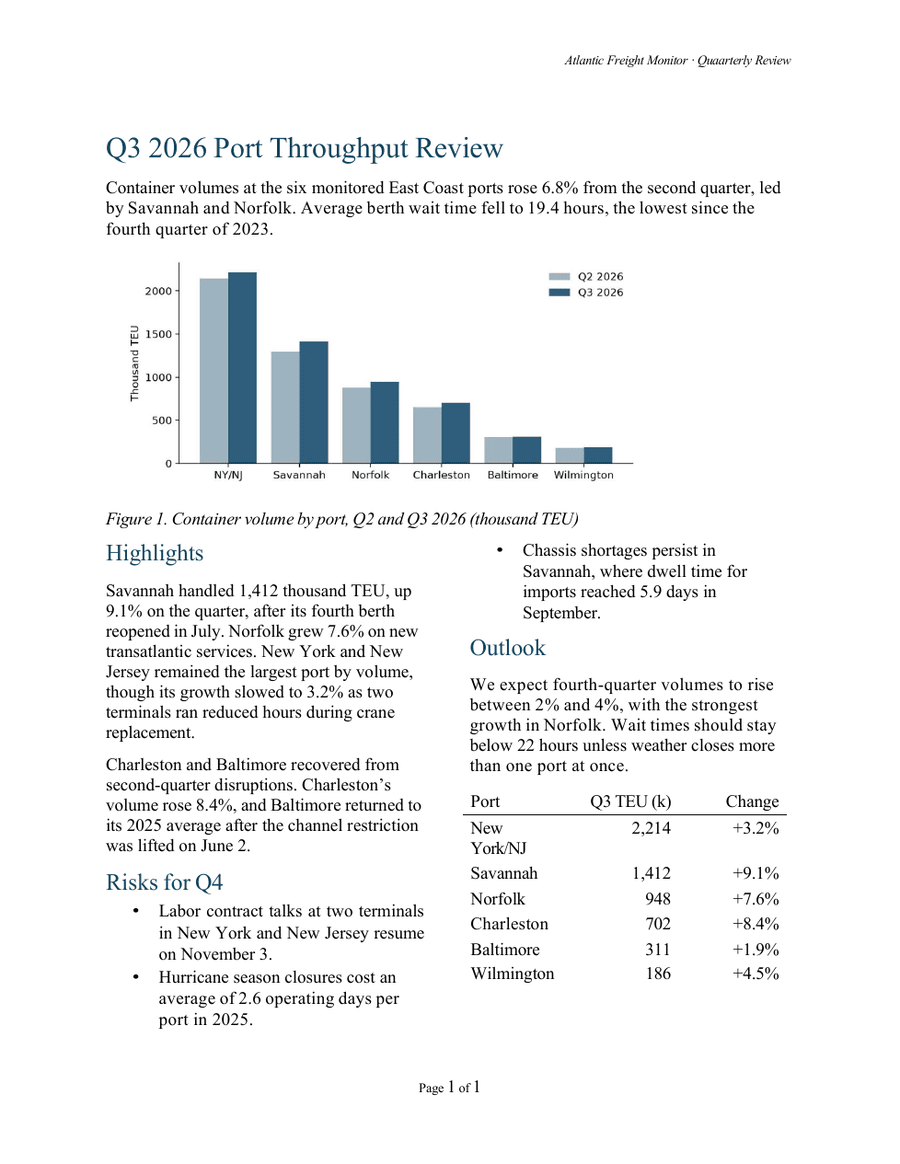
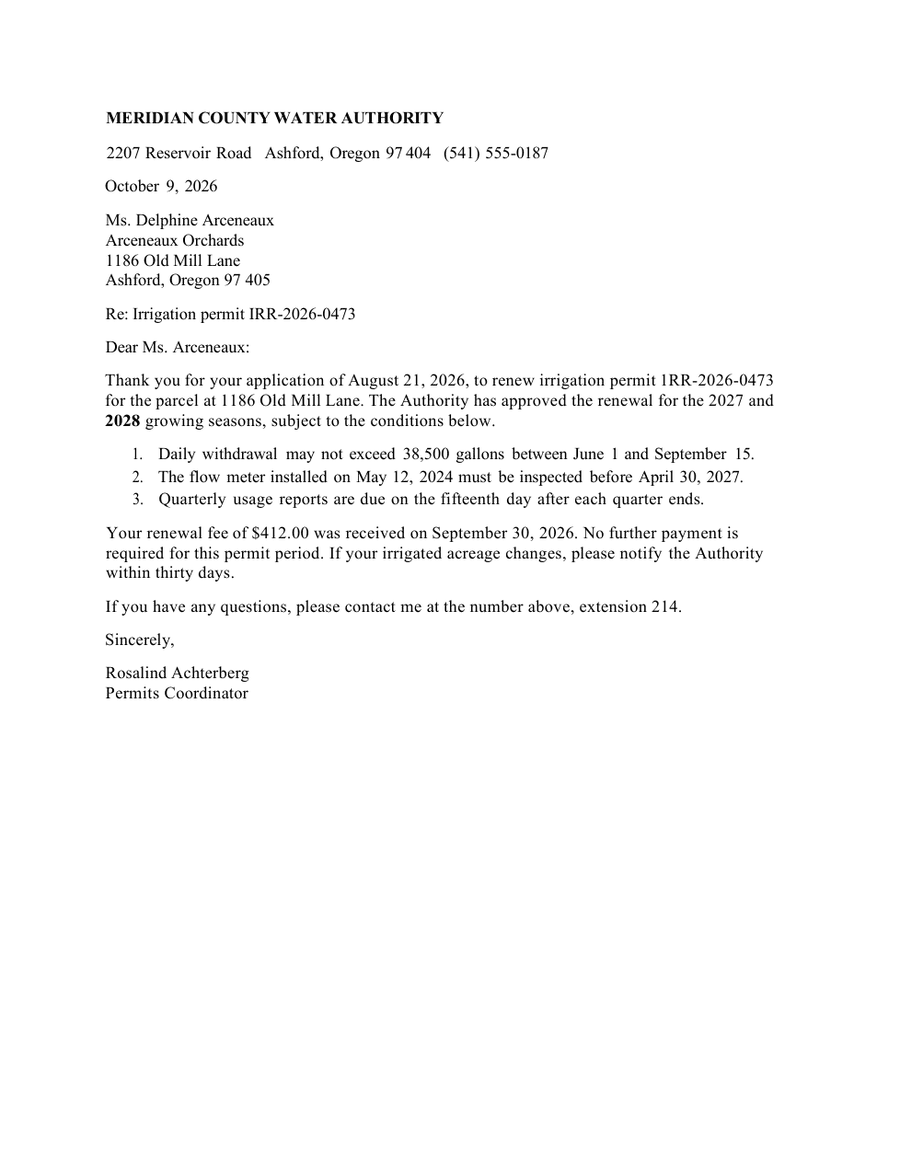
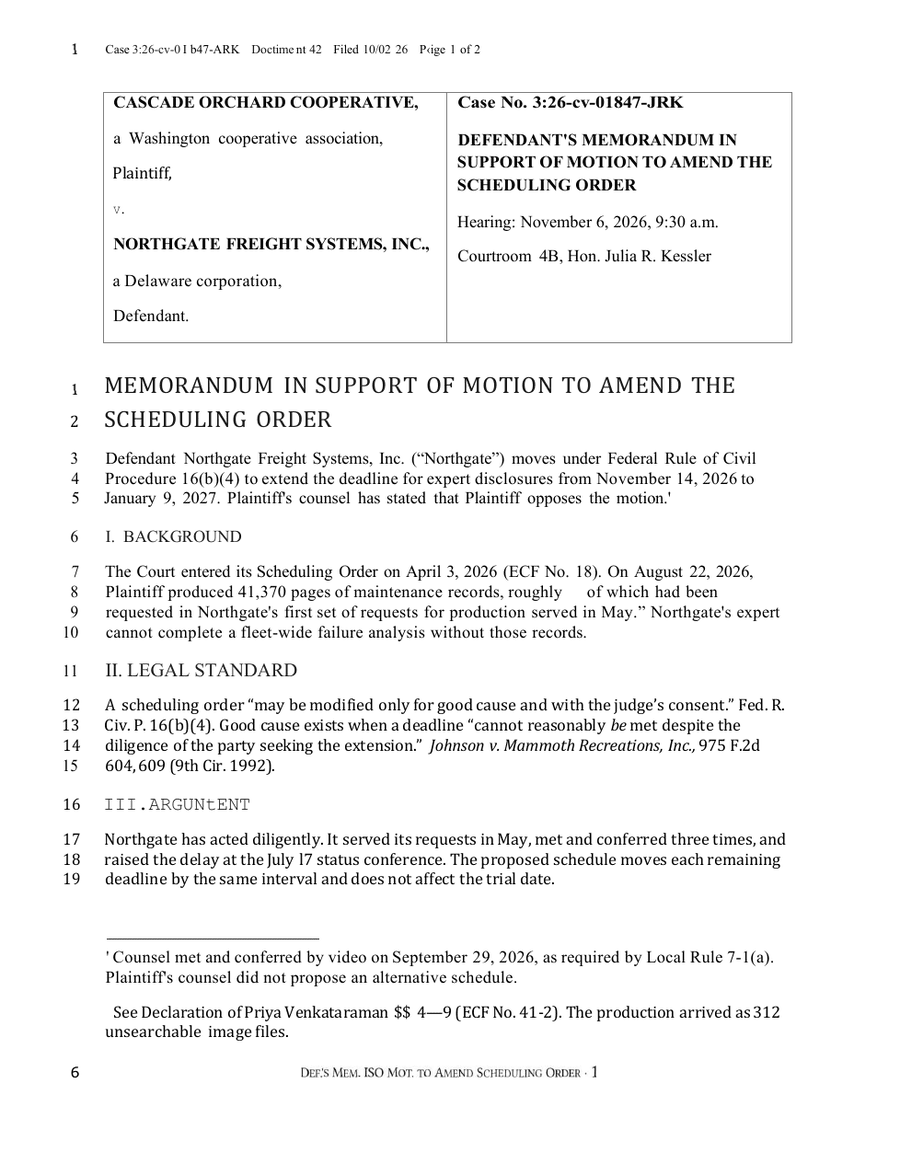
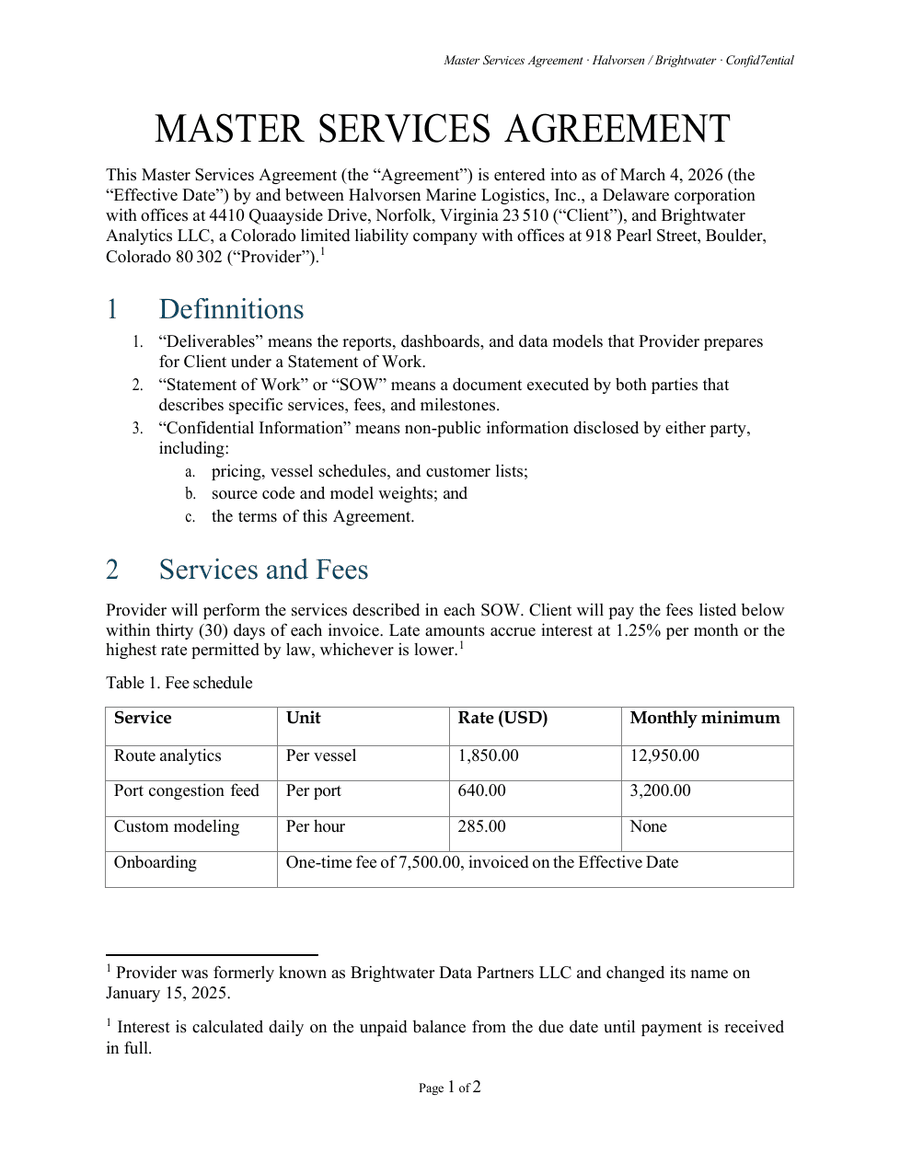
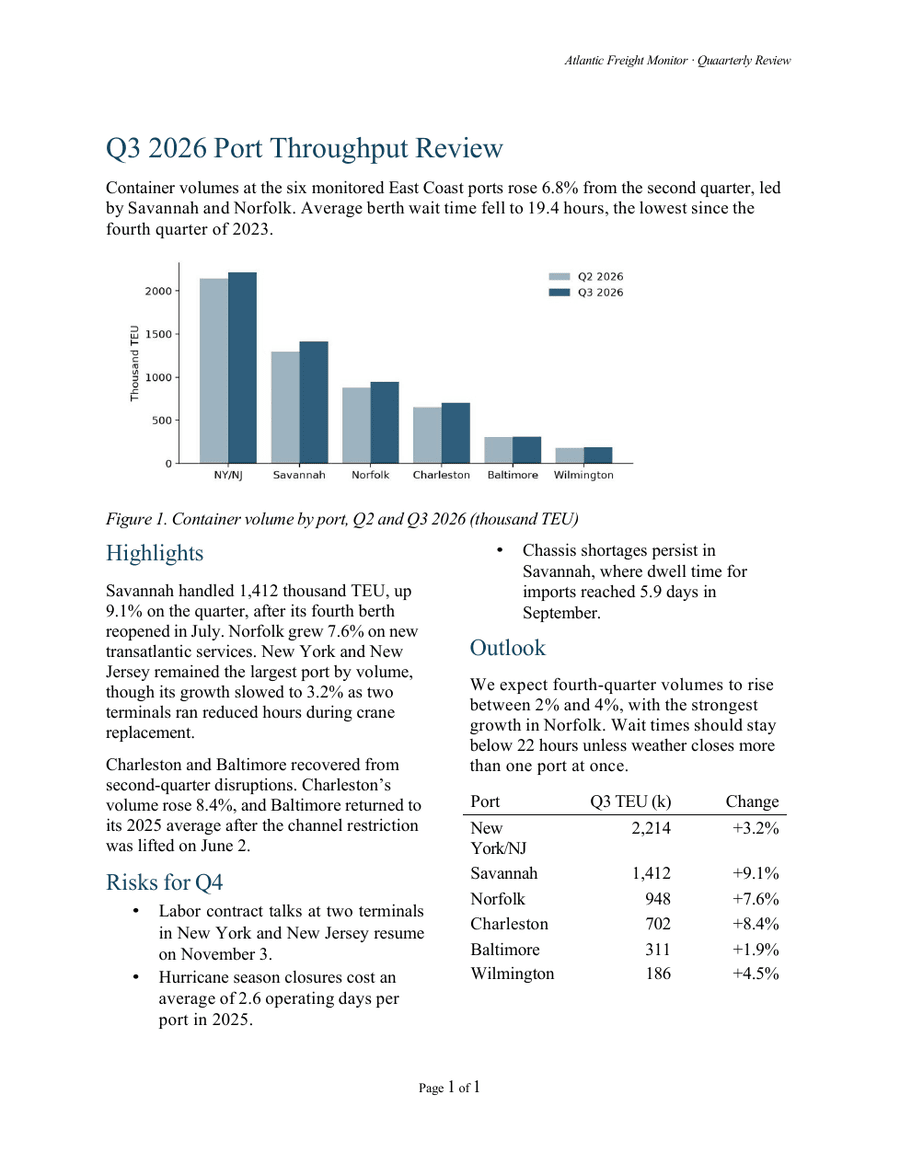
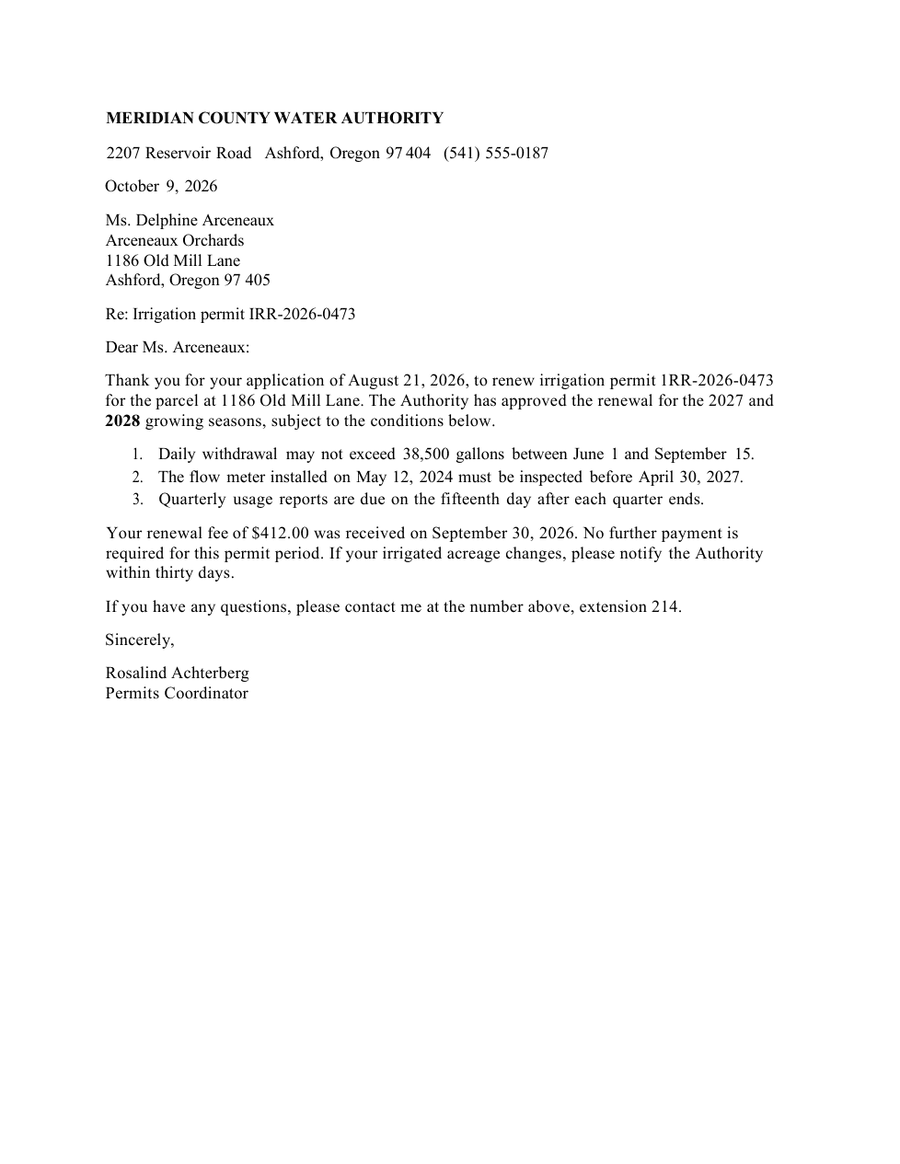
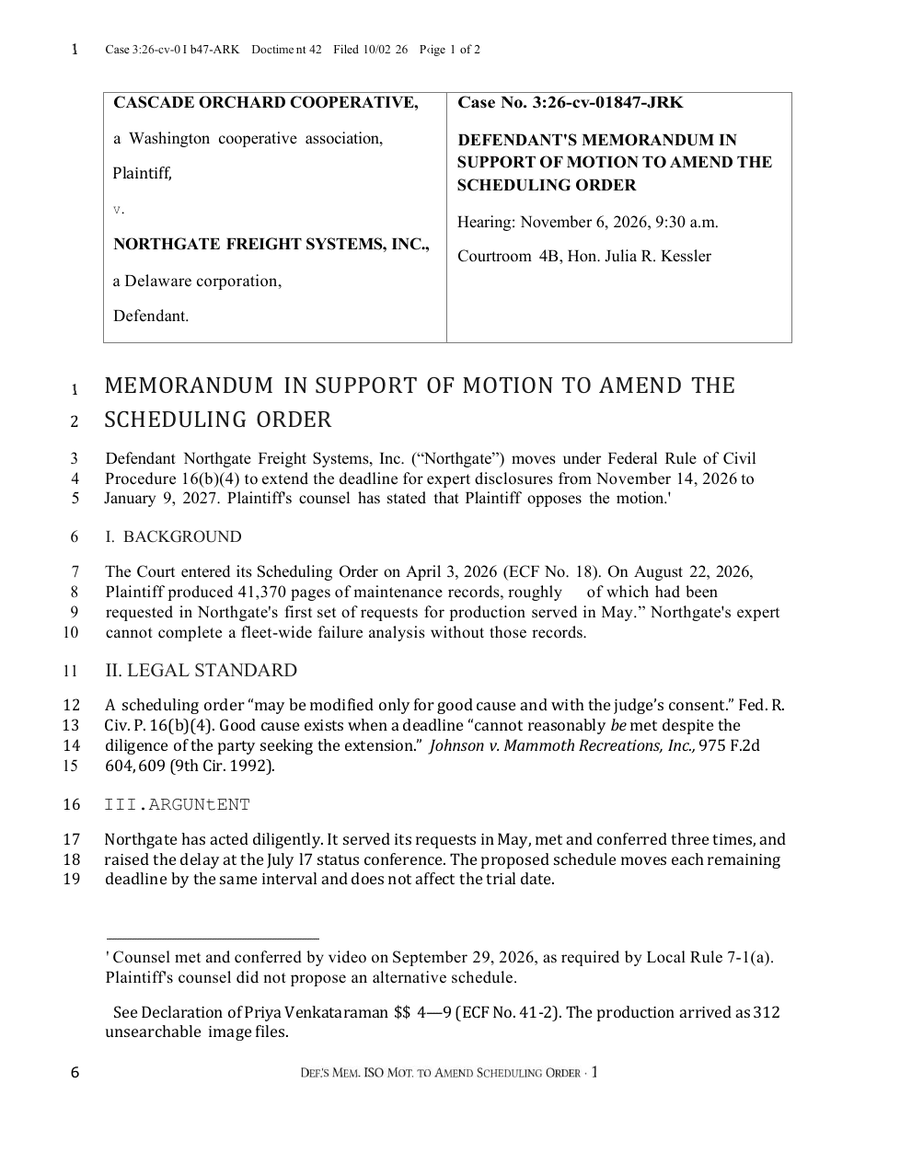
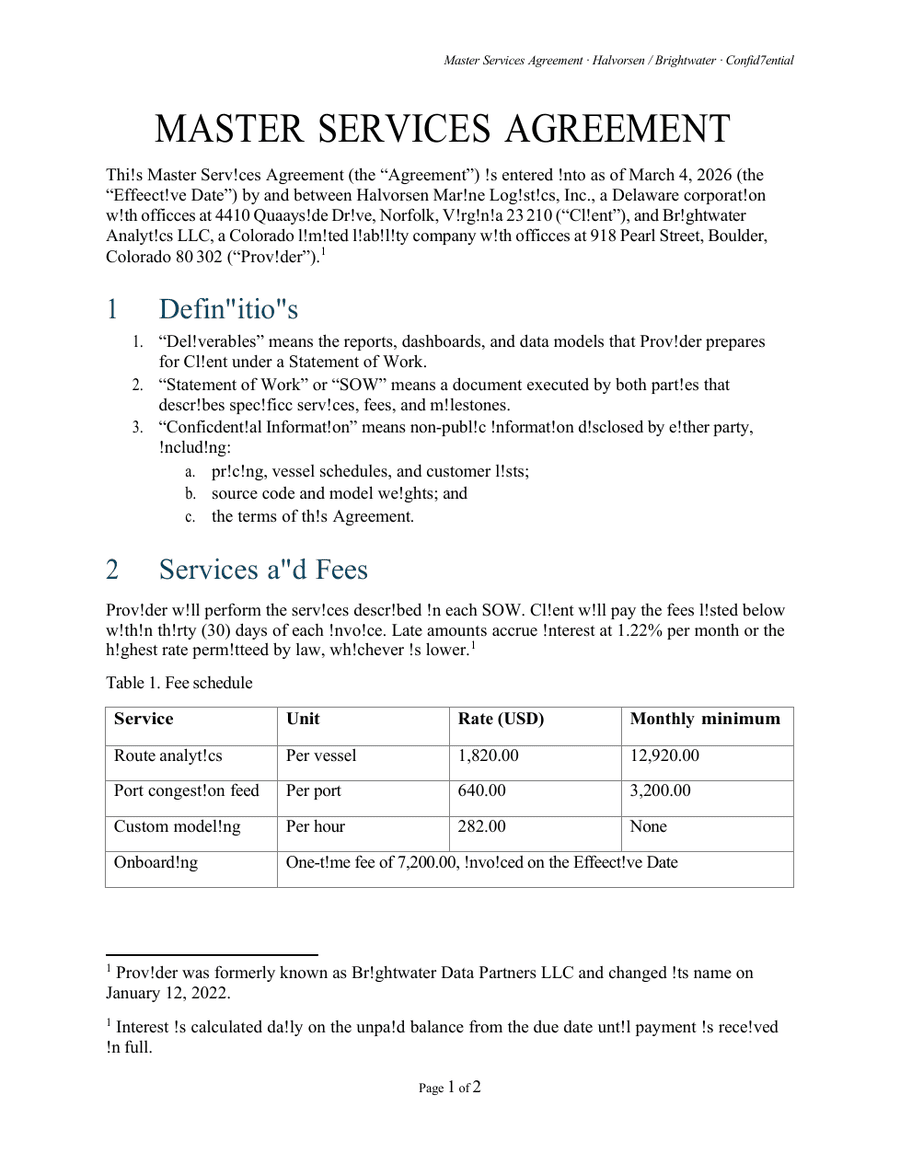
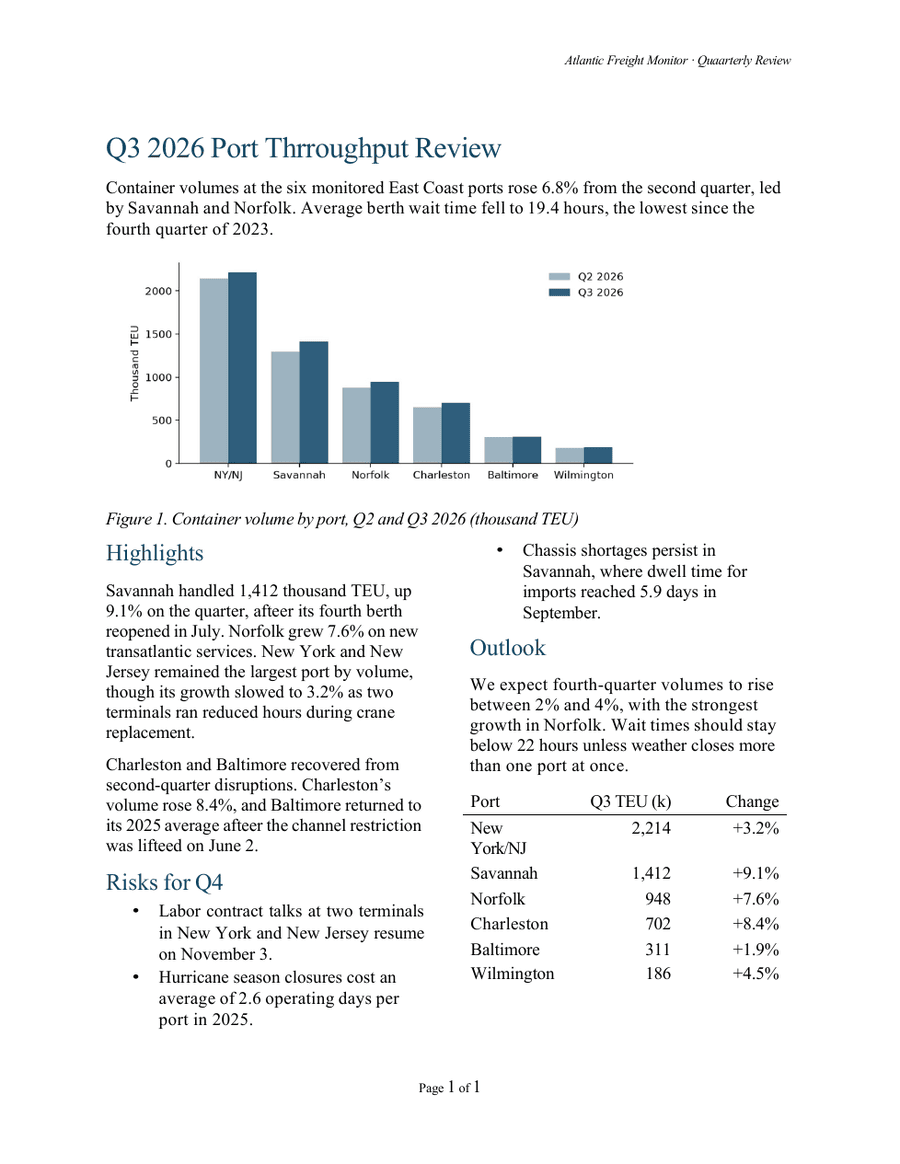
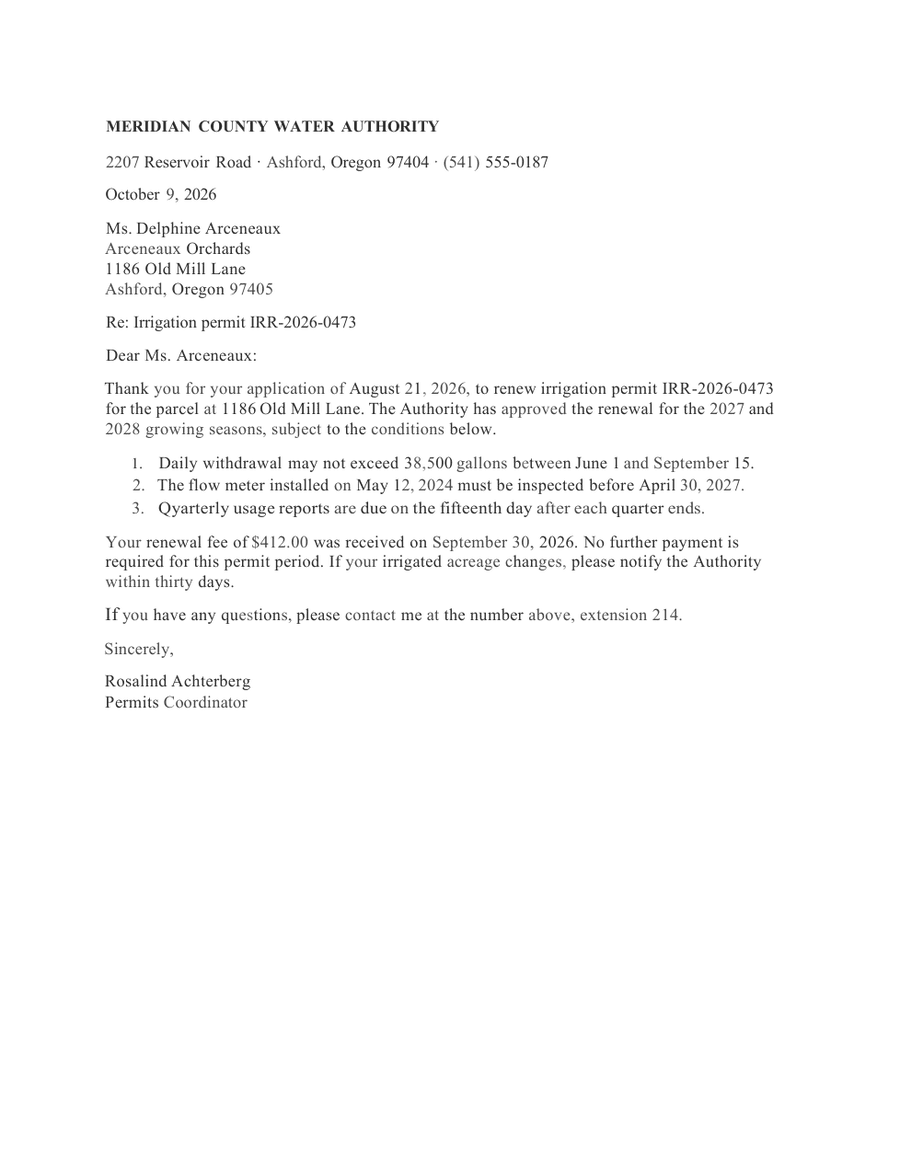
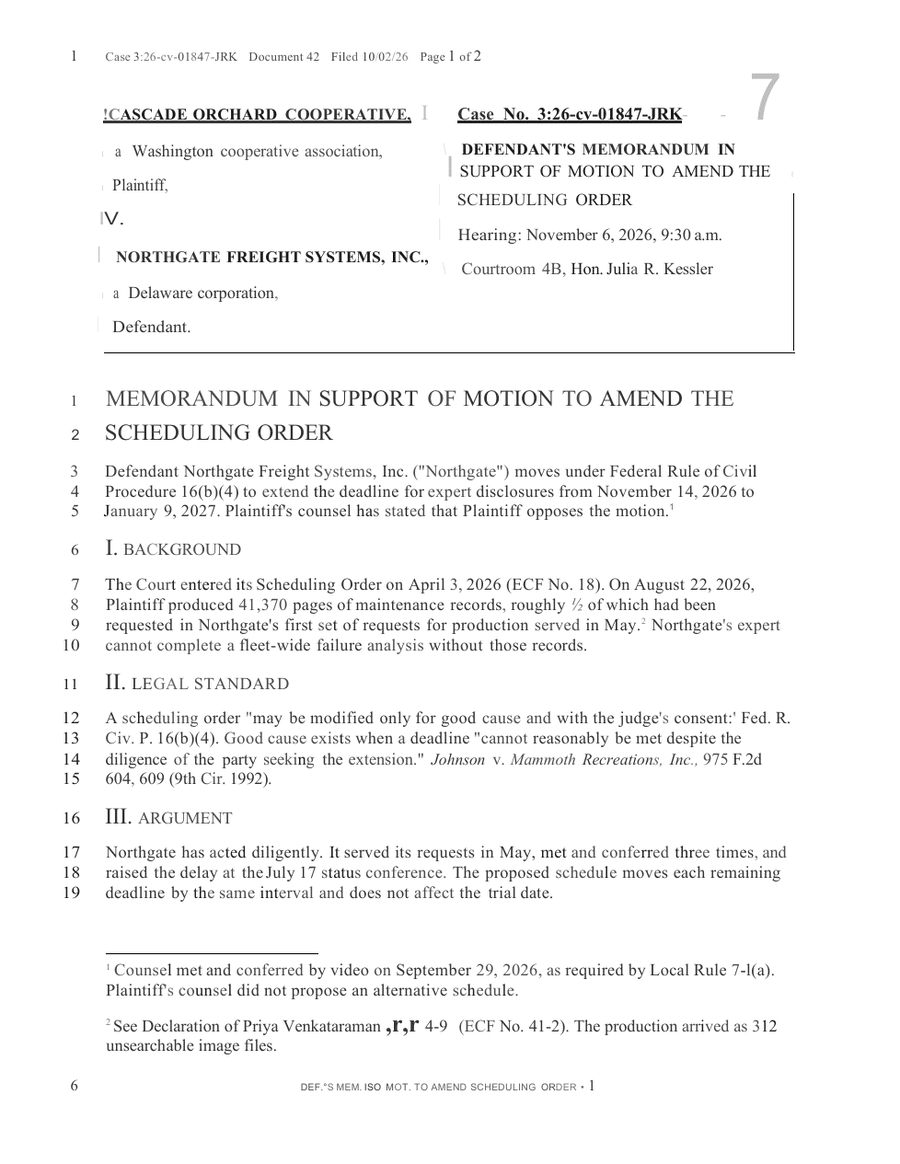
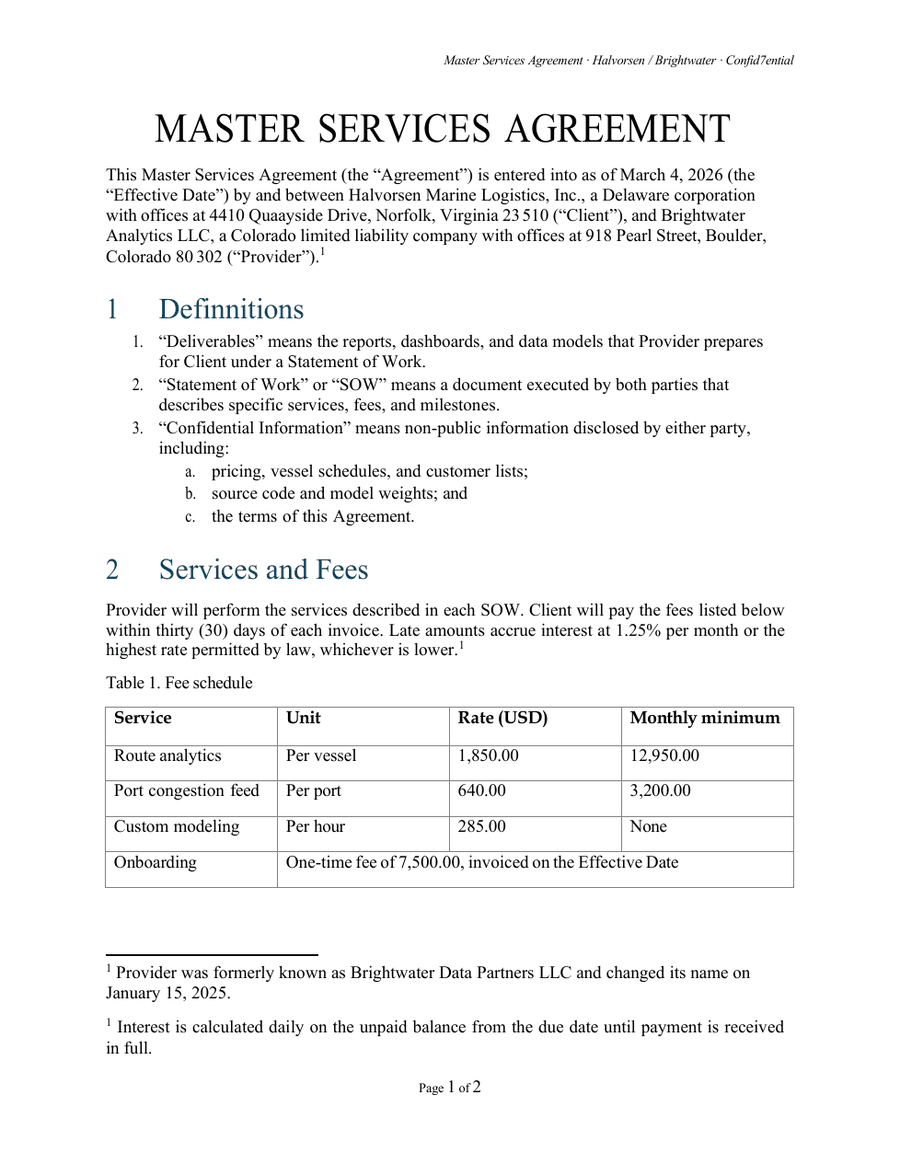
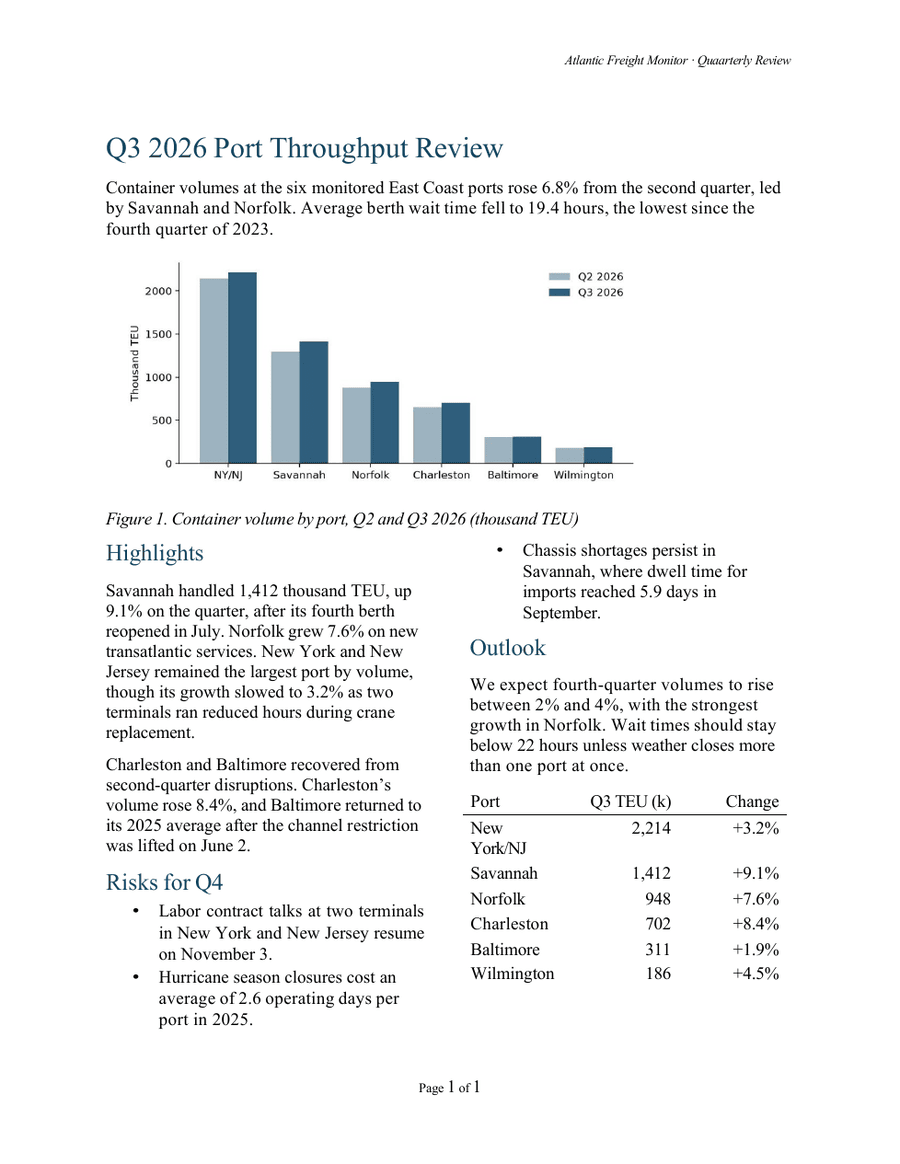
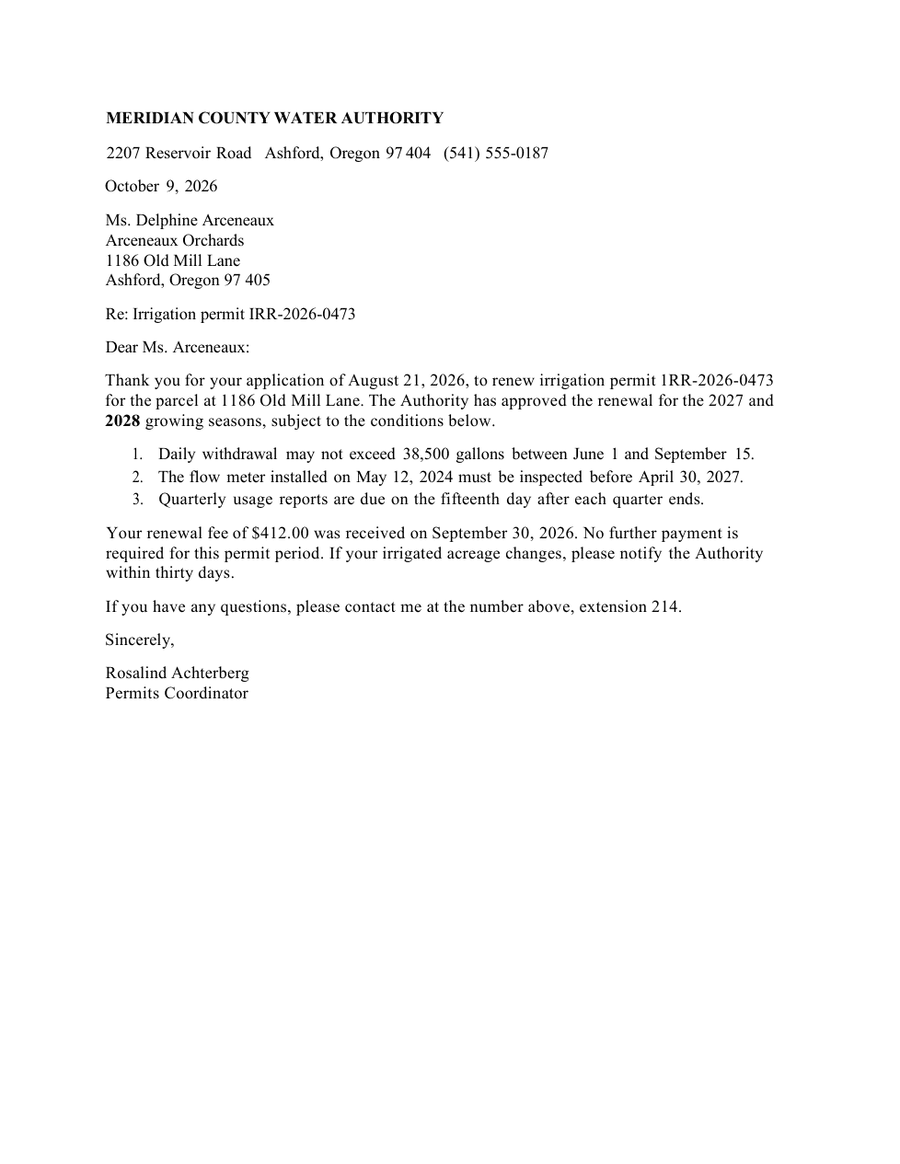
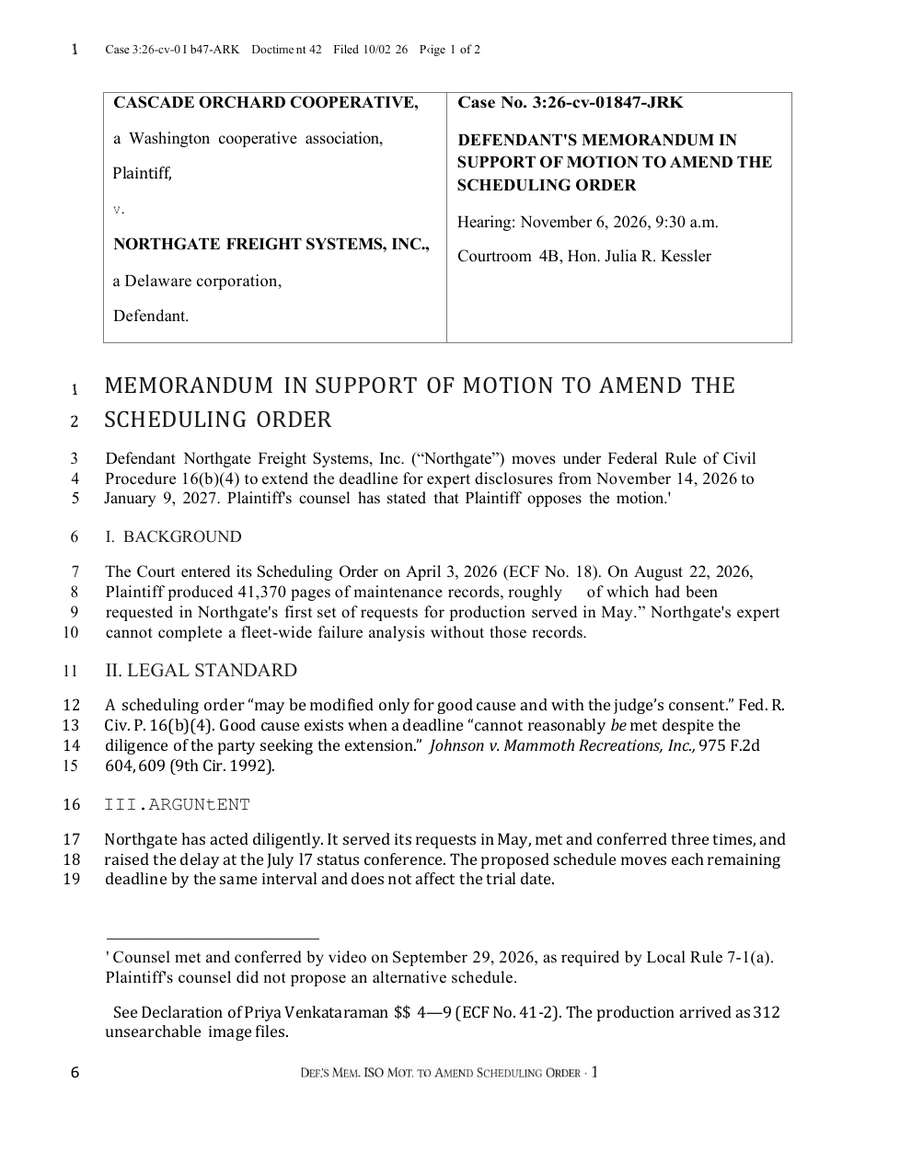
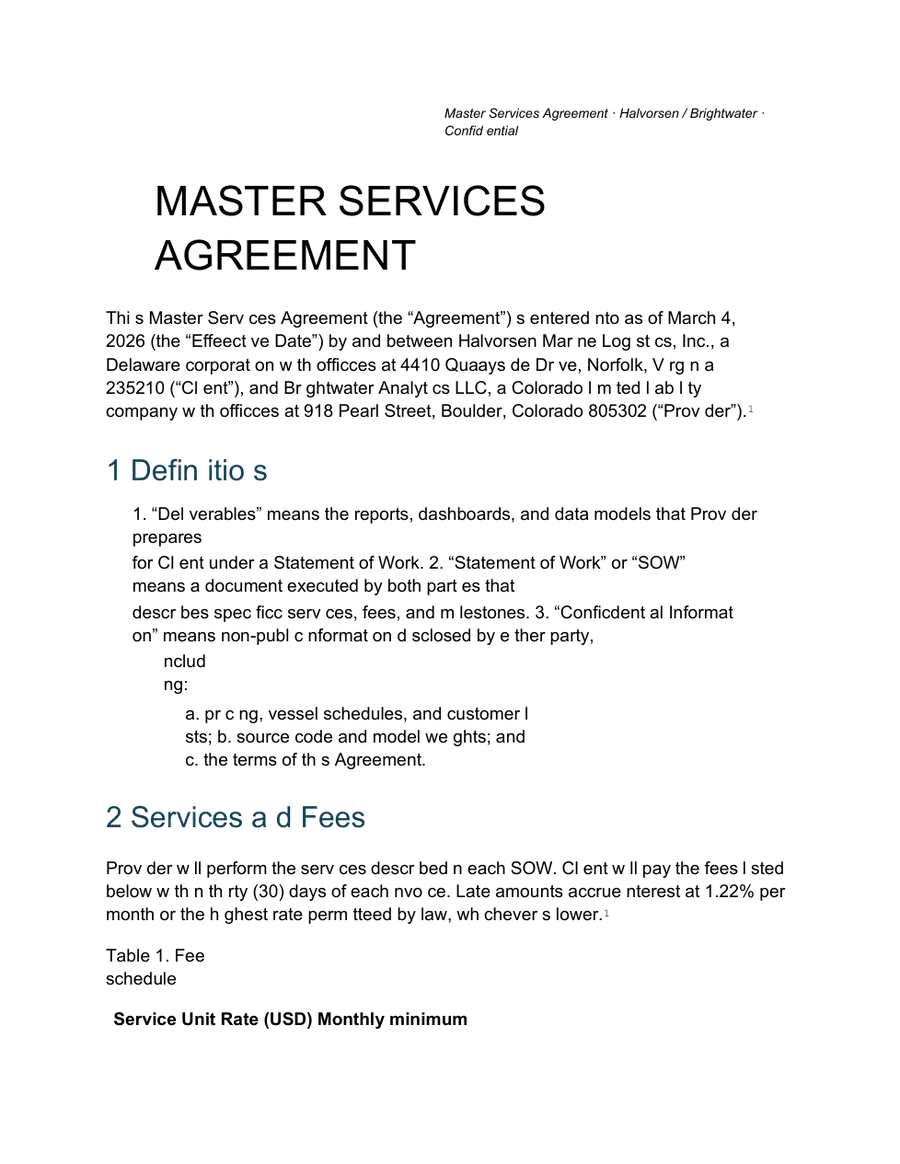
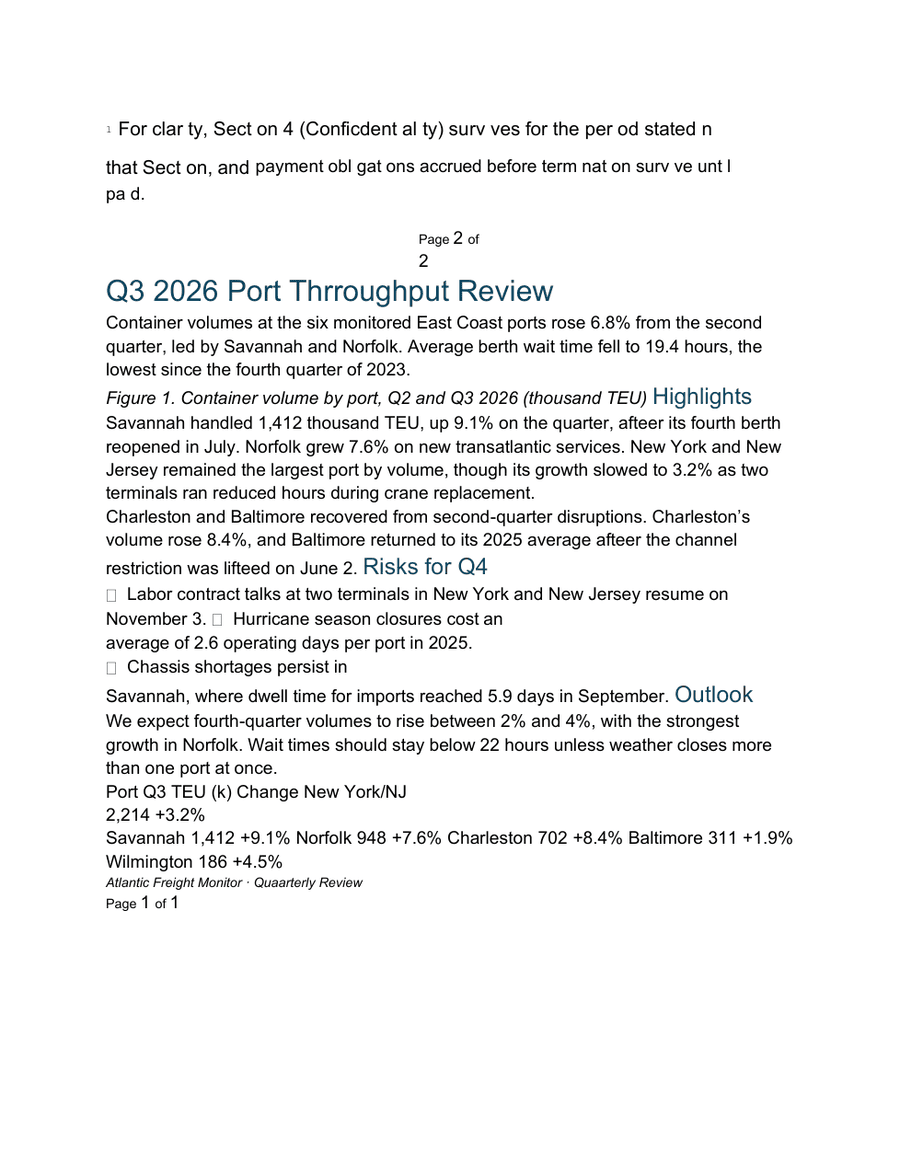
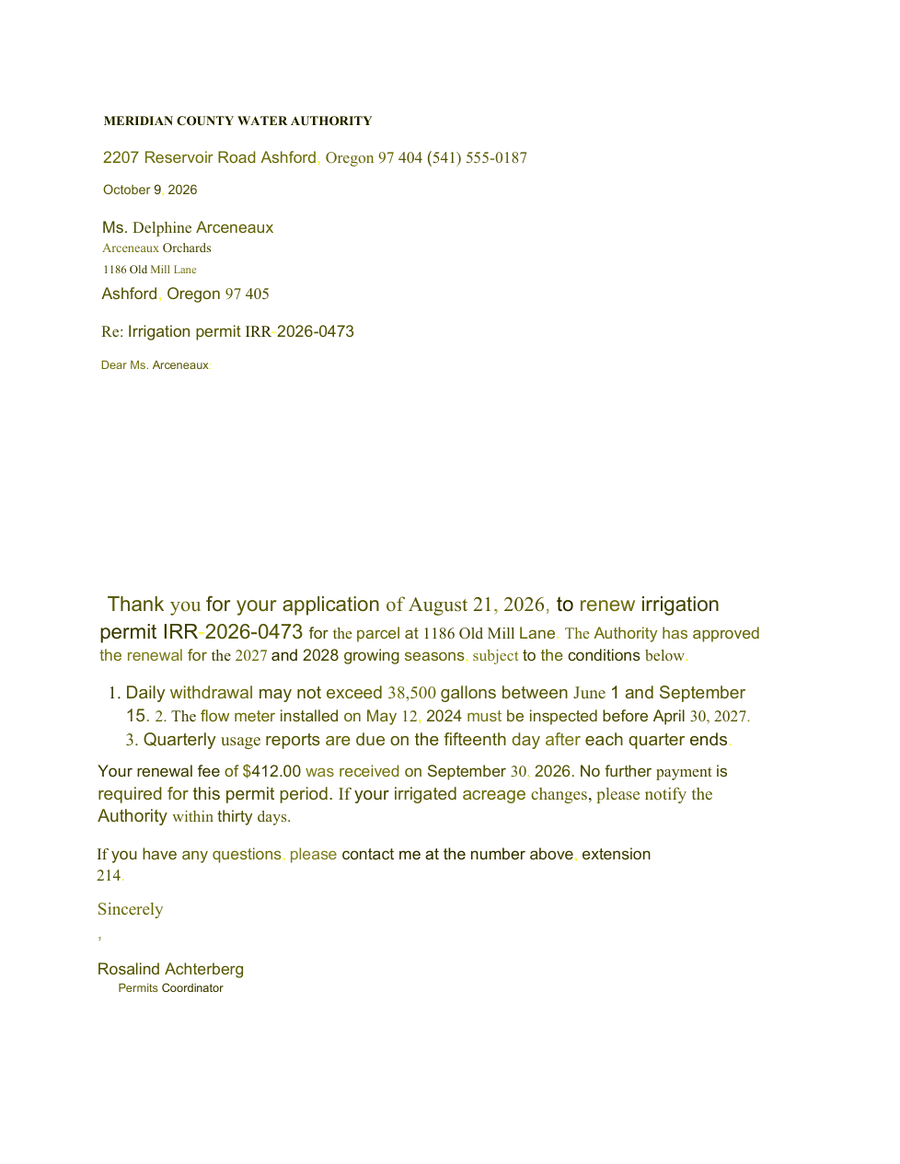
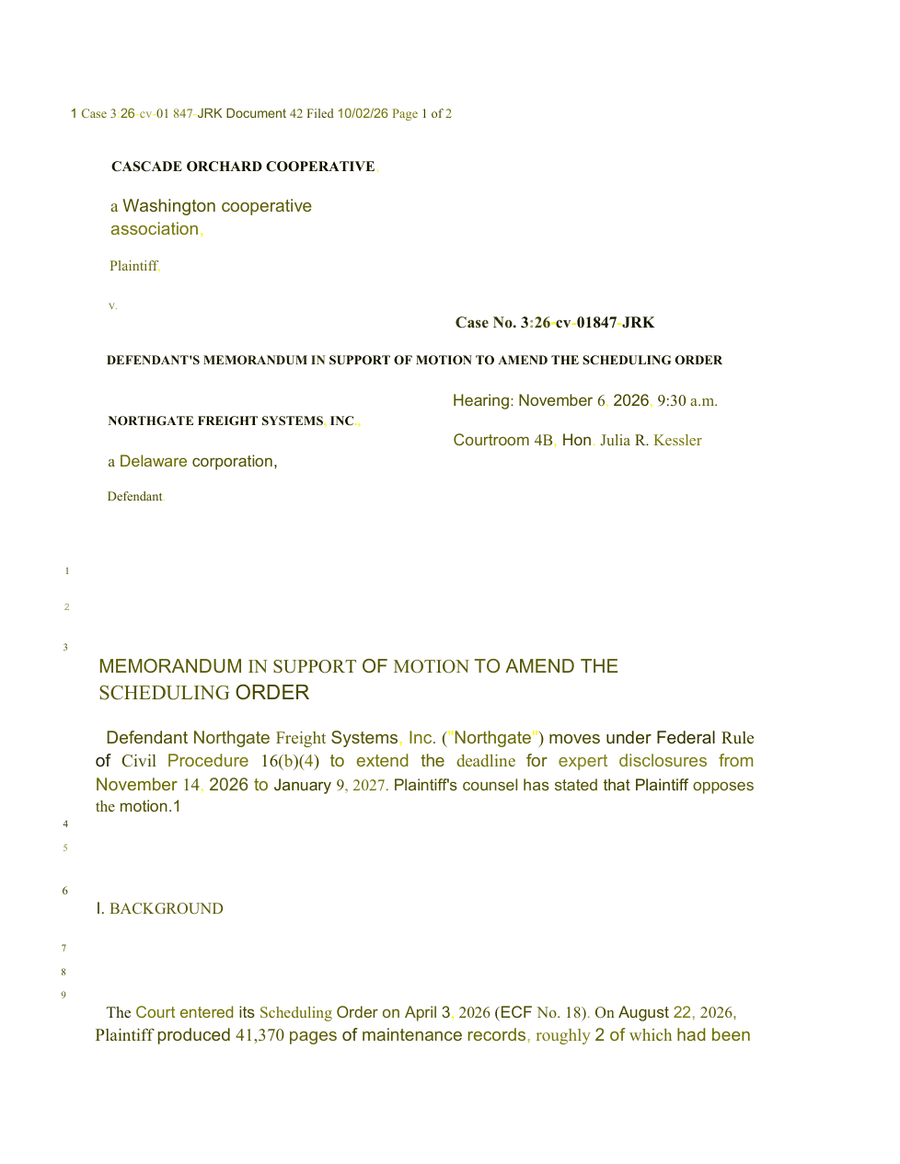
We used three PDFs that tested the whole gamut of document features and sources you might care about: a digital PDF containing both a contract & report, a scanned one-page letter; and a scanned court filing.
In our tests we evaluated word coverage, formatting, and structural elements such as footnotes, tables, merged table cells, charts, page headers, linenumbers, small caps, and strikethrough. Here we visualize the most important dimension: word coverage. In each test, what percentage of words from the original were correct in the output? And what percentage of words seen in the output did not exist in the original?
Show these results as a table
| Converter | Digital PDF | Scanned letter | Scanned court filing |
|---|---|---|---|
| Revise | 99.5% / 0.9% | 100% / 0% | 99.3% / 0% |
| iLovePDF (free) | 98.8% / 8.5% | Image only (OCR is Premium) | Image only (OCR is Premium) |
| iLovePDF Premium (OCR) | Same as free | 99.4% / 1.2% | 95.6% / 20.9% |
| Smallpdf (free) | 98.8% / 8.5% | No OCR (OCR is Pro) | No OCR (OCR is Pro) |
| Smallpdf Pro (OCR) | Same as free | 99.4% / 1.2% | 95.6% / 20.9% |
| CloudConvert | 98.8% / 8.5% | 99.4% / 1.2% | 95.6% / 20.9% |
| Adobe Acrobat (online, paid) | 77.1% / 39.7% | 99.4% / 0.6% | 95.2% / 23.3% |
| Google Docs | 77.1% / 37.4% | 100% / 1.8% | 99.1% / 11.3% |
Revise outperformed all the other tools on accuracy: in each test, it missed the fewest source words in its conversion and also had the fewest words in its output which didn't exist in the original. The conversions done by Revise were truest to the originals in terms of content.
Each converter tool is covered below in detail, with commentary and output examples. You can click any of the pages to open the source document.
The 6 best PDF to Word converters
The ranking follows the tests: structure and accuracy on scans first, then layout on born-digital PDFs, then price.
1. Revise: Best for scanned PDFs and documents with footnotes
- Free: One PDF a day, up to 20 pages, with or without an account
- Paid from: $8/mo
- Scanned PDFs: Yes, every page is read as an image with multi-modal LLMs
Revise is a browser word processor whose converter has an AI model read each page and rebuild it as a document. It was the most accurate on all three PDFs and the only tool that made real Word footnotes and headers. Its spacing does not always match the original, vector charts become placeholder boxes, and free use is one PDF a day of up to 20 pages.
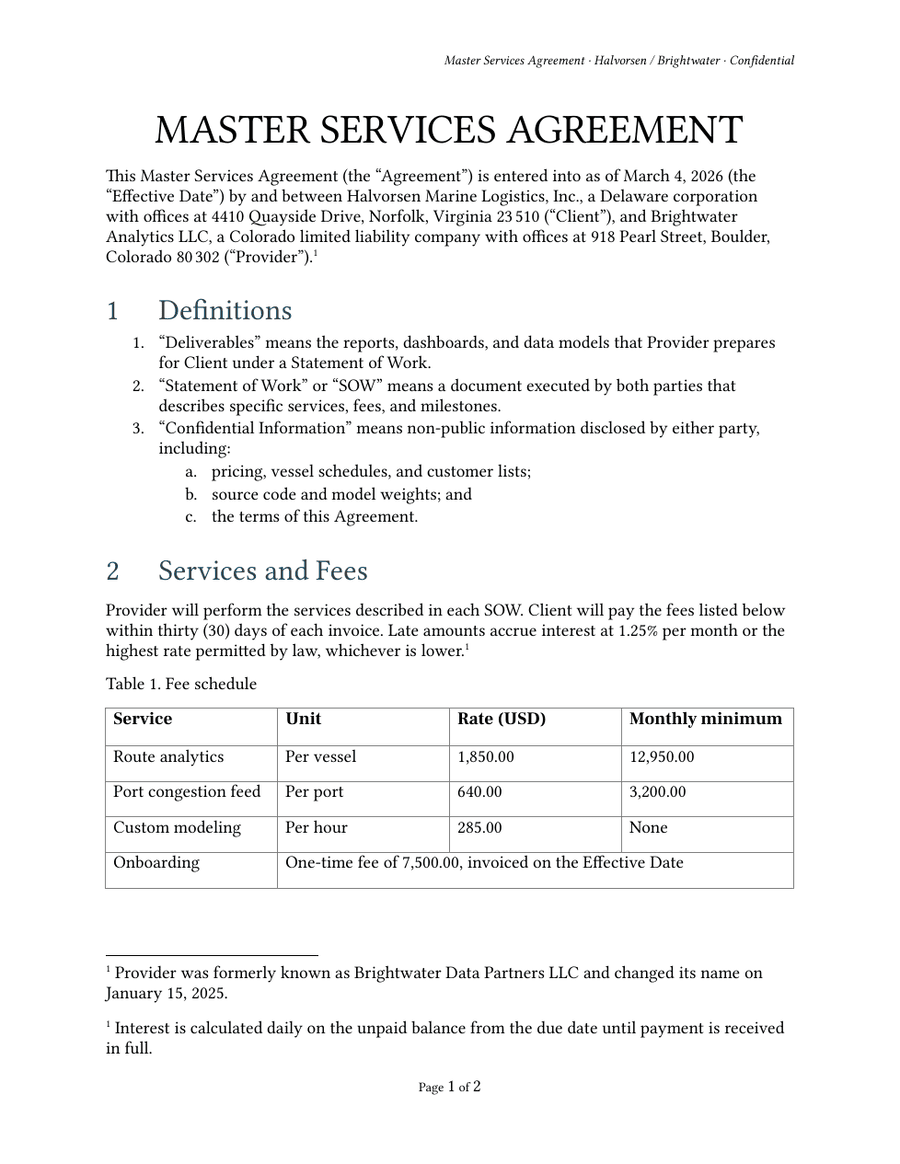
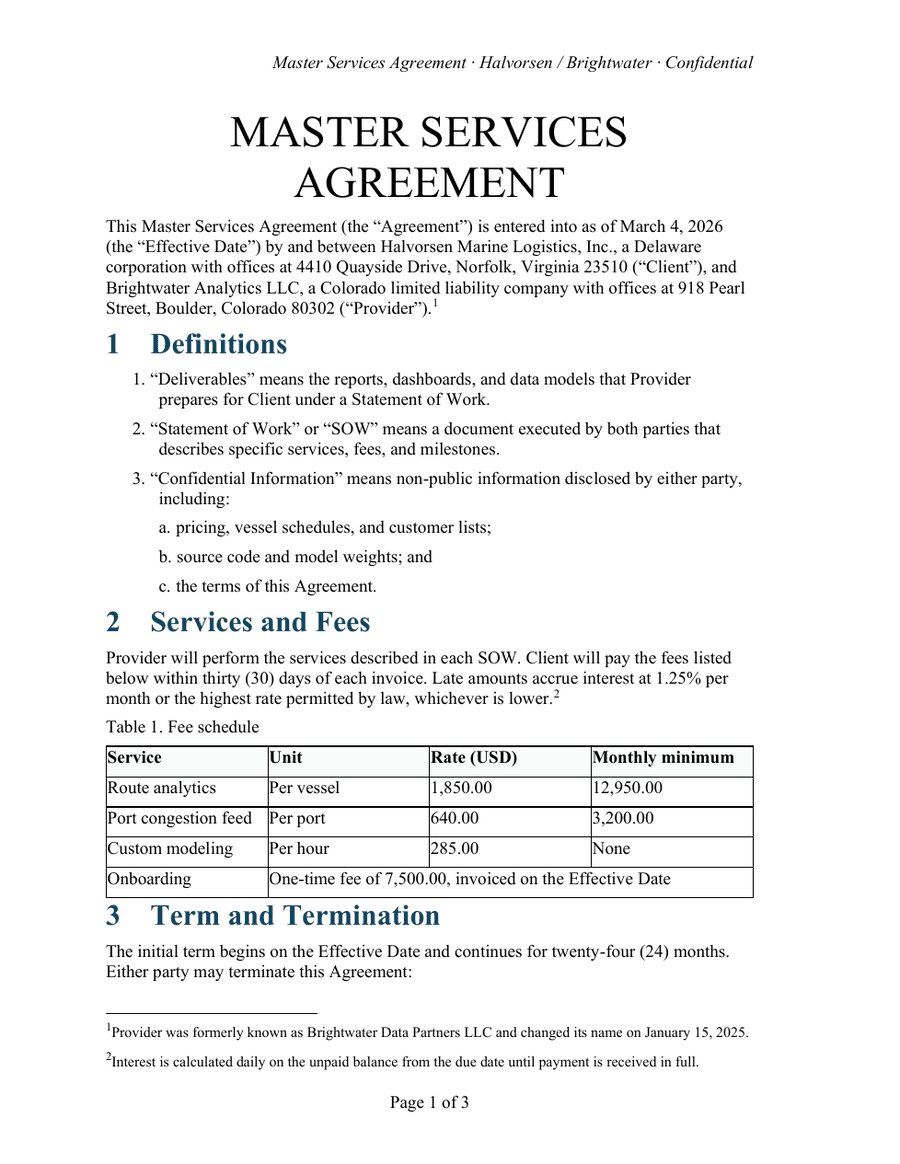
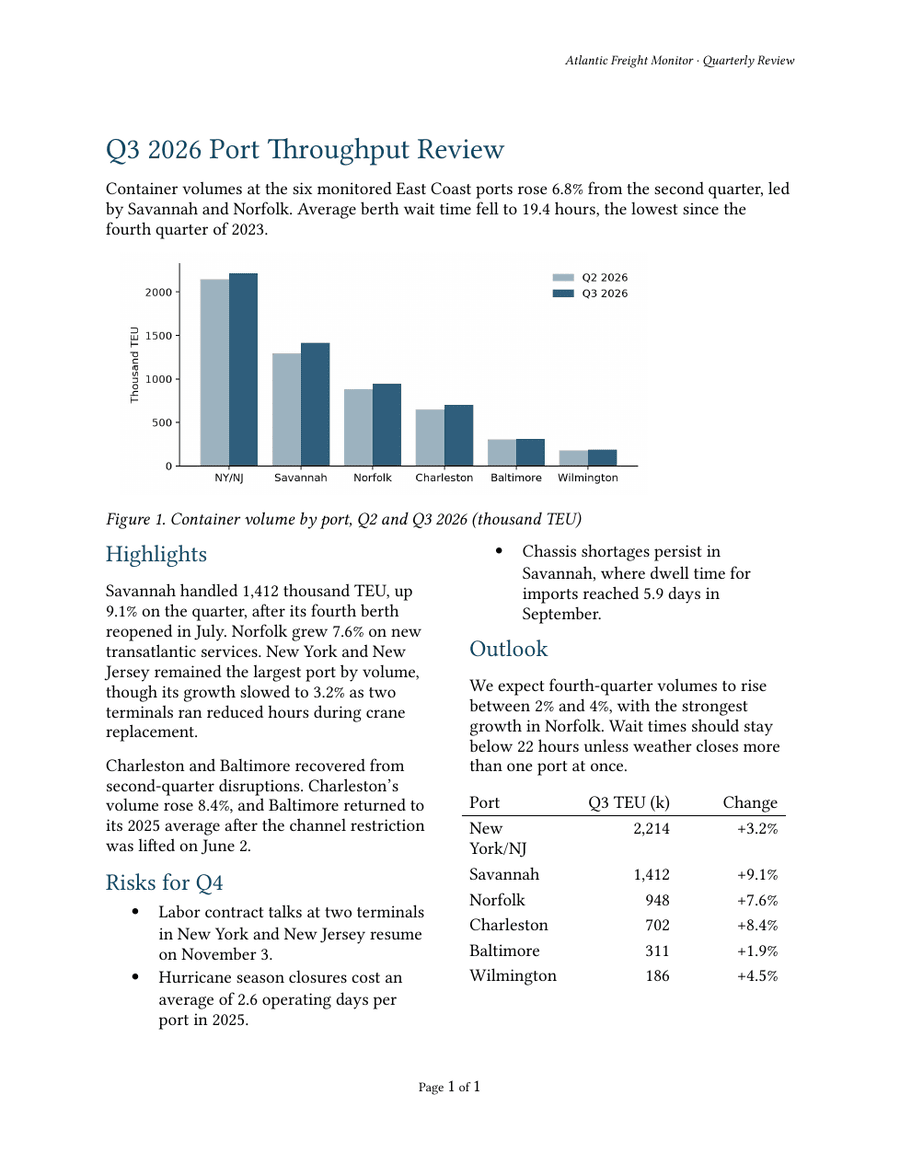
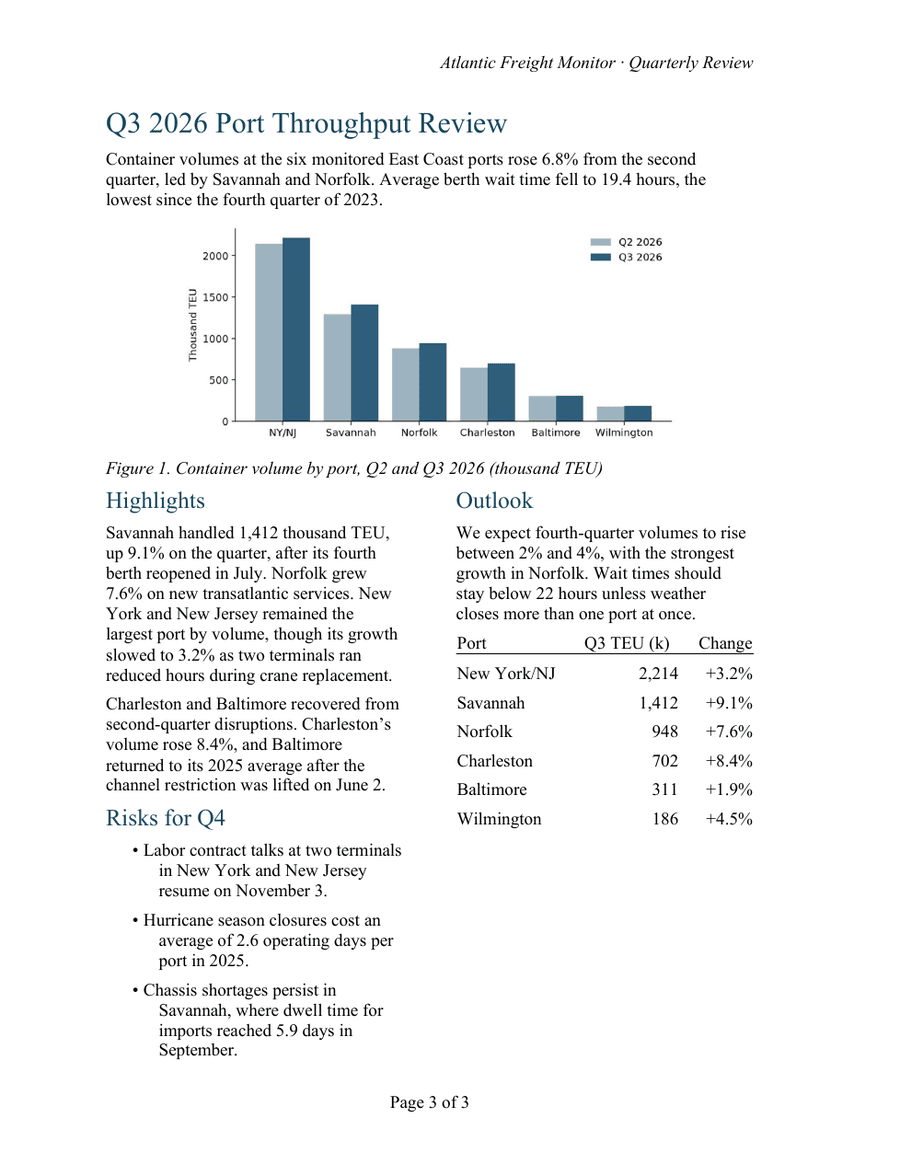
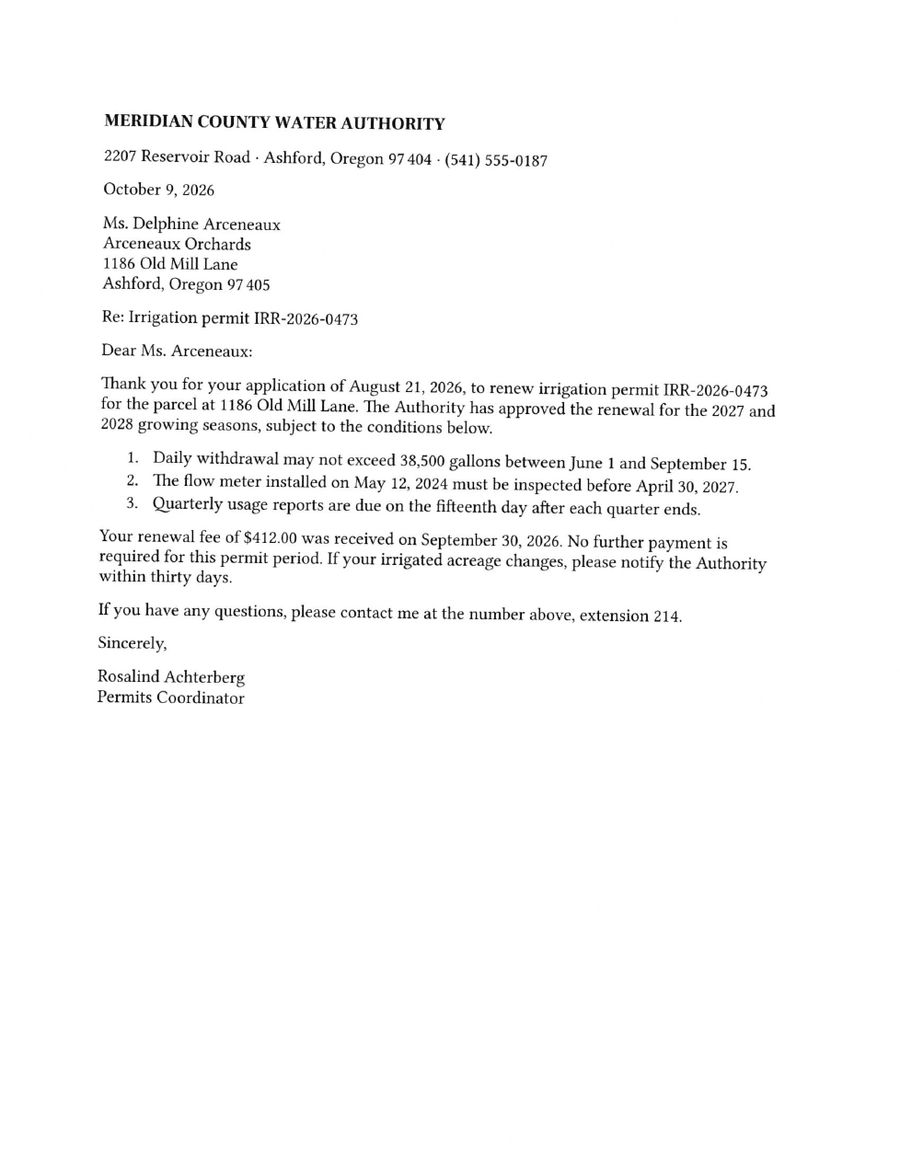
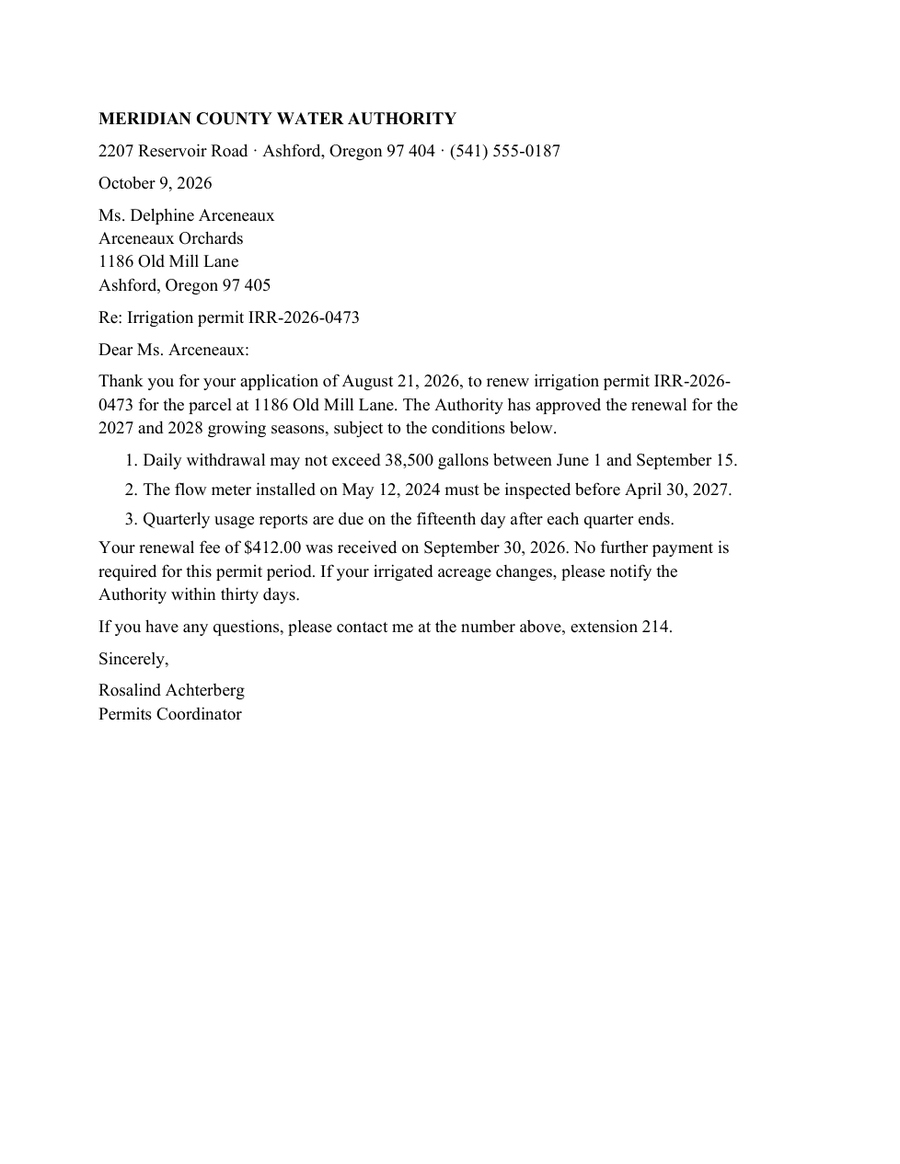
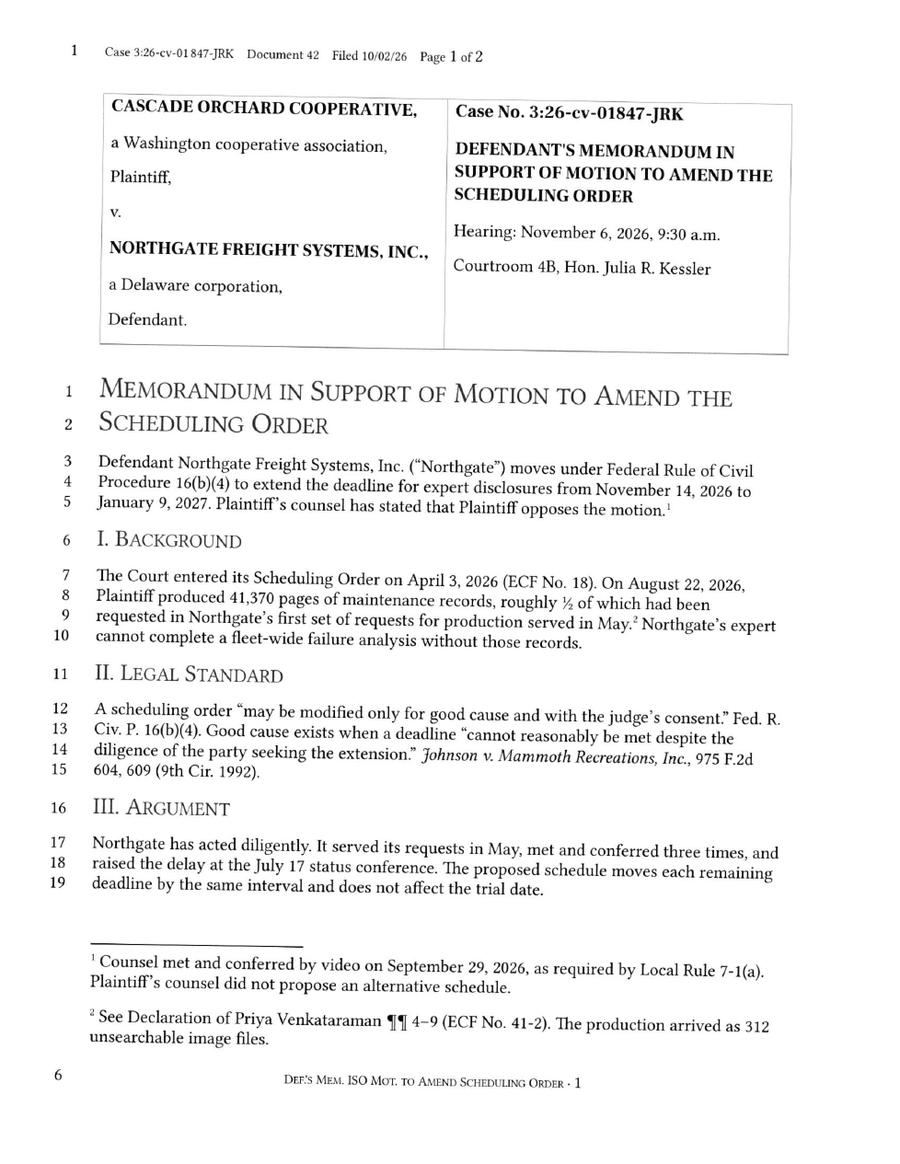
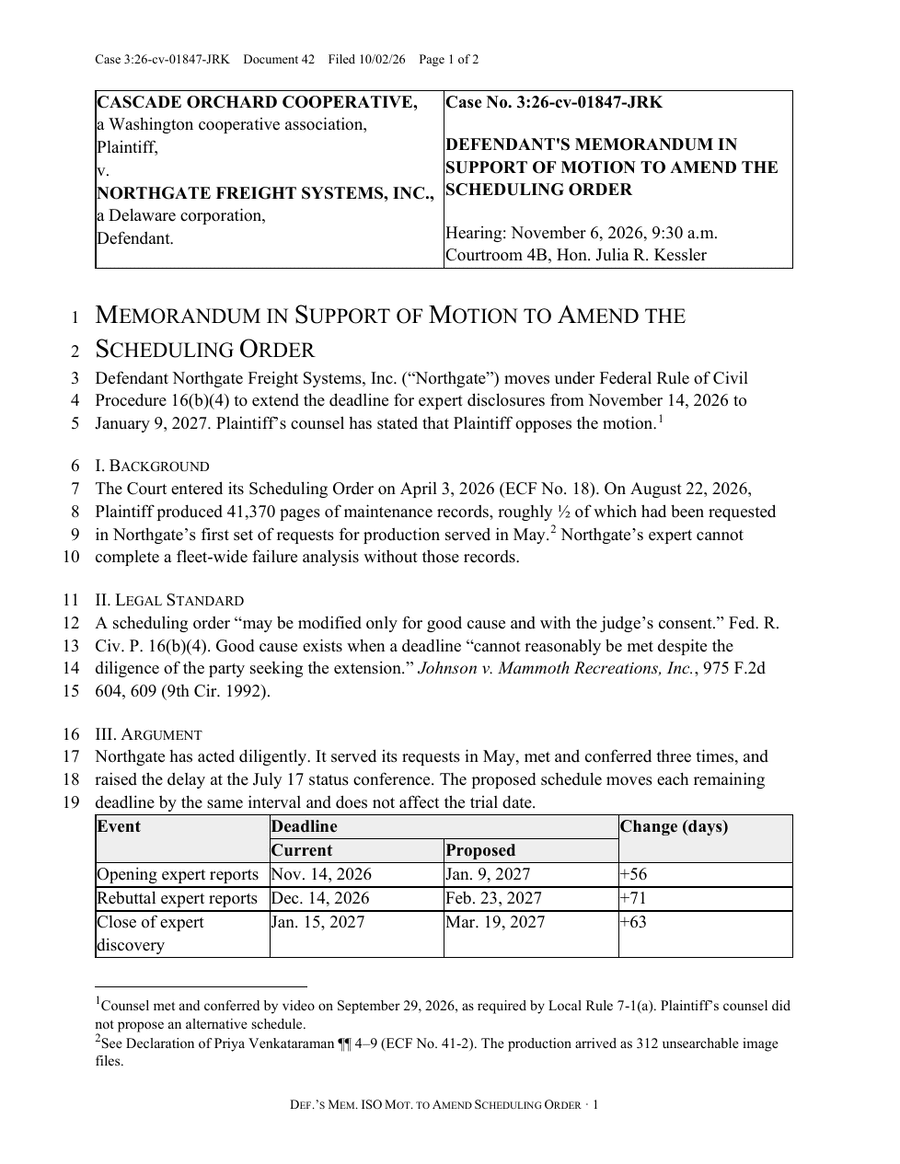
Revise is the only PDF to DOCX converter that uses LLMs to visually inspect each page of the source document and reconstruct it piece by piece, yielding the most accurate results.
2. iLovePDF: Best for born-digital PDFs on a small budget
- Free: One file at a time, up to 15 MB
- Paid from: $9/mo
- Scanned PDFs: Yes, Premium
iLovePDF kept the layout of our digital PDF but typed the footnotes into the body. OCR for scans needs Premium, at 60 dollars a year billed annually, and with it both scans came out identical to CloudConvert’s and Smallpdf Pro’s.
iLovePDF is known for its large suite of other PDF tools, so its converter may be sufficient for simple documents if you already pay for it.
3. CloudConvert: Best for developers and automated conversion
- Free: 10 credits a day, at least 4 per PDF
- Paid from: $9/mo
- Scanned PDFs: Yes, on by default for images
CloudConvert uses the Apryse PDF SDK, runs OCR by default, and offers an API. It returned the same files as iLovePDF and Smallpdf on every test. The free plan’s 10 daily credits cover about two conversions.
CloudConvert performed no better than iLovePDF, but has a very wide range of other supported documents for file conversions.
4. Adobe Acrobat: Best if you already pay for Acrobat
- Free: Limited, sign-in may be needed
- Paid from: $24.99/mo
- Scanned PDFs: Yes, plan not stated
Adobe Acrobat read the scanned letter well, but changed text and numbers in the digital PDF, whose text was already correct. We used the online converter on a paid plan, the most expensive here.
Acrobat can do a fine job on some documents and still makes sense to try if you already pay for the Adobe cloud suite.
5. Smallpdf: Best for a quick conversion now and then
- Free: 2 documents a day
- Paid from: $15/mo
- Scanned PDFs: Yes, Pro
Smallpdf returned the same files as iLovePDF and CloudConvert on all three PDFs. The free plan allows one download a day and has no OCR. Pro adds OCR and costs more than iLovePDF Premium.
Smallpdf Pro was the highest priced option of the three Apryse-based converters we found, so if all you want is that level of quality you could save some money by using iLovePDF or CloudConvert.
6. Google Docs: Best for pulling the text out of a small scan
- Free: Free, files up to 2 MB
- Paid from: Free
- Scanned PDFs: Yes, converts image text
Google Docs converts PDFs up to 2 MB for free from Google Drive (Open with, Google Docs). It read the scanned letter well and kept little structure elsewhere, as Google’s own documentation warns.
Google Docs struggled to preserve a lot of the words in the source documents we tested it on, and it doesn't seem like PDF conversion is one of its strong points.
How the converters compare
Structure elements
| Converter | Footnotes | Running header | Schedule table |
|---|---|---|---|
| Revise | Word footnotes | Word header | Table with merged header cells |
| Adobe Acrobat (online, paid) | Typed into the body | Typed into the body | Table without its header rows, several values garbled |
| CloudConvert, iLovePDF Premium, and Smallpdf Pro | Typed into the body | Word header, case number misread | Table with merged header cells |
| Google Docs | Typed into the body | Typed into the body | No table, values as loose lines |
Pricing
Free limits and prices come from the vendors’ pages.
| Tool | Best for | Free conversions | Paid from | |
|---|---|---|---|---|
| Revise | Scans and documents with footnotes or headers | One PDF a day, up to 20 pages, with or without an account | $8/mo (Plus) | Yes (every page is read as an image with multi-modal LLMs) |
| iLovePDF | Born-digital PDFs on a small budget | One file at a time, up to 15 MB | $9/mo (Premium) | Yes (Premium) |
| CloudConvert | Developers and automated conversion | 10 credits a day, at least 4 per PDF | $9/mo (Subscription, 1,000 credits) | Yes (on by default for images) |
| Adobe Acrobat | People who already pay for Acrobat | Limited, sign-in may be needed | $24.99/mo (Acrobat Standard) | Yes (plan not stated) |
| Smallpdf | A quick conversion now and then | 2 documents a day | $15/mo (Pro) | Yes (Pro) |
| Google Docs | Pulling the text out of a small scan | Free, files up to 2 MB | Free | Yes (converts image text) |
How it works
| Tool | How it converts | Where it converts | Uploaded files |
|---|---|---|---|
| Revise | An AI model reads each page and rebuilds it as an editable document, then exports .docx | Revise's servers, with an AI model provider | Becomes a Revise document, which you can delete |
| iLovePDF | Online converter with a premium OCR mode for scans | iLovePDF's servers, or its desktop app (Premium) | Kept up to 2 hours |
| CloudConvert | Apryse PDF SDK engine, with an option to favor an exact visual copy over reflowing text | CloudConvert's servers | Deleted after processing, at the latest after 24 hours per its privacy policy |
| Adobe Acrobat | Acrobat export, which Adobe says carries over columns, tables, headers, footers, and footnotes in most cases | Adobe's servers (online converter) | Deleted unless you sign in to save it |
| Smallpdf | Online converter with an OCR option for scans | Smallpdf's servers, or offline in its Windows app | Deleted an hour after processing |
| Google Docs | Opens the PDF as a Google Doc with text recognition, then downloads as .docx | Google's servers | Saved as a Google Doc in your Drive |
Test files
- Digital PDF, 3 pages: contract with footnotes, merged-cell table, running header; report page with chart, two columns, table.
- Scanned letter, 1 page: numbered list. 200 dpi, tilted, noisy.
- Scanned court filing, 2 pages: footnotes, running header, line numbers, merged-cell tables. Plays to Revise’s legal focus.
- How we assessed results: in Word 365 and the .docx XML.
| Test | Input | Outputs |
|---|---|---|
| Digital PDF | PDF, source contract, source report | Revise, iLovePDF, Smallpdf, CloudConvert, Adobe Acrobat, Google Docs |
| Scanned letter | PDF, source | Revise, iLovePDF (free), iLovePDF Premium, Smallpdf Pro, CloudConvert, Adobe Acrobat, Google Docs |
| Scanned court filing | PDF, source | Revise, iLovePDF (free), iLovePDF Premium, Smallpdf Pro, CloudConvert, Adobe Acrobat, Google Docs |
What each converter costs
Google Docs converts PDFs for free, and every other tool here has a free tier. The paid plans below are the cheapest that lift the free limits for one person. Several include other PDF or editing tools, so the price is not only for conversion.
| Tool | Cheapest paid plan | Monthly | Per year | Conversion on that plan |
|---|---|---|---|---|
| Revise | Plus | $8/mo | $72 | 5,000 PDF pages a month |
| iLovePDF | Premium | $9/mo | $60 | OCR for scans, 10 files per batch, desktop app |
| CloudConvert | Subscription, 1,000 credits (per month, credits do not roll over) | $9/mo | $108 | 1,000 credits a month, also through the API |
| Adobe Acrobat | Acrobat Standard (or $14.99/mo on an annual plan paid monthly) | $24.99/mo | $179.88 | Unlimited conversions, .docx or .doc output |
| Smallpdf | Pro | $15/mo | $120 | No daily download limit, OCR for scanned PDFs |
| Google Docs | Free with a Google account | Free | Free | Free with a Google account |
The bottom line
iLovePDF, Smallpdf, and CloudConvert all use the same underlying OCR engine and did decently well but had accuracy problems and turned footnotes into plain text in the document close to the original, and Smallpdf and CloudConvert gave the same Google Docs and Acrobat were less accurate and didn't give quality results.
Revise was the most accurate converter on all three PDFs and the only one that rebuilt footnotes and headers as Word footnotes and headers. It sometimes struggles with spacing and vector charts, but its LLM-based scanning does a good job at preserving content and structure.
Sources
Prices and plan details were checked against each vendor’s own pages on October 28, 2026. Prices are in US dollars as each vendor lists them, and some include local tax. Vendors change plans often, so confirm on the linked page before you buy.
- Revise: Pricing, Supported models, Agent capabilities, Word compatibility, Import and export, MCP server, Suggesting mode, AI usage limits, Sharing and collaboration, Revision history
- iLovePDF: PDF to Word, Pricing, Help FAQ
- CloudConvert: PDF to DOCX, Pricing, Security, Privacy policy, Conversion options (API)
- Adobe Acrobat: PDF to Word converter, Free online tool limits, Pricing
- Smallpdf: PDF to Word, Pricing, Free plan limits (Smallpdf blog)
- Google Docs: Edit Office files, Version history, Suggest edits, Workspace pricing, Google AI plans, Gemini in Docs, Gemini features by plan, Gemini usage limits in Google apps, Edit Office files in Google Drive, Convert PDFs and images to text