Working Offline
Last updated
Revise works offline in the browser. Documents you have opened on this computer stay available without a connection, and your edits sync when you reconnect. The AI agent needs a connection.
What works offline
| Works offline | Needs a connection |
|---|---|
| Opening and editing documents you have opened on this computer | Documents you have never opened on this computer |
| Creating documents | Documents shared with you by someone else |
| Importing .docx, Markdown, HTML, and other text files | Importing PDFs and images |
| The documents list, as it was when you were last online | Trash |
| Exporting and printing | The AI agent |
Offline mode needs no setting. Revise keeps its pages and your documents on this computer while you use it online, and uses them when the connection drops.
Edit a document offline
Open a document as usual. When the connection drops, the header shows You are offline next to the document title, in place of the collaborators' avatars. Hover over it to read Your edits are saved on this computer and will sync when you reconnect.

Keep editing. Every change is saved on this computer as you type. When the connection returns, the header shows Back online. Syncing your changes… for a few seconds while Revise sends your edits to your account.

If someone else edited the same document while you were offline, both sets of changes are kept and merged when you reconnect. Revision history records your offline edits once they sync.
The documents list offline
Offline, the documents list shows the list from your last online visit, with a banner at the bottom: You are offline. Working offline. Changes sync when you reconnect. Documents that have no copy on this computer are dimmed and labeled Not available offline. You can't open them until you are back online.
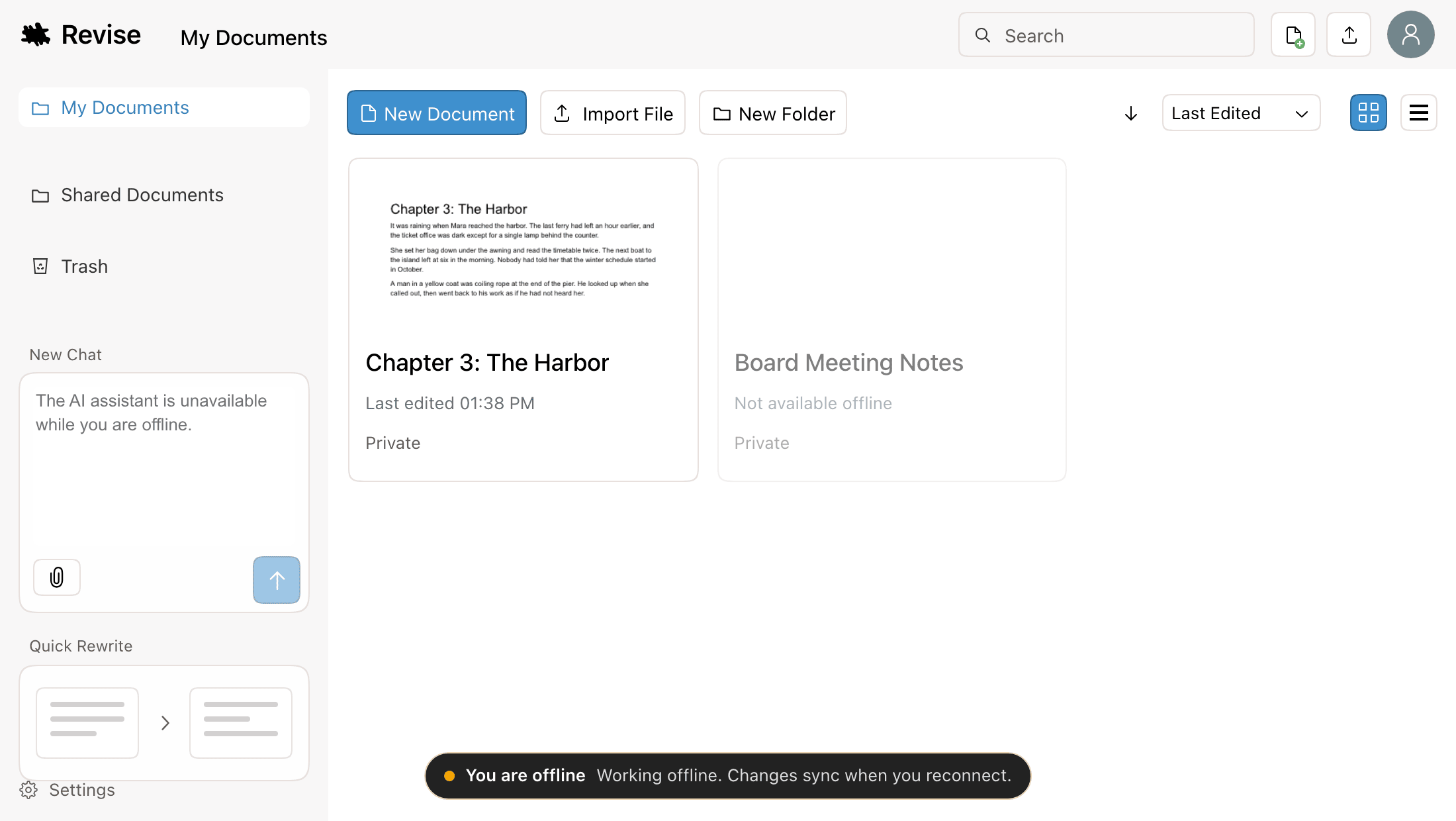
Each folder shows its list from the last time you opened it online. Trash needs a connection.
Create and import documents offline
Click New Document or Import File as usual. A document created offline is kept on this computer and appears in your documents list.
When you reconnect, Revise moves it into your account. The document gets a new link. If it is open, the editor switches to the new link without reloading, and the old link redirects to it.
Importing .docx, Markdown, HTML, RTF, ODT, and plain text works offline. PDF and image imports use AI on Revise's servers and need a connection.
Documents that are not available offline
A document is available offline only if this browser has a copy. These have no copy:
- Documents you have not opened on this computer.
- Documents someone else shared with you. Revise does not keep copies of these, so access can be removed.
- Any document, after you clear this site's data in your browser.
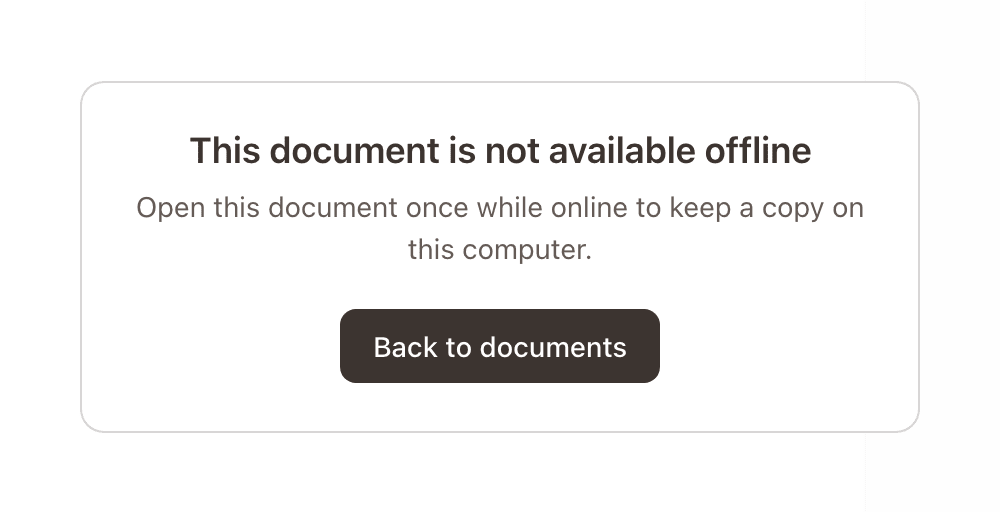
Opening one of these offline shows This document is not available offline. Click Back to documents to return to the list. The document opens on its own once you are back online.
The AI agent offline
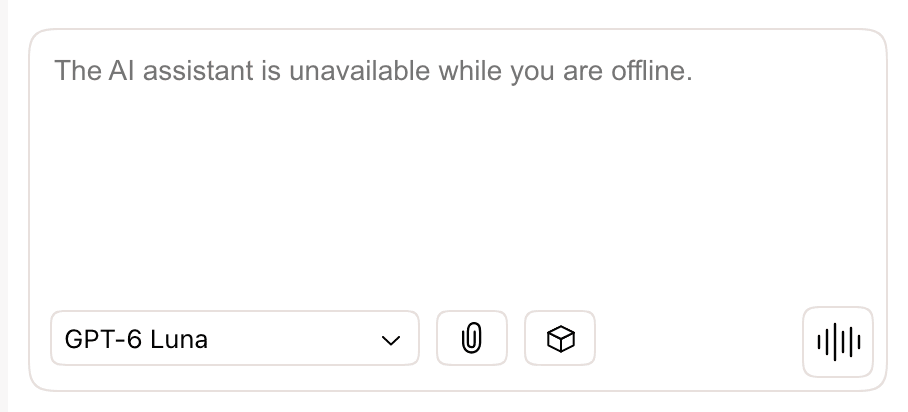
The agent runs on Revise's servers. Offline, the chat input is disabled and reads The AI assistant is unavailable while you are offline. Your conversations and any pending suggestions stay in the document, and you can still accept or reject suggested changes.
When Revise is unreachable
If your connection works but Revise's servers don't respond, Revise behaves as if you were offline, with different messages.
| Where | No connection | Revise unreachable |
|---|---|---|
| Editor header | You are offline | Can't reach Revise |
| Documents list banner | Working offline. Changes sync when you reconnect. | Working offline. Changes sync as soon as Revise is reachable again. |
| Document with no copy here | This document is not available offline | This document can't be opened right now |
| AI agent | Disabled | Not disabled. Requests fail until Revise responds. |
Requirements and limits
- Use Revise online at least once in a browser before you need it offline. Revise saves what it needs during that visit.
- Copies are kept per browser. A document you opened in one browser or on one computer is not available offline in another.
- Private windows and clearing site data remove the copies. Edits made offline that have not synced are lost if you clear site data before reconnecting.
- Without an account, documents are stored only in this browser. They open offline like any other document, and there is nothing to sync. See Accounts and anonymous use.